
mbhokjjcfgkgjeeddphjlcbiomgdkbjk
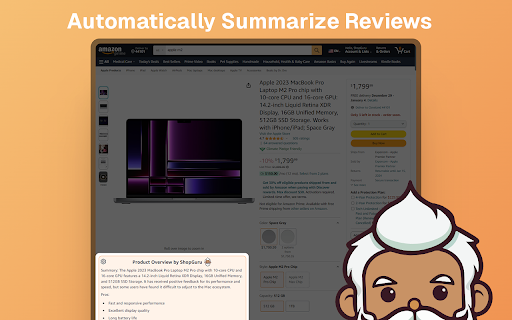
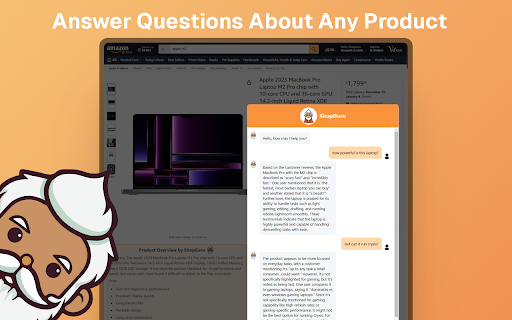

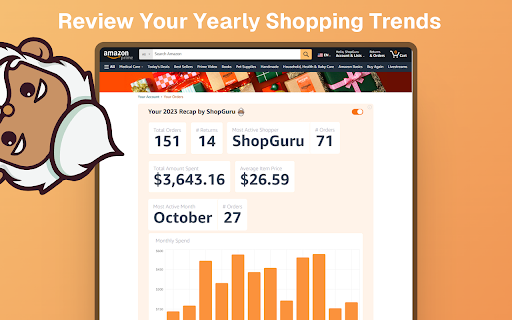
The ultimate online shopping companion. **** Developer note: As of 08/02/2025, the chat functionality is working again, but the product overview is not functional. I will fix this in the future. **** ShopGuru is an AI powered shopping assistant that integrates with Amazon to summarize customer reviews right on the product page. It tells you the general consensus from customers, and allows you to ask specific questions about products as well through the chat bot. It only uses information from customer reviews to answer your questions, so you can be assured that it will not give you wrong information. v1.0 Patch Notes: Overhaul of the chat UI. Recently added: 🔥Custom Quick Buttons: You can now edit the quick questions bar to add your own questions! You can access the settings page on product overview tiles, the extension popup or by right clicking the extension. 🔥Product Overview: ShopGuru automatically places a product overview with a brief summary and a pros and cons list from the reviews right on to the product page! 🔥Sort by review count button: ShopGuru can sort products by review count on the Amazon search page to make it easier for you to find highly reviewed products. Just make sure to select a department. Key Features: ✅Product Chat: ShopGuru leverages AI to search through product information and answer any questions you have about any product on Amazon. After installing, click on the the chatbox on any Amazon product page to get started. ✅Unbiased Customer Insights: ShopGuru scans through customer reviews and product information, aggregating valuable insights to address your questions accurately. No more guesswork - get the scoop straight from those who've experienced the product firsthand. ✅Seamless Integration: Engage in real-time conversations with the ShopGuru without ever leaving the product page. No need to open multiple tabs for conducting product research, the integration with Amazon is seamless and works right away. ShopGuru empowers you to shop smarter, faster, and with utmost confidence. Say goodbye to uncertainty and hello to an extraordinary shopping experience. ShopGuru has got you covered!

Trusty Search Assistant for Amazon
The best way to find what you're looking for on Amazon * Infinite scroll up to 50 pages of search results. * Trim down results by rating, review count, and price with the Trusty filter sliders and input boxes. * Sort and reverse sort results by rating, review count, or price and see changes instantly. No more hunting through page after page. Find the very best products Amazon has to offer in seconds. Search better with Trusty Search Assistant for Amazon. Works with: amazon.com amazon.co.uk amazon.ca amazon.com.au amazon.eg amazon.de amazon.it amazon.es amazon.fr amazon.com.br amazon.in amazon.com.tr amazon.com.mx amazon.ae v2.0.0 - App rewritten in modern Svelte framework - 90%+ package size reduction - Improved performance - Back to top and clear filters buttons added - Persistent filter settings - Manifest v3 compliant - Added support for Amazon Mexico - amazon.com.mx v1.0.14 - Added support for Australia and Egypt amazon.com.au amazon.eg v1.0.7 - Fixed rating and price bugs for UK and DE. v1.0.6 - Fixed UK display bug and added fallback support. v1.0.5 - Fixed missing Trusty bar bug. Updated to work with new Amazon layout. v1.0.2 - Added international support! Now works on: amazon.com amazon.co.uk amazon.ca amazon.de amazon.it amazon.es amazon.fr amazon.com.br amazon.in

Amazon Sort by Review Count
Sort By Review Count for Amazon allows you to sort Amazon search results by their number of reviews Sort By Review Count for amazon extension lets you sort items by their number of reviews & ratings. Most reviewed are now on top of amazon search To sort by number of reviews, click on the "Sort by Review Count" button. UPDATE: Folks, you don't need to pick a specific department anymore !!

DIG This Deal
Finding you the best price for the product you're purchasing. Are you tired of switching between multiple tabs to find the best price? Look no further! DIG This Deal – Your Ultimate Price Comparison Tool helps you save time and money by bringing the best deals directly to your browser. Key Features: Seamless Price Comparisons: Compare prices on new and pre-loved products from multiple online retailers in real time. Cashback Rewards: Earn cashback on eligible purchases when shopping through partnered retailers. Terms and conditions apply. Enhanced Shopping Experience: Save time by viewing all available deals and prices in one place without the hassle of manual searches. Support for Pre-Loved Items: Discover refurbished and second-hand options to save even more and shop sustainably. Personalized Recommendations: Receive tailored suggestions based on your browsing and shopping habits. Real-Time Updates: Stay informed with the latest deals, discounts, and price drops across your favorite online stores. Install the DIG This Deal Extension: Add the extension to your browser for a seamless price-checking experience. Browse Your Favorite Retailers: Shop as usual, and the extension will automatically display price comparisons and cashback opportunities. Earn Rewards: Qualify for cashback by completing purchases through our partnered retailers. Access prices for both brand-new and pre-loved products. Join a growing community of savvy shoppers who prioritize smart and sustainable shopping. Download DIG This Deal now and start saving today!

Sort By Review Count for Amazon
Sort By Review Count for Amazon sorts product search results by most reviewed. Update March 13, 2024: Due to Google Chrome's impending switch from manifest v2 to manifest v3, I had to update the code. Please send me an email at griffithsorganizationllc2023@gmail.com if you are encountering issues with the manifest v3 version. The Google Chrome manifest v3 rollout is staggered so there may be issues that arise during their rollout across browser versions (I don't expect any but its possible). Also, the Firefox and Microsoft Edge versions are now complete and available for download and use with the same account. Edge version is here:https://microsoftedge.microsoft.com/addons/detail/sort-by-review-count-for-/jehnmefoldmahnigfmldbefdggjbpdia Lastly, the Apple ecosystem is distinct unfortunately, so I haven't been able to rollout a version to the same account yet under their TOS (right now you would have to purchase separately). The Apple version (for Mac, iPhone, Safari, etc) is available here: https://apps.apple.com/us/app/sort-review-count-for-amazon/id6445829513 If there are any other browsers that you are unable to get the software on, please contact me and I will try my best to implement it there. ---------------------------------------------------------------------- Sort By Review Count for Amazon allows you to sort product search results by most reviewed. It works best when you are in specific product department. After submitting a search on Amazon, a blue Sort By Review Count button appears in the right hand corner near the sort by drop down menu. Clicking that when in a product department (the column on the left of the search result images) will sort the results by review count. Due to our company’s ongoing costs in development and responding to user requests, our Sort By Review Count app requires a small payment to use upon installation. We prefer doing that rather than collecting and selling your browsing data like other Chrome extensions out there. Payment is provided through a Stripe payment popup, which is an industry standard payment method since Chrome stopping processing payments for all the browser extensions in 2020. Thank you for supporting developers! For those that have already paid, please use the login here option at the popup to enable the app. Once the Sort By Review Count extension is installed, a blue arrow icon will appear in the extensions list. We recommend you pin Sort By Review Count (SBRC) and click it ahead of an Amazon product search, as it is a helpful tool to find trusted and well-reviewed products. A few quick tips for use: (1) Click the blue "Sort By Review Count" button that appears when you enter your search. We recommend you click the icon each time your search results show up to sort. (2) We recommend users consider an adblock during web use. It makes all online web searches less clouded by ads and sponsored results. (3) We recommend clicking a single "Department" (found on the left side column when you are on an Amazon search results page) to get a more accurate sort. For example, if you are searching for blenders, make sure you are in the "Household Blenders" Department. The sort feature adds to the url in your current tab to sort the search results, and Chrome provides a browsing data notice for that (probably because it adds to the url in the current tab you have open) on extension install.
