
mbcdnjbocanmphhbkpbjbnepdhbihafo


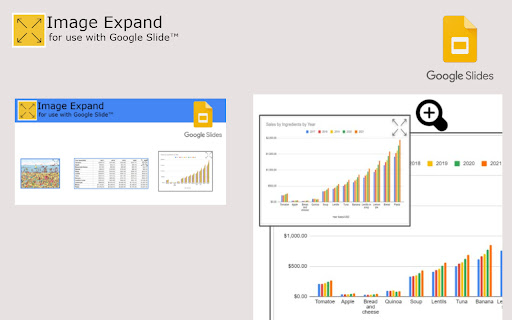

Expand, Enlarge Images for Google Slides and Docs ZOOM IN GOOGLE SLIDE (New feature Nov 2022) 🎨 EXPAND, ENLARGE ANY IMAGES & GRAPHS in your SLIDES INSTRUCTIONS • Simply click on any Image in your Slides to Expand to Full Screen • Available both in Presentation and Edit Mode SECURITY • Secure - Not a single Data Collected • Featured Badge Accredited by Chrome team - assigned to extensions that follow google technical best practices and meet a high standard of user experience and design • Free Extension BENEFITS • For better & more animated presentation slides. • Works on any google slide template or theme • Ideal for training class, teachers, education course, business & financial presentation This extension make your google slide presentation better. It is provided & owned by Noccito Design Team at no cost and is intended for use as is. Developed by Issam Zoli under Noccito agreement terms. Image by Neurovit.

Image Zoom
Easily zoom in on images while browsing the web with the Image Zoom extension! Whether you're admiring high-resolution photos, analysing details, or simply viewing content more clearly, this extension makes it effortless. Key Features: • Smooth Hover Zoom: Simply hover over any image to zoom in seamlessly. • Customisable Zoom Level: Enhance or reduce the zoom level to match your preferences. • Lightweight and Fast: The extension is optimised for speed and doesn’t slow down your browsing. • No Clutter: Works in the background without intrusive pop-ups or buttons. • Universal Compatibility: Works on any website with images

Image Pop Up Zoom
The Image Hover Popup extension is a powerful tool that enhances your browsing experience by allowing you to view images in a… The Image Hover Popup extension is a powerful tool that enhances your browsing experience by allowing you to view images in a convenient and efficient manner. With this plugin, you can effortlessly preview images in a pop-up window simply by hovering over them. Gone are the days of individually opening each image to get a closer look. Now, with the Image Hover Popup plugin, you can easily navigate through image galleries, photo albums, or any web page containing images, without the need for extra clicks.

Hover zoom image
Activate this extension to automatically zoom images when you hover over them with your cursor Are you disappointed by the poor quality of images on the internet? That's where our Hover Zoom Image Chrome Extension comes to the rescue! This extension enlarges images when you hover over them, without requiring any clicks or the need to open a new tab. Spend less time and get more done with this smooth integration, designed for everyone from professionals to students to casual users. Zoom in and out of images on every website, social media platform, and online store effortlessly. Simply install Hover Zoom Image now and discover how the internet can be even better! Key Features of this chrome extension Automatic Zoom: This feature enlarges the images the moment the cursor is placed over it for a better view. Seamless Integration: Designed to complement your current browser without affecting other add-ons or plugins in any way. User-Friendly Interface: Easy to install and use, there are no complicated options to set, everything is intuitive. Customizable Settings: It is also possible to change the zoom level and the activation triggers of the zoom-in and zoom-out options. Step 1: First, you need to install the Extension. Open chrome web store and type in the word “image converter chrome extension” and hit enter. Now, click on the button “Add to Chrome” and then click on “Add extension” to continue with the installation process. Step 2: Turn On the Extension After the installation, click on the icon of the extension in the toolbar to turn on the extension. If you want to change the settings in any way to optimize the use of your zoom account, then you can do so. For example, open any website with images. Just place your mouse pointer over the image and the image will magnify (zoom) on its own. allowing you to view it in greater detail. This feature works seamlessly across various websites, including social media platforms, news sites, and online stores, providing an enhanced browsing experience. To Whom Is It Useful: It is very beneficial for photographers, designers, and artists who need to examine the images in detail instead of downloading them. It is also useful for students and researchers who often use detailed charts, graphs, and other visual data found on the internet. Further, they can use it to get more information about the product before buying it from online shopping sites. Why it is Useful? The Hover Zoom Image provides a simplified method of viewing larger images without requiring extra clicks or opening new tabs. This not only saves time but also increases the efficiency of the users as they can easily and effectively go through the visual content. Whether you are analyzing the design details or want a more engaging and rich experience while browsing, this extension enhances your productivity. Q: Is Hover Zoom Image safe to use and is it free? A: Yes, Hover Zoom Image is free to download and use and does not require any payment to be made. Q: Is the extension compatible with all websites? A: This extension is compatible with most websites especially the ones that have common image formats such as social media, news sites, commercial sites among others. Q: Can I make it enlarge or reduce? A: Yes, you can adjust the zoom level and other preferences of the extension from its options menu. Q: Does it mean that it will reduce the speed of my browser? A: It is a simple extension and therefore it should not slow down your browser or take a lot of your system resources. Q: If I don’t require the extension anymore, how can I turn it off? A: One can also disable the extension by clicking on the extension icon in the toolbar and unchecking it, or by visiting the extensions section in the browser settings.

Image Zoom
Image Zoom is a lightweight, no-fluff Chrome extension that lets you zoom into any image with a simple right-click – no ads, no bloat, just works. 🔍 How it works: Right-click on any image and select "Image Zoom" from the menu. A zoomed view pops up where you can: - Scroll to zoom in/out - Click and drag to pan around - Press Esc to close - Rotate left or right (NEW in v0.0.3) ✅ Features - Zoom with mouse wheel - Rotate images left/right - Drag to pan - Escape to close Works without interfering with site design - 🌀 Rotate image left/right - 🛠️ Fixed CSS conflicts with some sites v0.0.2 - 🖱️ Added mouse wheel support - ⎋ Close with Escape key Perfect for developers, designers, or anyone who constantly works with images online. Try it once – you’ll never go back.
