
mafopchedjkbgkpbbnbgifaolempmdgh


Users can select the screenshot format (PNG or JPEG) in Options. After capture, the extension saves the file automatically, with an optional setting to open it in a new tab. Extremely fast, light-weight and privacy friendly extension by BrowserNative. Visit homepage for user guide: https://browsernative.com/screenshot-chrome-extension/

Fast Screenshot
Take a screenshot Quick screenshot of website viewport

Simple screenshot
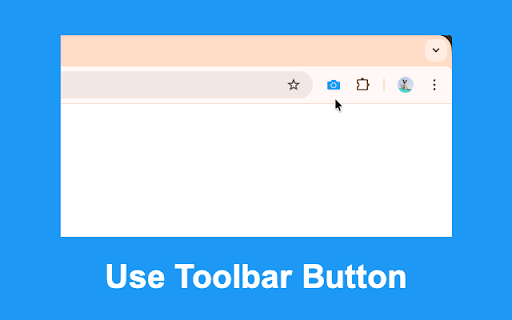
🚀 How to use ⭐️ Click on the camera icon ⭐️ That's it, done! 🚀 Security and privacy ⭐️ No data are transmitted to anywhere. 🚀 Permissions explained ⭐️ "Manage your downloads": to be able to initiate the download of the screenshot immediately Completely free and with no ads Made with ♥ by Peta Sittek

Full-Page Screenshot 2.0
Full-Page Screenshot 2.0 - Automatically takes screenshot of the entire page within seconds! 1. Go to the website/page where you want to screenshot the entire page 👀 2. Click on our extension logo icon 3. BOOM! It automatically starts to scroll & capture the entire page within a few seconds 📸🏎️ 4. Enjoy the pac-man eating the balls while it screenshots the full-page! 😆 5. Takes you to next page where you can choose which format to download the full-page screenshot from 📥 When its starts to screenshot, it there will be a popup that will say "'Full-Page Screenshot 2.0' started debugging this browser" - Do not hit the 'Cancel' button...unless you don't want to screenshot the page. 4 - Handles complex pages with inner scrolling AI technology 🔒 Please be patient and just watch Pac-Man eat its balls while our extension is capturing & scrolling through the entire page. Install Full-Page Screenshot 2.0 and start capturing the entire/full-page of any website/page that you want to keep a JPG, PNG, or PDF of!

Full Page Screenshot
An powerful tool to capture entire webpage or selected area and annotate inside editor A smart screenshot capturing tool which provides you lot of powers with precise result to capture your web pages. It offers all the essential feature that makes it must have browser application for Capturing any webpage. Besides full page, you can easily capture selected area, current veiwport and annotate, edit with a powerful built-in image editor. ✅ Full page screenshot capturing ✅ Capture selected area ✅ Capture viewport or visible window ✅ Copy selected area of screen as image ✅ Export screenshot as PDF or Image ✅ Powerful annotation tool with tons of features ✅ High resolutions Screenshot images ✅ Highest degree of accuracy ✅ Simplified Interface ✅ Keyboard Shortcuts Made with ❤️ by Rahul Baruri #screenshot #capture #full page screenshot #capture #screen capture
