
mabckbaobddmnafhfkaciemiimfmifhh


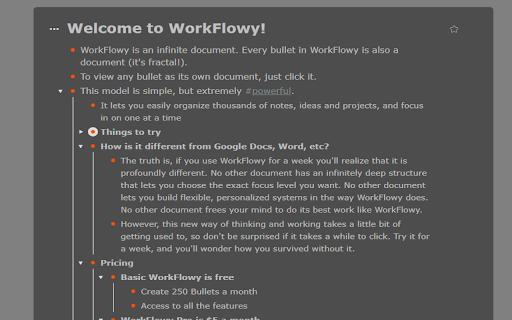
Workflowy Plus will bring some exciting features for your favorite Workflowy application. Feature 1: Reminders Feature 2: Day Highlighter Feature 3: Encrypt Decryption your workflow items Feature 4: Support multiple fonts for workflowy Feature 5: Ability to change background colors Feature 6: Day Highlighter Made Optional Feature 7: Added word count option in Right Click Context Menu Feature 8: Ability to change main Text Color Feature 9: Support for Inline Images this script credit goes to Original Developer https://gist.github.com/Wizmann/605ff2a609348b6ec3a3#file-workflowy-with-image-js Feature 10: Quick add button Feature 11:Workflowy date format age calculator Feature 12: Workflowy date formate Date Incrementor/Decrementor Update Log: Feature 3: Encrypt Decryption your workflow items Select and right click in menu click workflowy plus-> encrypt then press control+V To decyrpt select encrypted text right click in menu click workflowy plus-> encrypt then press control+V DISCAILMER: I am not responsible for any damage to your data in any way. This is an experimental feature use it at your own risk. Major Updates 1. Format is simplied @r,message,date time this will help you to see all reminders by clicking @r 2. Removed limitation of removing zero in minutes remember last note "If you are going to set reminder for 19:03 please write 19:3 starting zeros must be ommited for now" this is fixed now you can use 19:03 that is more natural 3. Take out time for your health Daily. Added feature of Daily Reminders @rd,Walk,21:44 no need to add date 4. Always Pay your monthly Bill on Time. Added feature of Monthly Reminders @rm,Credit Card Bill,15 21:44 no need to specify month and year 5. Never Miss Any Birhday or Aniversary. Added feature of Yearly Reminder @ry,Wasim Birthday,15-04 21:54 no need to specify year. IMPORTANT NOTE: AFTER INSTALLATION YOU HAVE TO REFRESH PAGE OF WORKFLOWY. IN ORDER TO GET THIS EXTENSION WORKING. PLEASE DO KEEP WORKFLOWY OPEN IN TAB OTHERWISE IT WILL NOT WORK AT ALL Feature 1: Reminders It is simple as workflowy please follow syntax properly otherwise reminders will not work. Modify your item Meeting with David to @r,Meeting With David,26-03-2017 22:25 Current Supported format only dd-mm-yyyy hh:mm Now if time will arrive you will see message box automatically. Known Limitations. Your workflow account must be logged in and open in some tab for code to run.It does not have to be currently open tab code will work on other tabs as well. Again I repeat,Please follow syntax otherwise you can miss you important reminders Feature 2: Day Highlighter You may have used color coding using some extension but those are static. I have create a Day Highlighter. This will automatically color selected day. Like if you have list for different days. You can focus on current day as it color will automatically turn Red. You can see screenshot for this. For more details please visit http://wasimdev.blogspot.com/ Updated to v3

Logseq Quick Capture
Logseq is an open-source note-taking app (www.logseq.com). This extension allows you to do a quick capture of the web-page that you are currently at and send it immediately to your open Logseq graph. It captures the URL and title of the page; and if you've made a text selection, it would capture that as well. (Logseq v0.8.12 onwards): Supports customising of your quick capture preferences through the extension options.

Twos: The best place to write *things* down
Chrome extension for Twos: The best place to write *things* down This is the official Chrome extension for Twos ✌️ (www.TwosApp.com). Once you have an account, you can login and easily add websites and text to your Today using this Chrome extension. Let us know if you need any help.

Obsidian Clipper
A small chrome plugin that let's you easily clip things to Obsidian This is an unofficial clipper for Obsidian that allows you to easily clip a selection to a note in Obsidian. Clip a selection in Chrome with or without markdown support to Obsidian.

Amplecap Beta
Amplecap helps capture the best of the internet into your Amplenote notes, to-do lists, and bullet lists. This release includes the following capture types: *Screenshot selection* Pick an area of the page to capture, we'll also grab the URL of the page and any notes you want to store with it. All text in the screenshot can optionally be searched or pasted into your Amplenote notebook via built-in OCR. *Page excerpt* Drag to select quotes, phrases, or information you want to remember from any web page. A list of all quotations selected is captured by Amplecap for you to optionally edit before saving. The URL of the page and time of capture is automatically recorded to your note along with the list of citations. *Full page capture* Capture the entire scrollable contents of the current web page. We perform two passes of the page to ensure that dynamically loading content will be loaded & visible in your full page screenshot. *Quick Note* If you want to capture a to-do item not necessarily related to the page you're browsing, and send it to your Amplenote to-do list without opening the app. *URL* Capture the URL of the current page -- usually in a to-do item for later follow up, or as part of a bullet list of bookmarks to assemble on a particular topic. All of these types of content can be captured into the body of a note, a bullet item, or a to-do item. You can also insert the captured content into a new note or existing note. New for this release, you can also capture your content to the copy buffer so you can paste it at a specific point in your note. This release also introduces the ability to capture to Rich Footnotes, when you have "Clipboard" selected as the capture destination. This allows quickly snap screenshots or take excerpts, in a format that remembers the URL of the page and can easily be pasted into a research note or a to-do item.
