
lpkffpnklfdjompeeodhpaeenfdpibmj


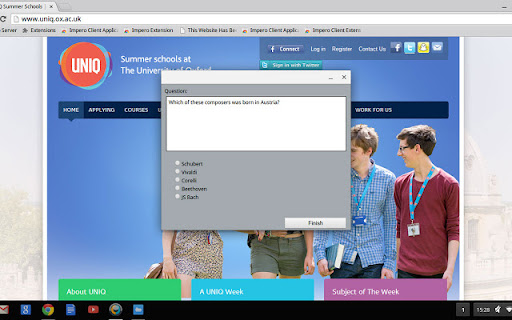
The Impero Education Pro Chromebook Extension enables you to manage and monitor Google ChromeOS devices on your network helping to… The Impero Education Pro Chromebook Extension enables you to manage and monitor Google ChromeOS devices on your network helping to ensure that students are on task, learning and safe.

iboss Classroom Management for Students
Classroom distractions and misuse of digital resources can greatly hinder student engagement and productivity. The iboss Classroom… Classroom distractions and misuse of digital resources can greatly hinder student engagement and productivity. The iboss Classroom Management provides visibility and control over student devices, empowering educators to maintain focus and enhance learning—whether students are in the classroom or learning remotely. With this extension installed on student devices, teachers can: - View student browser tabs and applications to monitor engagement and ensure students are on task. - Create allow lists to restrict browsing to approved educational resources during class. - Block distracting websites to keep students focused during class. - Open and close browser tabs remotely to guide students to the right materials. - Enable Focus Mode to minimize distractions and maximize attention. - Provide access to a teacher-curated educational video library. - Support student participation with a built-in hand-raising feature for questions and interaction. Seamlessly integrated within the iboss Zero Trust SASE platform, this powerful tool gives educators the control they need to create a safe, distraction-free digital learning environment. Install iboss Classroom Management for Students today and take charge of your digital classroom with confidence.

Startup Sound for Chromebook™
Play startup sound on Chromebooks and other ChromeOS devices! Play the startup sound of Windows, Ubuntu, or macOS every time you boot your Chromebook (or any other ChromeOS device). Add your custom sound. Any feedback or suggestion? Visit home page: https://browsernative.com/chrome-startup-sound/

Education Pro Browser Extension MV3
Education Pro Browser Extension MV3 for use on Windows and Mac with EdPro client installed Overview: Provides content authorisation for Impero The Impero Education Pro Chrome Browser Extension enables you to manage and monitor devices running the Google Chrome Browser on your network helping to ensure that students are on task, learning and safe.

Unblocker-4, unblock your favorite websites
Access to the filtered & censored content anonymously with Unblocker4! Your favorite sites are just a click away from you Unblocker4 is a browser extension that lets you access your favorite websites from anywhere in the world. With one click, you can unblock websites such as YouTube. Your web surfing activity will not be affected by Unblocker4, only anonymizes the activity of the chosen websites. Unblocker4 is easy to use, you will see the list of the available websites in the dashboard and turn the unblocking on/off for each. Whether traveling, at school, or work, Unblocker4 ensures you can always access the content you love. Add it to chrom today and enjoy unrestricted browsing! The VPN/Unblocker extension provides unlimited bandwidth, so you can stream and browse without limitations. The extension is free for one service, but to unblock more than one service simultanosly, upgrade to premium. Our premium subscription also includes faster speeds, 24/7 customer support, and access to additional blocked websites.
