
llkblgkohonjafpigfbbamilgadmcilg
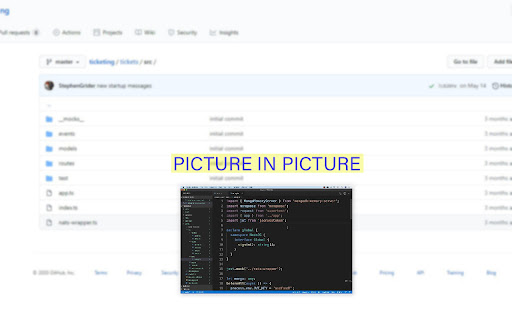

Udemy Plus adds new features on top of your favorite Udemy.

UdemySaver - Udemy Promo Codes, Deals and Cashback
Save money on Udemy courses with coupon codes, deals, and cashback offers. Active coupons updated daily. The Udemy Coupon Chrome extension is one of the best shopping extension for Udemy users that find Coupons on Udemy in automatically. This Udemy Coupon Chrome extension will search for available coupons and Coupons whilst you are browsing the store and will ensure you save dollars and get the best deals and Coupons every time you make a purchase on Udemy. How to Find Udemy Coupon codes that work with Udemy Coupon? Just install the extension and on every course page, it will automatically start searching for the best coupons and Coupons available. When an offer is detected a Coupon box will appear with instructions on how to grab it. Does Udemy Coupon helps to find an Udemy Coupon for new users? This tool is completely free to new or old Udemy users. So anyone can install it on their Chrome browser to save money. Why Do You Need This Udemy Coupon Tool for Chrome? Udemy’s coupons and Coupons can be a bit confusing and hard to understand, it is for this reason why many people don’t take full advantage of them. However, thanks to this free extension you will be able to save dollars on many of your purchases, especially on the courses that are in the medium to high price range. Affiliate Disclosure: We use affiliate links. When you reveal a code and purchase, we may earn a small commission at no extra cost to you. So, Feel free to use our Udemy Coupon code generator. Thank You. For any query related to Udemy Price Tracker & Image Downloader you can reach to us via our Official contact page.

Udemy Course Downloader
Download videos and text content from Udemy courses 🎓 Udemy Course Downloader - Your Ultimate Learning Companion Download and save your purchased Udemy courses for offline viewing! This powerful extension helps you maintain access to your educational content anytime, anywhere. ✨ KEY FEATURES: • One-Click Downloads: Instantly download individual lecture videos • Batch Downloads: Save entire course sections or complete courses • Smart Organization: Automatically creates course folders with proper naming • High Quality: Downloads videos in the best available quality • Progress Tracking: Monitor download progress and statistics • User-Friendly: Clean, intuitive interface that integrates seamlessly with Udemy 🚀 HOW IT WORKS: 1. Install the extension 2. Navigate to your purchased Udemy course 3. Click the download button that appears on video lectures 4. Choose your preferred save location 5. Access your downloaded content offline! 📚 PERFECT FOR: • Students with unreliable internet • Frequent travelers • Offline learning enthusiasts • Backup of purchased courses • Efficient study planning ⚡ TECHNICAL HIGHLIGHTS: • Fast and efficient downloads • Organized folder structure • Automatic file naming • Download progress monitoring • Download queue management • Lightweight and resource-friendly 🔒 PRIVACY & SECURITY: • Works only with your purchased courses • No data collection • No advertisements • No third-party tracking • Requires minimal permissions 💡 PRO TIPS: • Download entire courses for offline access • Organize videos by sections • Save space with selective downloads • Keep your favorite lectures accessible offline • Create your personal learning library 📝 NOTE: This extension is designed for personal use with your legally purchased Udemy courses. It respects Udemy's terms of service and helps you make the most of your course investments. 🌟 WHY CHOOSE US: • Regular updates and improvements • Active development and support • Clean, bloatware-free design • Focus on user experience • Reliable performance ⚠️ IMPORTANT: This extension only works with courses you have purchased on Udemy. It is designed to enhance your learning experience while respecting content creators' rights. Keywords: Udemy downloader, course download, offline learning, video downloader, educational tools, e-learning, online courses, Udemy tools, chrome extension, learning management

Udemy Time Remaining
Chrome extension that modifies the Udemy course page, displaying the time remaining after each section Supercharge your time management within the Udemy platform! Expand the Udemy interface to display for each section and lecture, how much time is left to finalize the course. The extension also visually marks the section progress with progress bars, and highlights which sections have already been completed, so that they can be easily distinguished, in case you go through the course in a non-linear order. Additionally it adapts to the playback speed updating the times accordingly. This extension is designed to seamlessly integrate with, and react to the Udemy interface. Features: * Display the time-based course progress inside Udemy's progress popup. * Display accurate course, section, and lecture durations. * Display remaining time for each section, and lecture. * Display remaining time for each section and lecture, considering the user progress. * Display remaining time for each section and lecture, considering the playback speed. * Display a progress bar for all sections or just the current section. * Highlight completed sections in a distinguishable color. * Fully configurable settings, so that you can toggle or tweak all the features. The way this extension works is, for every section and lecture, using that section or lecture as the point of reference, it displays how much time is left on the section and the course, from that reference point downwards. Considering or not considering the completed lectures underneath (in case you are completing the course in a non-linear manner) depending on whether or not that feature is enabled. Otherwise, if you are just interested in your current progress, and time left in the entire course, you can either check it any time, by checking Udemy's progress popup, or enable the "focus on current lecture only" mode, which will display the time left in the course and section, only in the current lecture. You can read the release notes in the Extension settings popup, to know more about these features. Notes: * This extension does not currently work with Udemy for business, it only supports standard Udemy. If you're a business interested in the extension, and can provide access to the Udemy for business product, please reach out to us, and we'll be happy to implement support for it. * Please bear in mind that Udemy's native interface rounds the estimated durations of the lectures, but this extension calculates the remaining times based on the real accurate estimated durations (to the seconds) of the lectures as reported by Udemy's API. The extension can optionally show the real estimated duration of each lecture and section through the extension settings. * The extension underwent a massive update in order to make it more functional. If you detect any issues with it please let us know in the email indicated at the Extension Details section below, or using the extension settings' "contact us" link, so that we can address it. Dislaimer: * This extension is not associated with, nor endorsed by Udemy. All product and company names are the registered trademarks of their original owners. The use of any trade name or trademark is for identification and reference purposes only and does not imply any association with the trademark holder of their product brand.

Udemy Custom Speed Changer
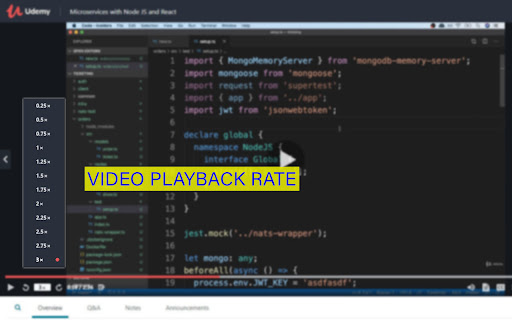
Set any custom speed in Udemy's video player to be as efficient as possible! Customize/add any speeds you please. The max speed Udemy's video player supports with this extension is x16! ❗IMPORTANT - FIRST USE SETUP❗ The extension won't work until the cache is refreshed! Either do a hard refresh from the video player page (CTRL + SHIFT + R), or go to your Chrome history (CTRL+H) > Clear browsing data > Clear "Cached images and files" (All Time). You can change the custom speeds by clicking the extension icon > "Options". This only works for the desktop video player which shows the speed selector on the left side (seen in the extension page picture). I may need to update the extension if there is ever a conflicting change in Udemy's code. If there is an issue please create an issue on GitHub or email before leaving a bad review, and I will fix it. I rely on you to let me know if there is ever a problem, thanks!
