
llifnfdbmdcpjfnlhpombbadbhfghdao
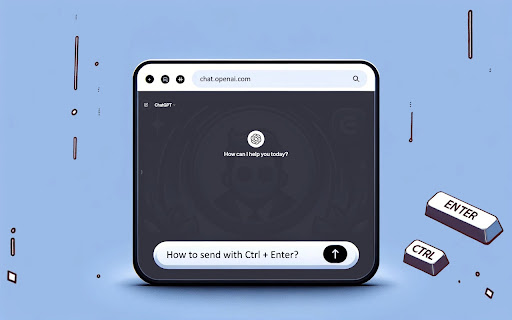
Manage chat: Ctrl+Enter to send, Enter/Shift+Enter for a new line. ChatGPT EnterControl is a Google Chrome browser extension that enhances interaction with ChatGPT. It allows you to create new lines using Enter or Shift+Enter and send messages using Ctrl+Enter. Features - Line break with Enter or Shift+Enter: Conveniently create new lines without sending a message. - Send messages with Ctrl+Enter: Avoid accidental sends and control the process.

PromptSync
Ask ChatGPT, Bard AI, and Bing Chat with one single prompt! Unlock the power of four dynamic chat platforms with a single prompt! Introducing PromptSync, your all-in-one solution for chatting with ChatGPT, Bard AI, and Bing Chat, through a convenient Chrome extension. Multi-Platform Chat Engage in conversations effortlessly with ChatGPT, Bard AI, and Bing Chat from a single prompt. Get diverse perspectives and responses to your queries. Customizable Experience Tailor your chat experience to your liking! Enable or disable individual chat platforms according to your preferences through the settings menu. Efficient Workflow Streamline your workflow by accessing multiple chat services without switching tabs. Save time and stay productive as you harness the combined intelligence of four powerful chat systems.

Threado AI’s Agent Assist
Description/ Overview: Threado AI is the AI-powered support assistant that you can train on your knowledge base, past resolutions, workspace and community conversations. However to access the AI answers you need to login into Threado app. To make it easy for agents working on Zendesk and Freshdesk to access ThreadoAI features, we have built the chrome extension. Now chrome extension can be used with your favourite Ticketing system. Once installed you can generate AI responses, summarise tickets and refine customer replies, right from your Ticketing system. 👉 Seamless Training: Train your bot in Threado app and access answers from the Chrome Extension. 👉 AI-generated responses: Once trained, support agents can input questions and receive auto-generated customer replies, complete with source references, via the Chrome extension. This enables them to respond to customers swiftly. 👉 Refinement of customer replies: Support agents can refine their draft replies by rephrasing, expanding, shortening and auto-improving them in seconds, leading to an enhanced customer experience. 👉 Summarise tickets: Summarise every ticket concisely and add as private note 👉 Works across top helpdesks tools: Zendesk, Freshdesk, Intercom, Salesforce and many more! Install the Extension to access the power of ThreadoAI in your browser.

Rent Offers: Renter Calculator
Calculate your move-in, monthly costs, and keep notes on the rentals you've run calculations on. The Rent Offers Renter Calculator will allow renters to calculate and estimate how much money they'll need to move into a rental property. It also helps calculate how much how money they'll pay each month and the percentage of their overall income it'll be. The calculator will work on many of the real estate listings sights you already know and love.

My ChatGPT Sidebar
Easily access ChatGPT from your browser's sidebar. ● Introduction 🚀 My ChatGPT Sidebar is a powerful Chrome extension that provides easy access to chatgpt.com. It uses chatgpt.com instead of OpenAI, making it completely free to use, and allows you to quickly get assistance from AI. This extension is designed to maximize productivity and enhance the user experience. ● Key Features 🖥️ Sidebar Function You can chat with ChatGPT using the sidebar without leaving your current tab. The sidebar automatically saves the size you set, so you don't need to adjust it every time. ✍️ Content Creation and Idea Generation Quickly and easily create content and brainstorm ideas with AI assistance. This tool is ideal for writers, researchers, marketers, and anyone who needs instant AI support. 📐 Size Adjustment Function Easily adjust the size of the sidebar, and the changes are automatically saved. You can maintain your preferred size without the hassle of constant adjustments. 🚪 Popup Window and Close Button The extension provides easy access to ChatGPT through a popup window. You can use the popup window alongside your current screen and close it easily with the close button. 🔄 State Retention During Browsing Even while browsing, you can get instant ChatGPT support. The buttons are automatically reinserted after refreshing or changing pages, allowing for a seamless experience. ● Why Choose It? ✔️ Free ChatGPT Sidebar ✔️ Instant AI support to maximize productivity ✔️ Auto-size saving for more convenient use ✔️ Ideal tool for writers, researchers, and anyone needing AI support during browsing ✔️ Popup window and close button for customized control Install My ChatGPT Sidebar now and easily harness the power of AI! 🔗
