
llgephbnjacepipaoflhmabeclnghfic
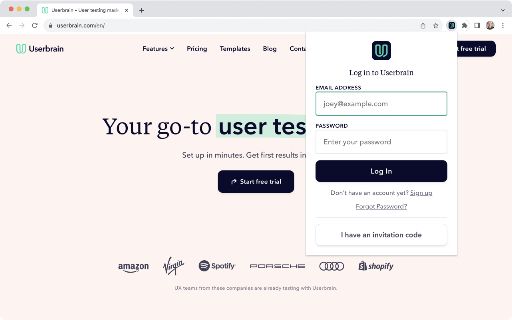
Participate in Userbrain tests and record your screen and audio directly from your browser. The Userbrain Recorder lets you participate in user tests and is only active whilst completing a test for which you’ve opted in. Userbrain is an online tool, backed by thousands of testers, making user testing fast, simple, and affordable. With fast, simple, and affordable user tests, we empower designers, UX experts, founders, and marketers to build products people love to use. If you don’t have an account yet, register here: tester.userbrain.net How to start your first test You can start your first test by clicking on the Userbrain Icon - it might be hidden inside a puzzle like icon next to your browser’s address bar. Make sure to pin the Userbrain Recorder for easy access. Please check out our knowledge base in case you need help: kb.userbrain.net Privacy Notice The Userbrain Recorder will lay dormant and will only be active during a usability test which you have opted in to. A test will only begin after you have been given a specific URL and instructions on how to begin the test. The Userbrain Recorder will stop once the test is completed or exited.

RecSnap - Screen Recorder with Audio & Webcam
Record your screen, voice, or webcam in sharp detail. RecSnap makes screen recording smooth, simple, and reliable. RecSnap is a smart screen recorder for browser that lets you record screen, audio, and webcam without extra setup or tools. Whether you're looking for a screen recorder with audio, a way to record screen on Windows or Mac, or a lightweight browser screen recorder, RecSnap helps you capture it all — quickly and clearly. 🖥️ What can you record: - Your full screen, browser tabs, or application windows - System sound, mic, or both - Webcam footage or voice-only narration - Screen recorder for browser with audio and webcam - Works on PC, Mac, and Chromebook - No sign-up, no watermark - Smooth visuals and sharp sound - All recordings saved directly to your device - Record tutorials, how-to videos, or demos - Screen record meetings, walkthroughs, or training - Create explainer videos or product showcases - Capture video calls with voice - Use as a Google screen recorder or for screen recording on Chromebook 🔑 Why RecSnap? It's private, fast, and easy to use — built for creators, educators, remote workers, and anyone needing a solid screen recording tool. 🚀 Try RecSnap today and start screen recording in just one click.

Real Screen Recorder
Real Screen Recorder records the screen and webcam with audio. Screen recorder chrome extension is a screen recording tool for high quality video capturing from Tab, Particular area of the page and full Screen, with Mic, Webcam and System audio recording. Features: >>Screen & Webcam recording >>Record screen with audio >>No watermark Here are steps to use Screen Recorder Chrome Extension: >> Install real screen recorder extension for Google chrome from the store >> Open the extension and choose from the 3 options >> Select the screen or tab that you want to record and click on start button >> Stop the recording and download the the screen recording to your computer UPDATES: Version 1.0.9 >>Fixed recording upload bug >>Optimized screen recording Version 1.0.7 >> User can now record and generate a sharable link. >> Improved UI

Live Screen Recorder
Effortlessly Record Your Screen with the Live Screen Recorder Browser Extension Are you looking for an easy way to record your screen and create engaging videos? Look no further than the Live Screen Recorder browser extension! With the Live Screen Recorder, you can easily record your desktop screen or a single tab in your browser. You can also add your webcam video and microphone audio to your recordings, making them more personalized and engaging. And if you only need to record your webcam and microphone, the Live Screen Recorder has got you covered! We support both mp4 and webm formats, making it easy for you to share your recordings with others. And the best part? The Live Screen Recorder is available for free, so you can start using it right away without any hassle. Features: * Record a desktop screen or a single tab * Add webcam video and microphone audio * Record just webcam and microphone * Supports mp4 and webm formats * (Beta) Blur sensitive fields while recording For whom: * Teachers: Can easily record online lectures, tutorials, and presentations with the Live Screen Recorder, making it easier to connect with students and provide more engaging learning experiences. * Developers: Can record their screen to create tutorials and share their expertise with other developers, helping to improve the quality of their work and facilitate collaboration with others. * Designers: Can record their screen to showcase their design process and share their ideas with others, making it easier to collaborate with clients and colleagues. * Video professionals: Can use the Live Screen Recorder to create high-quality videos with screen recordings, webcam video, and microphone audio, helping to improve the production value of their work. So why wait? Try the Live Screen Recorder browser extension today and take your content creation to the next level!

Browser Recorder
Screen recording with Browser Recorder for Chrome - voice capture online, record browser video, and sound from your entire screen. Transform your web into a powerful recording studio with Browser Recorder, the ultimate extension that captures everything you need. Whether creating tutorials, recording meetings, or saving content, this browser screen recorder delivers professional results instantly. 🎬 Why Choose This Extension? Our browser audio recorder revolutionizes how you capture content online. Unlike traditional screen recording software, this lightweight solution works directly in Chrome, eliminating heavy desktop apps. Perfect for professionals, educators, and content creators who need to record audio from browser tabs instantly. Key Features: ➤ Crystal-clear screen recording with audio ➤ Record browser video in HD quality ➤ Capture system sound and microphone simultaneously ➤ No watermarks or time limits ➤ Lightweight performance Essential Recording Capabilities: 1️⃣ Screen Capture Excellence This browser sound recorder captures entire screens, specific tabs, or application windows. The web audio recorder ensures every pixel is captured clearly, ideal for professional presentations and tutorials. 2️⃣ Audio Recording Mastery Record sound from tabs with pristine quality. Whether capturing streaming audio, video conferences, or online courses, this extension preserves every detail. The built-in audio capture handles multiple sources seamlessly. 3️⃣ Voice Narration Tools The integrated browser voice recorder lets you add commentary while recording. Perfect for creating engaging tutorials or explaining complex processes during demonstrations. For Educators: Create online courses with screen recording Lectures with voice narration Capture interactive demonstrations Save student presentations For Business Professionals: Record online meetings and webinars Create training materials with our Chrome browser recorder Document software workflows Archive important conferences For Content Creators: ▸ Produce YouTube tutorials effortlessly ▸ Capture streaming content legally ▸ Create product reviews and demonstrations ▸ Record gameplay from web-based games Technical Excellence This screen recorder utilizes advanced compression algorithms for high-quality recordings without excessive storage. Works with: - Major video platforms - Web-based applications - Online collaboration tools - Streaming services (where permitted) - Educational platforms 1. Install from Chrome Web Store 2. Click extension icon to open panel 3. Choose recording mode (screen/tab/camera) 4. Select audio sources (microphone/system/both) 5. Start recording with one click The interface is intuitive, designed for beginners and professionals. No complex settings required. Advanced Features Customization Options: Adjustable video quality (720p/1080p/4K), Multiple audio codec selections, Hotkey shortcuts for quick recording, Custom area selection, Webcam overlay capabilities, Post-Recording Privacy & Security 🔒 🔹 Your privacy matters. This extension operates entirely within Chrome: 🔹 No data sent to external servers 🔹 Local processing of all recordings 🔹 Secure storage on your device 🔹 No account registration required 🔹 Complete control over content The web audio recorder works with: Chrome version 88+, Chromium-based systems Windows, Mac, Linux, Desktop and laptop devices Minimum requirements: - 4GB RAM (8GB for 4K) - 1GB free storage - Internet for installation only Why Choose Over Alternatives Unlike traditional screen recording software requiring installation, this solution offers: No installation footprint, Instant Chrome updates, Cross-platform compatibility, Zero system slowdown free with no hidden costs Superior to Online Tools: This sound recorder does not require uploads or cloud processing. Everything happens locally, ensuring faster processing and privacy. Record sound from tabs without worrying about speed. Regular Updates: We continuously improve with: Monthly feature updates, Bug fixes and optimizations, New format support, Enhanced audio processing Start using the most versatile browser voice recorder today. Whether you need to record browser video for work or education, this extension provides all the tools needed. ⬇️ Install Browser Recorder and experience screen recording!
