
llaficoajjainaijghjlofdfmbjpebpa
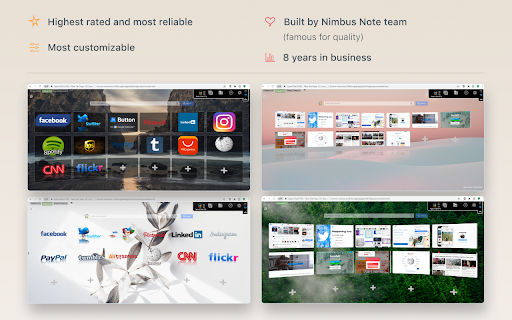
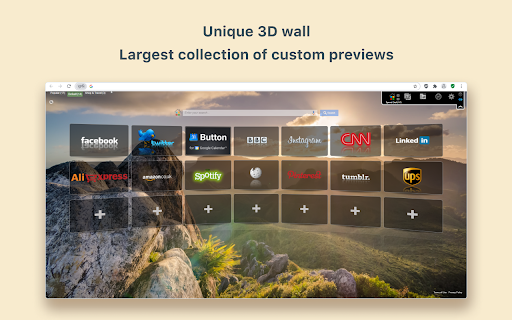

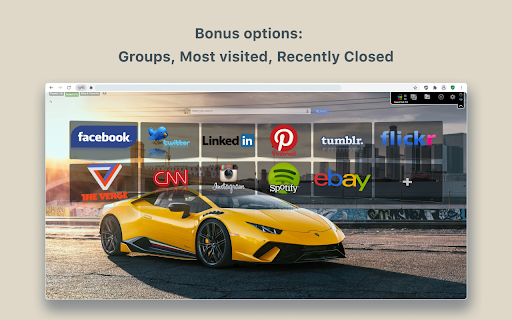
New Tab Page Replacement with 3D Speed Dial and predefined images, sync and organize your bookmarks, groups, and most visited FVD Speed Dial – New Tab Page | Visual Bookmarks & Sync Turn your new tab into a fast, clean, and fully customizable dashboard with FVD Speed Dial — the ultimate visual bookmarks (speed dial) experience. Instantly access your favorite websites, organize them into groups, and sync everything across devices. ✔ Speed Dial (Visual Bookmarks) Create and manage visual bookmarks for quick access to your favorite websites every time you open a new tab. ⭐ Most Visited Automatically displays your most frequently visited sites for easy access. 📁 Groups Organize your bookmarks into custom groups like Work, Shopping, News, or Entertainment. 🔄 Sync Across Devices Securely sync your speed dials and settings across multiple devices. 🔍 Smart Search Quickly find your saved sites using built-in search within your speed dials. 🔍 Search Experience: FVD Speed Dial is designed to respect your browser’s existing search settings. The search bar uses your browser’s default search engine (e.g., Google) The extension does not modify your Chrome search settings Search behavior is being continuously improved for consistency and reliability You can disable the search feature anytime in Settings 🔧 Customization & Control Fully customizable layout and design Enable or disable features anytime Control optional content directly in Settings Simple onboarding with clear user choices 🔒 User Data & Privacy Your privacy matters: Browsing history is used locally to generate Most Visited tiles Sync data (bookmarks, settings) is processed only when enabled No personal data is sold or shared with third parties You can disable: Synchronization Search functionality Optional content 💡 Transparency FVD Speed Dial includes optional features to support development: Recommended or sponsored speed dial tiles (clearly labeled) Optional Premium features for advanced functionality All optional features are transparent and can be controlled or disabled at any time. 🔐 Permissions Explained We request only necessary permissions: Tabs & New Tab Override – display your custom new tab History – show Most Visited sites Storage – save preferences Context Menus – quick actions Management (optional) – apps panel & sync integration No data from other extensions is accessed, collected, or shared. 📄 Legal Privacy Policy: https://everhelper.pro/privacy.php Terms of Use: https://everhelper.pro/terms-and-contitions.php

EverSync - Sync bookmarks, backup favorites
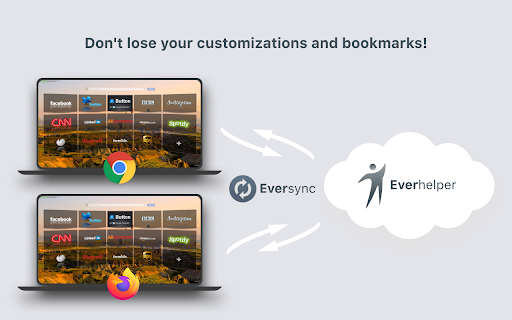
Synchronize your bookmarks, FVD Speed Dials. Secure online access. Backup, restore your bookmarks. Sync favorites between computers EverHelper.pro is a powerful bookmark sync and Speed Dial synchronization extension that keeps your bookmarks (favorites), Speed Dials, and groups safely synced across browsers and devices. If you are looking for a reliable Xmarks replacement, EverHelper provides secure cloud sync, online backup, and full restore protection. Sync bookmarks (favorites) across Chrome, Firefox, Edge, and Opera Sync FVD Speed Dial, groups, and layouts between devices Automatic sync between computers (Windows, macOS, ChromeOS) Secure HTTPS cloud storage for bookmarks and Speed Dials Access your bookmarks online from any computer — even without installing the extension All data is protected using HTTPS secure access Private bookmarks and Speed Dials are password-protected Your data is never shared or exposed to third parties Only browser bookmark data is accessed — no personal files EverHelper is built for users who value privacy, safety, and transparency. 🗄 Backup, Restore & Archive (Never Lose Bookmarks) Automatic online backup of bookmarks and Speed Dials Trash & restore feature to recover deleted items Archive bookmarks you don’t need but want to keep Restore previous bookmark states safely without accidental overwrites Perfect for users with large bookmark collections. Find and remove duplicate bookmarks and folders Organize bookmarks efficiently Import bookmarks into FVD Speed Dial in just 3 clicks Full Speed Dial and group synchronization between devices Works with Chrome, Firefox, Edge, and Opera Sync across multiple computers and browsers On macOS, bookmark file sync is limited due to browser restrictions Speed Dial sync and online backup still work Bookmarks remain accessible via the web interface We clearly indicate supported features based on your browser and operating system. EverHelper integrates seamlessly with FVD Speed Dial: This permission is required by Chrome to allow bookmark synchronization. ❌ We do NOT access your files, photos, or documents ✅ We ONLY access browser bookmark storage Chrome labels overwrite permission as “full access” All such extensions are manually reviewed by the Chrome Web Store team Your trust matters to us. 🔁 Xmarks Replacement EverHelper is a modern and reliable Xmarks / X-marks replacement, designed for today’s browsers and large bookmark libraries. 🐞 Bugs, Feedback & Support We actively maintain and improve EverHelper. 👉 http://fvdmedia.userecho.com/list/21212-everhelper/?category=4907 If something doesn’t work as expected, please contact us — we focus on fixing issues and protecting your data.

Tabsbook закладки и экспресс панель
Удобные закладки и экспресс панель в облаке Теперь у Вас в Chrome появится экcпресс панель (speed dial), куда Вы можете добавить страницы, которые не хотите забыть, или часто используемые сайты. Tabsbook - это так же удобные древовидные закладки с визуальным отображением. Закладки и папки можно легко передвигать мышкой. Экспресс панель и закладки хранятся в облаке. Просто зайдите под своим именем в любом браузере и у вас откроется ваша панель с закладками. В несколько кликов импортируйте Ваши браузерные закладки в Tabsbook. Ищите закладки и страницы на экспресс панели через мгновенный поиск по первым буквам. Просматривайте свою коллекцию с помощью визуальных закладок. Визуальные закладки наиболее наглядный и комфортный метод просмотра. С Tabsbook Вам не придется держать много вкладок открытыми, например, при поиске автомобиля или выбора места для отдыха. Вместо этого сохраните все интересующие вас страницы на экспресс панель. У вас будет мгновенный доступ к нужным страницам и не придется захламлять Ваши закладки. Speed dial - это название экспресс панели на английском. Данные о вашей текущей открытой вкладке отправляются в наш сервис, чтобы проверить наличие текущей страницы в сохраненных закладках или на экспресс панели сервиса. Соответствующий статус отображается в виде определенной иконки на кнопке расширения в верхней панели Хром. Это удобная функция, чтобы определить сохраняли ли вы уже текущую страницу.

yet another speed dial
a modern speed dial for chrome, edge, and firefox YASD replaces your new tab page with customizable thumbnails of your favorite sites. This extension makes it easier to access and organize all of your bookmarks. - Free and open source - Automatically generates high quality site thumbnails - Speed dials are based on bookmarks for easy backup and sync, even to other extensions - Supports folders, sorting, searching, and drag and drop - It's fast and minimalist Available for brave, chrome, firefox, and edge - Read and modify bookmarks: Speed dials are saved as bookmarks in your browser. This makes it easy to add new dials (just save a bookmark to your speed dial folder), export them (you aren't locked into this extension), and sync them between devices. - Access browser tabs and access data for all websites: When you add a new speed dial, an icon and thumbnail is captured from the site. YASD has a very clear privacy policy: no user information is collected or stored for any reason whatsoever.

FuseBase Assistant - AI Chat and Agents
ChatGPT-like extension that answers questions and automate manual tasks. The FuseBase AI Agent is your intelligent assistant that lives in your browser and works across your tools. It’s designed to help you move faster, reduce manual work, and access the information you need — right when you need it. Unlike basic chatbots, this agent understands the screen you’re on, accesses your company’s real content, and provides guidance, notes, and workflow support in real time. 🖥️ Analyzes your current screen and delivers contextual help, tutorials, or SOPs 📂 Answers questions using your actual company docs, spreadsheets, and PDFs — not public data 📸 Captures and annotates screenshots, with tools to blur, highlight, and share quickly 📝 Takes notes automatically from meetings, calls, or written content you’re viewing 🎙️ Transcribes and summarizes video or audio files with clear action points Whether you're onboarding a new hire, supporting a customer, or just trying to find the right file, the FuseBase Agent brings the answers and support directly into your workflow — no need to switch tabs or tools. No hallucinations. No guesswork. Just smart help trained on your real work. 🌐 Works directly in your browser — no need to open a new tab 🎓 Use it for training, onboarding, support, sales, and more 🚀 Launch agents tied to specific roles, projects, or systems ⚡ Used daily by teams reducing manual work and increasing speed
