
liibjfofhopeoojijndnphmgkgfpcfbm
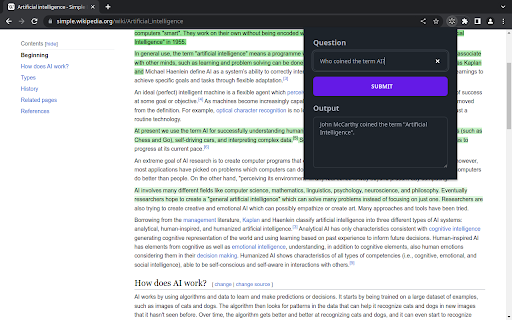
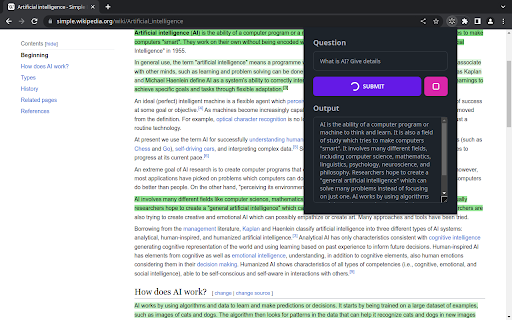

Locally-run AI that answers questions from your current webpage Introducing "AIskNet" - a browser extension designed to enhance your browsing experience by leveraging open-source AI models locally. This extension fundamentally operates a local AI model that interacts with the content of your current web page, providing answers to your queries and thereby enabling quicker information gathering. At its core, AIskNet employs state-of-the-art AI models optimized for compact size and efficiency. Operating directly on your local machine, this tool respects your privacy while autonomously employing advanced methods to retrieve information more accurately and swiftly. Upon navigating to a new site and activating the extension icon, AIskNet automatically indexes the website content into "vector embeddings". When you pose a question, the extension sifts through these embeddings, identifying chunks of information most relevant to your query, and generates a response based on this information. For transparency and accuracy, AIskNet highlights the text used as the source for generating its answers. This allows you to quickly double-check the answer's accuracy and form your own conclusions. All data processed by this extension remains on your machine and is never transmitted to a remote server. The only instance where AIskNet interacts with remote servers is during the initial download of AI models upon installation. AIskNet is a work in progress. With ongoing advancements in the field of artificial intelligence, it's expected to improve over time as more refined and compact open-source models become available. Currently, the model inference is carried out on the CPU, but future updates anticipate utilizing WebGPU to offload processing to your GPU. This will ensure an even more efficient and seamless user experience.

MangoFlow: AI Chat Sidebar
A helpful companion for web browsing, an intelligent assistant for surfing the internet Welcome to MangoFlow, your one-click Artificial Intelligence assistant! MangoFlow offers a convenient and efficient way for you to experience Artificial Intelligence instantly without leaving your browser. With just one click and simple configuration, you can effortlessly harness the power of AI for various tasks, eliminating the need to navigate through multiple websites or undergo complex setups.

sidellama
Sidellama is a tiny browser-augmented chat client for open-source language models. CONNECTIONS Connect to your local ollama / LM Studio server, or talk with open-source models via groq. PERSONA Create and modify your own personal assistants! You can create, configure and use various system prompts and custom instructions to enhance your conversations. PAGE CONTEXT Augment your conversation with the content of your (currently visited) web page. - select `text mode` to share the text content of your page - select `html mode` to share the source code of the site (resource intensive, only for development purposes) - adjust `char limit` to control the maximum amount of characters you want to share in your conversation. decrease this amount if you have limited context window. WEB SEARCH Basic web-augmentation for your chats. Enter your web search query, and sidellama will load up an async web search to answer your questions based on live public data. - you can choose `duckduckgo` or `brave` as your web source - adjust `char limit` to control the maximum amount of characters you want to share in your conversation. decrease this amount if you have limited context window.

MarkdownMate
Turn web docs into Markdown for your AI coding assistant. Boost context for Cursor, Copilot, and more. Code smarter, finish faster. Vibe Coding? Stop your AI Agent from guessing. Vibe coding only gets you so far. MarkdownMate transforms messy web docs into clean Markdown, giving your AI agent—like Cursor, Copilot, or any coding assistant—the context it needs to stop guessing and start delivering. MarkdownMate transforms scattered docs into clean, AI-ready Markdown with one click, so you can focus on coding. How it works: - Open any webpage with docs or info you need. - Click MarkdownMate to convert it to Markdown instantly - Feed it to your AI—watch it nail your project. Perfect for: - Developers who lean on AI tools like Cursor.ai or GitHub Copilot. - Anyone tired of copy-pasting or reformatting docs by hand - Speeding up workflows Why MarkdownMate? - One-click simplicity - Works with any AI that loves Markdown - Code more accurately the first time - Debug in minutes, not hours by using official documentation Key Features: - One-Click Conversion: Turn entire document sets into a unified Markdown doc in seconds. - AI-Powered Filtering: Extracts relevant content, skips the clutter. - Smart Deduplication: Removes redundant links and content automatically. - Optimized for AI Tools: Formats perfectly for Cursor_ai, GitHub Copilot and other assistants. Use Cases: - Quickly create the documentation your AI Coding assistant needs. - Speed up API/SDK integration with your AI assistant. - Learn frameworks faster with unified docs. - Extract code samples effortlessly. - Convert specs into reference material for technical research. Why Developers Love It: - Modern, intuitive interface with real-time progress tracking. - Processes locally in your browser for privacy. - No account needed, no third-party analytics. - Built by a developer, for developers. Compatibility: - Works with most documentation sites. Facing issues? Let me know! Get Started Now: Install MarkdownMate and streamline your workflow today!

Chatty for LLMs
Helps you to chat and RAG with your LLMs via ollama This tool is designed to help to chat with your LLMs running locally using Ollama and perform RAG on the document in the active tab. Uses ollama to chat with your local LLMs installed. run ollama using this command: export OLLAMA_ORIGINS=chrome-extension://* ; ollama serve
