
lhllgpiipgpmboeclhejbdlcnbofffkn


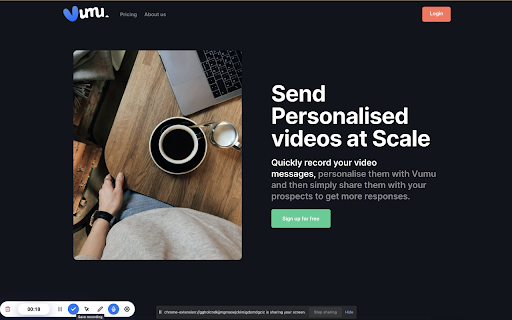
The ultimate screen recorder for Chrome: Powerful, intuitive, and feature-rich. Record, annotate, share, and beyond! Vumu is a platform designed to streamline the creation of customized videos that can be seamlessly integrated into your proposals. By opting for video content rather than traditional email or PDF formats, you significantly enhance the likelihood of receiving a positive response. With Vumu's user-friendly templates, crafting polished and professional videos is a breeze. Recording videos directly through the Chrome extension. Swapping out recorded videos with new content. Uploading pre-existing videos. Incorporating logos and background images. Adding annotations to recordings. Including calls-to-action (CTAs) within the videos.

Screen Recorder & Screenshot App for Chrome | Scrnli
Screen recorder for Chrome, take screenshots, record screen and video, capture, edit and share instantly Scrnli is a powerful screen recorder and screenshot tool for Chrome that lets you capture your screen, record video, take screenshots, and share content instantly. Use Scrnli to record your screen, capture full pages, edit screenshots, and create video recordings for work, study, or communication. Why Choose Scrnli screen recorder and screenshot app Screenshot Tool for Chrome - Capture full page, selected area, or visible screen Screen Recorder for Chrome - Record screen, browser tab, or desktop video Edit Screenshots - Annotate, draw, add text, arrows, and highlights Instant Capture - Take screenshots and record screen with one click Easy Sharing - Share screenshots and videos instantly via link Save and Download - Save screenshots and screen recordings locally Lightweight Extension - Works smoothly without slowing down Chrome Secure and Private - Your data stays safe and under your control What You Can Do with Scrnli Take Screenshots - Capture full page screenshots or selected areas Record Screen Video - Record tutorials, meetings, and presentations Create Tutorials - Record screen and explain processes visually Improve Communication - Share screenshots and videos instead of text Save Important Content - Capture and store useful information How to Use Screen Recorder & Screenshot Tool 1. Install Scrnli from the Chrome Web Store 2. Click the extension icon 3. Choose screenshot or screen recording mode 4. Capture your screen or record video 5. Edit, save, or share instantly Capture and record your screen in seconds with this easy-to-use screen recorder for Chrome. Full Page Screenshot - Capture entire web pages Visible Screen Capture - Capture what you see Area Screenshot - Select and capture specific areas Instant Editing - Add text, arrows, and highlights Screen Recorder Features Record Screen - Capture desktop, browser tab, or window Video Recording - Record video with smooth performance Quick Sharing - Share recordings instantly Save Video - Download recordings for offline use Why Users Install Scrnli Screen Recorder • Easy screenshot and screen recording tool • Fast capture and editing features • Share screenshots and videos instantly • Lightweight and simple to use • Perfect for work, study, and daily tasks Privacy and Security Scrnli Screen Recorder does not collect or store personal data. Your screenshots and recordings remain private.

Chrome Screenshot
Use Chrome Screenshot: smart screenshot chrome extension! Capture, edit, save any page. Explore how to screenshot on chrome browser Ultimate Webpage snapshot extension: Edit, save & screenshot in chrome Effortlessly 🚀 Struggling with how to screenshot on chrome? Capture content with chrome screenshot extension. Screengrab anything instantly - snippets, webpages, or dynamic elements. Perfect for professionals needing precision and simple users! 🔑 Core Advantages of full page screenshot chrome extension. Experience unmatched versatility: 1️⃣ Simple click screenshot snipping tool of selected area 2️⃣ Built-in easy to use tools (blur, arrows, etc.) 3️⃣ Access to chrome screenshot by URL for instant access 4️⃣ Lightweight and user friendly design avoids slowdown ⚡ Optimized Performance. This screen capture chrome extension works seamlessly on: ⭕ Media-heavy sites 📰 ⭕ E-commerce platforms ⭕ Google Docs/Atlassian 🎗️Simple 3-Step Workflow. Master screen grab plugin effortlessly: ➤ Click the toolbar icon 🖱️ ➤ Choose mode: area, visible, or chrome browser screenshot ➤ Annotate and export formats 🎯 Advanced screen capture extension. Transform snapshots with screenshot edit toolkit: - Highlight elements with shapes - Blur/hide sensitive data privately - Add text labels and mark with arrows - Crop/resize before saving in chrome screenshot 🧩 Instant Installation of screen capture extension. Start in 30 seconds: 🎨 Add chrome screenshot extension 🎨 Pin to toolbar, you will see the set of different tools you can use 🎨 Edit the webpage using several instruments at the same time 🎨 Picture now! Save as a file local on your PC. Or make a URL share it 📌 Aside from Basic Tools Unlike google snipping tool, our screen grab chrome plugin excels at: 🖍️ Infinite-scroll social media 🖼️ 🖍️ Hover menus and dropdowns 🖍️ HD snapshot web making 💼 Ideal For Diverse Users. This screen tool serves: 1. Designers: Visual UI feedback 2. snapshot extension archives 3. Marketers: Social visuals 4. Educators: Tutorial notes 🌐 Universal Compatibility. Works as: — screenshot snipping tool — screen grab plugin for academics — screenshot addon chrome for devs ◾Computer Science Student. During late-night coding sessions, our group project’s UI kept glitching. With chrome screenshot app I captured dynamic error states with one click, circled flaws in red, and shared annotated visuals over Slack. We fixed the React component before sunrise 🛠️. By the way, go full page chrome extension mode also helped a lot. ◾ IT Support Specialist. When finance reported a disappearing invoice button, I replicated the issue instantly. Instead of vague emails, I sent a visual with circled elements and workflow notes. Developers resolved it in one sprint cycle thanks to chrome screenshot extension ⏱️. ◾ DevOps Engineer. During a major outage, our team needed real-time evidence. Due to screenshot google chrome I grabbed live monitoring dashboards during peak failure, annotated traffic spikes, and created a timeline PDF. The post-mortem cleared us in 20 minutes 🚨. Thanks to chrome screenshot tool. ◾ Project Manager. Remote sprint reviews became chaotic with verbal updates. I started manually making daily progress snapshots—Jira boards, design mockups, and test logs—into a single annotated PDF. Stakeholders finally stopped micromanaging ✅. Thanks to chrome screenshot. ◾ IT Student. Final exam portals crashed constantly. Before each test, I secured a full capture of instructions and login paths. When systems failed, my offline archive became the class lifeline 💻. By virtue of chrome screenshot addon. FREQUENTLY ASKED QUESTIONS for how to screenshot on google chrome browser ❓ How do I install this tool? 💡 Simply visit the Web Store, search for our app, click *Add*, and pin the icon to your toolbar. No restart needed for chrome screenshot. ❓ How to edit the web picture before snapshot? 💡 Use our screen shot editing panel. Just choose needed tool, for example: Blur sensitive areas, or Add arrows/text, or Crop/resize, etc. ❓Can I save the edited capture local on my PC? 💡 Of course. Select the exact mode and save it in one-click in chrome screenshot.

Zight Screen Recorder, Screenshot App
The best screen recorder for Chrome. Capture your screen, webcam, and instantly share videos and screenshots in seconds. The Ultimate Screen Recorder, Screenshot Tool, and GIF Maker for Chrome Capture your screen, webcam, annotate, and instantly share videos and screenshots in seconds. 1️⃣ Trusted by Over 5 Million Users Worldwide 🌍 2️⃣ Screen Recording and Screenshot Capture All-in-One 📷🎥 3️⃣ Instant Sharing with Shortlink URLs 🔗 4️⃣ Annotate Screenshots and Recordings Easily ✏️ 5️⃣ Capture Screen, Voice, and Webcam Together 🎤📹 6️⃣ Integrates Seamlessly with Your Favorite Apps 🤝 7️⃣ High-Quality HD Video Recording 🖥️ 8️⃣ Secure Sharing with Public or Private Links 🔒 9️⃣ Boost Productivity with Visual Communication ⚡ 🔟 Fast, Easy to Use, and No Ads 😊 🎥 Screen Recording • Capture your screen, webcam, and microphone at the same time • Record your desktop, a specific window, or just your webcam • Automatically upload and generate a shareable link when done • Share directly into Slack, Gmail, Jira, Asana, and other tools • Trim and edit recordings as needed • Capture Screenshots • Capture your entire screen or select specific areas. • Annotate Screenshots • Add text, arrows, lines, shapes, and emojis. • Highlight important parts or blur sensitive information. • Resize or crop screenshots as needed. • Save & Share • Instantly share with a shortlink URL. • Copy screenshots directly for quick pasting. • Add markups to screenshots and recordings • Use arrows, lines, shapes, text, or freehand drawing • Customize colors and callouts to communicate clearly and quickly • Generate a unique Request Video link • Anyone can record a video for you without installing anything or creating an account • You can reuse or expire the link at any time • Request Logs mode automatically captures browser console logs, network requests, and device info • Ideal for bug reporting, QA, customer support, and product feedback • Every submission is delivered as a video plus technical logs for complete developer-ready context • Share with a simple URL • Paste links into Slack, Gmail, Jira, Notion, and countless tools • Control privacy with public, private, and password-protected settings • Rich previews in email and collaboration apps, like Gmail • Embed files in blogs, docs, help centers, and more • Alt + Shift + V: Capture visible area • Alt + Shift + F: Capture full page • Alt + Shift + L: Start video recording • Smart Actions convert videos into step-by-step guides, SOPs, FAQs, or bug reports • Automatic transcription and captioning • Smart Titles created instantly for every video • Smart Summaries to help viewers consume content quickly • Full-text search across your video library • Transcribe in 50-plus languages • Smart Chapters for structured navigation and fast insight extraction Get Started for Free Sign up with no credit card required. Free and paid plans available. Zight for Teams, Business, and Enterprise • Single Sign-On • Custom branding on all download and share pages • Use your own custom domain • Advanced security controls • Embed anywhere across your knowledge base, docs, or product Connect With Us:

Apps Script Editor PRO
The best chrome extension for Google Apps Script developers. AI assistant, Vim shortcuts, themes, snippets, file tree and more! Extension that adds functionality to the Google App Script Editor. 1. 💼 Icons for project files and folders 💼 2. 📡 Allows to collapse and group groups of files contained in each folder with one click. 📡 3. 💻 Use of keyboard shortcuts and VIM commands. 💻 4. ⌨️ Keyboard shortcut ( Alt+J ) to go back in the file tree. ⌨️ 5. ⌨️ Keyboard shortcut ( Alt+K ) to move forward in the file tree. ⌨️ 6. 🖌️ 51 available themes to modify the editor interface to your liking. 🖌️ 7. 🌎 Available in 5 different languages. 🌎 8. 📦 Button for downloading all project files in a single .zip file 📦 9. ⌨️ Keyboard shortcut ( Alt+B ) to show/hide file tree. ⌨️ 10. ✨ Custom snippets code!! 11. ✨ AI Assistant 📜 CHANGELOG 📜 V1.0.1: - Cursor bugs fixed and new VIM commands added. V1.2.0: - Improved some VIM commands - Added a button to show/hide the file tree V1.2.1: ✨ - You can now create, edit and reuse your own code snippets directly in the Google Apps Script editor. V1.2.2: ✨- Now you can create your own themes for the code editor. ✨- New interface design, improved user experience. V1.3.0: ✨- Snippet Store Discover, share, and import code snippets from the community ✨- AI Assistant Edit and create files with AI-powered assistance ✨- Global Search Search across all project files instantly ✨- Account & Sync Free account with cloud sync — your snippets always with you
