
lhjhfogpmahmpggpdkbfpcdbipaknhfe
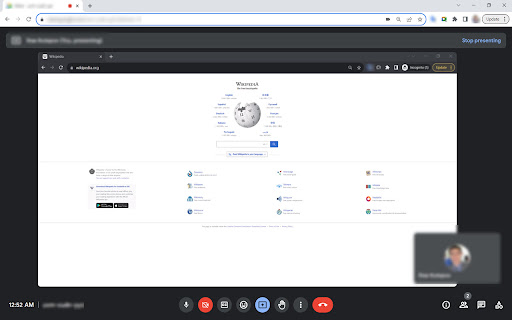
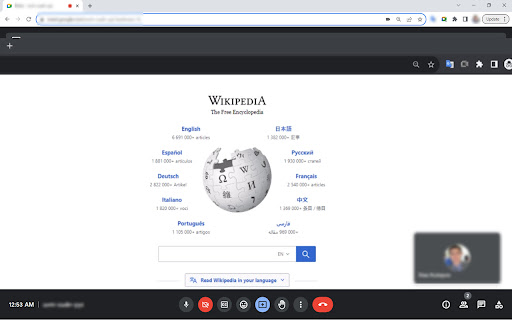

Google Meet Zoom In Zoom Out allows to zoom in-out the content shared by others in Google Meet Introducing the Chrome extension that takes your Google Meet experience to a whole new level! It allows you to zoom in and out on the content that is shared by others in the meeting. It also locates tabs with your meeting, email, etc, when you have multiple browser windows/tabs open. To use the extension, simply install it from the Web Store and join your meeting. ZOOM IN-OUT: Once you are on the call, use the mouse wheel to zoom in and out of the shared content. You can also move the image around by dragging it with your mouse. Press the mouse wheel once to reset zoom and the image position to default - 100%. Sometimes a regular double click is required (depending on the mouse brand). 2. LOCATE TAB: Click on the "Google Meet Zoom In Zoom Out" add-on icon and use the search bar to find your desired tab by website title or URL. This extension is a free and easy way to get a closer look at shared content in Google Meet and locate lost tabs. It is a great tool for students, teachers, businesses, and anyone else who uses Google Meet for video conferencing.

Peek for YNAB
Check on your YNAB category and account balances, and quickly add transactions. The Peek for YNAB extension gives you a snapshot of your current YNAB category and account balances. You can pin your favorite categories and accounts, view recent transactions, and add transactions right from the extension. Split transactions and transfers are fully supported. You can also setup customizable notifications and alerts for each budget. Peek for YNAB is a third-party extension, and is not maintained or supported by YNAB (the company). Please do not reach out to YNAB's official support channels for help or issues related to this extension. Instead, please refer to the extension's help page: https://peekforynab.com/help

Social Attache
Automate your social media prospecting and messaging with the only tool that covers all the bases. Social Attaché is the world's only social CRM... with automation! Work your business directly within your social media accounts instead of having to copy/paste between social and CRM. - prospecting made easy through one-click import of a social profile as a contact - one-click import the email sender from your Web based email - automatically import profiles of people who've messaged you on social - watch posts and automatically import profiles of those who comment - auto-respond to post comments with a social message - automatically accept new group members and import their answers to the group questions - set up automated follow ups via email, SMS text and social messaging - curate content with one-click post download - schedule your content for auto-posting on all your social platforms - schedule your content once for repeating parties or challenges that take place within Facebook groups or Messenger group chats

CrecenTech Utilities
It's a simple chrome extension which will hide password showing method.It will also hide code inspection with all ways like short cut keys etc.

gpt2pdf
Convert your chats into a pdf. Use 𝗖𝗧𝗥𝗟 + 𝗤 to use gpt2pdf or press that ''𝙋𝘿𝙁⬇'' button on the side of "share link to chat" button, it will appear only when you have prompted something and chatgpt has replied to it. The ChatGPT to PDF extension allows you to easily convert your chat conversations with ChatGPT to PDF files. With just a few clicks, you can save your conversations for later reference, sharing, or printing. Upon using the extension it will open the content to be downloaded in a new tab and execute print command, you'll just have to hit that save button in print dialouge box. It's free as of now. Contact me if you want to build any kind of extension.
