
lgondckbinicmbheammlfomhpdginegm


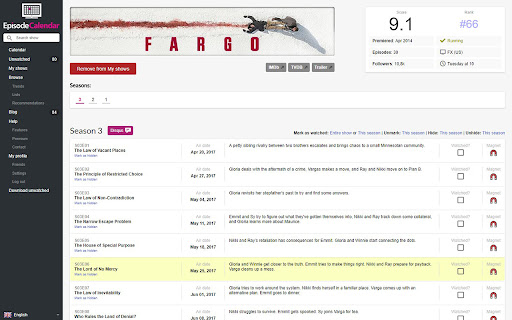
Almost instant magnet links, uses torrent sites to find links based on your preferences. This will give you magnet links for each episode on Episode Calendar, with options to get the links for different qualities, you can also download all unwatched. The links show on the Calendar, the Unwatched page and the the Show overview. It's tidy and easy to use and takes away the tediousness of searching for each episode individually . It also includes options for HEVC and, if the proxy sites are not working anymore, the list is editable by you, meaning, you won't have to wait for an update. You also have the option for it to mark the episode as watched after it has given you the link. Please ensure your torrent software is open before you click to download all. If you have any suggestions for other sites to add this too, feel free to let me know :) UPDATE: Version 1.0 - This has had to change the way the extension works, all calls for the links have been moved to the background script as chrome no longer allows this in the foreground. Also this version adds queues to the downloads instead of downloading them all at once, also because of the way chrome has changed. Version 1.1 - Removes the need to add your own proxies, it now collects them automatically. Version 1.3 - Changes yet again as Chrome has changed a lot of their rules, such as the dialogue popping up every time you want to open a magnet link. This update adds a queue that you have to manually continue. My apologies but it appears to be the only way to bypass this. Version 1.4 - Now adds the option to use the newly replaced option to allow links to be opened automatically again, allowing you to download in bulk. Version 1.6 - Moved away from ETTV as they were down for a while, now we are using Zooqle, it's faster too as they have the magnet links there on the search result table. Version 1.8 - Now using an API which uses a few torrent sites for the links. There may be still be a few bugs going forward but I will try to keep on top of them. Version 1.8.1 - Had to remove the link to Episode Calendar from clicking the extensions icon. As this is no longer permitted. Version 1.9.0 - The place I was getting the torrents from changed the url, this has now been fixed. Also updated to manifest v3.

Torrent Link Extractor
Extracts torrent and magnet links from the current page Extracts torrent and magnet links from the current page.

Download with Transmission
Easily download torrents via transmission client from your browser Download with Transmission extension lets you easily send torrent links (magnets or hash codes) from your browser to the transmission client on your machine. Transmission is a software that enables you to download torrents to your machine (PC, Mac, or Linux). This add-on simply connects your browser to the transmission client. To work with this addon, simply right-click on a torrent link and then click on the - Download with Transmission - from context-menu. Please note that to work with this add-on you need to have transmission software installed on your machine. There are also several settings in the add-on's options page that you can adjust. Note 1: Download with Transmission extension, does NOT belong or relate to the Transmission software or website at all. It is an unofficial add-on that is developed and maintained independently by its author. Note 2: if you do not have Transmission software please visit this (https://transmissionbt.com/download/) page to download the software. Note 3: to read the privacy policy for this addon, please follow this link: https://mybrowseraddon.com/privacy-policy/developer/sevina.html Note 4: if you found a bug to report or have a feature request in mind, please fill out the bug report form on the add-on's homepage (https://mybrowseraddon.com/download-with-transmission.html).

TorrentSafe
Anonymous bit downloads, just right click the magnet link Easily add torrent and magnet links to your TorrentSafe.com "My Downloads" torrent cloud storage area. Fast, anonymous, and secure downloads without storage or transfer rate limits. Free users limited to 5 downloads per month. 1. Visit your favorite torrent provider 2. Right click magnet link and select "Download with TorrentSafe" 3. Visit TorrentSafe.com and select "My Downloads" to view and download your torrent files.

Add Torrent To
Add Torrent To is a minimalist browser extension that allows to instantly begin a download of the torrent content into a configurable set of directories available from the browser context menu. It is useful for preventing clutter in the download directory.
