
lfhbioigmjknpldiafamnefbabfppfkg

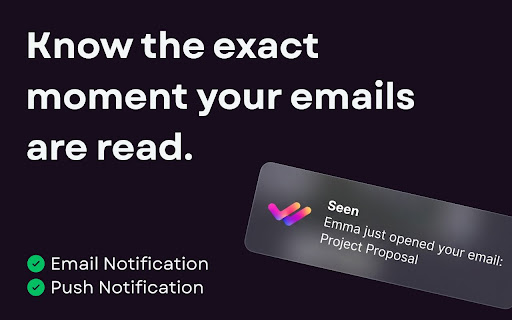
The most powerful and private email tracking tool for Gmail. Know when your emails are read instantly. Seen - Invisible Email Tracker for Gmail The truly free, invisible, and privacy-first email tracking tool for Gmail. Know exactly when your emails are read without annoying "Sent with..." signatures. Seen is designed for professionals who value privacy, speed, and discretion. We believe email tracking should serve you, not advertise us. Why Choose Seen? ➤ 100% Invisible Tracking We strictly do not add "Sent with..." signatures to your emails. Your recipients will never know they are being tracked. Professionalism comes first. ➤ No False Positives (Smart Filtering) Most trackers count your own views as "opens". Seen's intelligent blocking technology ensures that when you open your sent folder, it doesn't trigger a tracking event. We only notify you when they read it. ➤ Privacy-First Architecture We never read your email content. We only track the specific metadata needed to confirm delivery and opens. Your inbox stays fast, private, and secure. ➤ Real-Time Notifications Everywhere Get notified the instant your email is opened via Desktop, Email, or Mobile Push Notifications. Never miss a follow-up opportunity, wherever you are. Key Features: ✔️ Seamless Integration: Works inside Gmail without changing your workflow. ✔️ Read Receipts: Double-check marks (✓✓) integrated directly into your sentence list and threads. ✔️ Push Notifications: Get alerted even when Gmail isn't in the foreground. ✔️ Spam-Free Delivery: Extremely lightweight pixels ensure your emails land in the primary inbox, not spam filters. ✔️ Dark Mode Support: Beautifully designed to match your Gmail theme perfectly. How to Use Seen: Install the Seen extension. Compose an email in Gmail as usual. The "Track" icon is automatically enabled (click to toggle off if needed). Send! You'll see checkmarks turn green when your email is read. Is Seen Safe? Yes. Your privacy is our obsession. ✅ GDPR Compliant: We respect your data rights. ✅ Minimal Permissions: We only ask for what's strictly necessary to insert the tracking pixel and notify you. ✅ No Data Selling: We do not sell your data to third parties. Ever. Unlock Pro Features Seen is free to use with a generous daily limit. Upgrade to Pro to unlock: 🚀 Unlimited Tracking: Remove all limits and track every single email you send. 📊 Detailed Open History: See exactly when, where, and how many times your emails were opened. 🔗 Advanced Link Analytics: Track which specific links are most effective. 📱 Priority Support: Get direct access to our team for any assistance.

TraceMail Extension
Unlock real-time email tracking with TraceMail and receive instant notifications the moment your email is read. Maximize your email effectiveness with TraceMail.io, the ultimate Chrome extension for seamless email tracking. Designed for professionals who value engagement insights, TraceMail.io transforms your email communication into an easy to use experience. Key Features: - Instant email read alerts - Track when links are opened - Track when documents are opened - Detailed tracking reports - Seamless integration with Gmail UI - TraceScan, get insights of incoming emails that may track you - AI Email Assistant for insights, suggestions, and draft creation Privacy and Compliance Notice: TraceMail.io is committed to upholding the highest standards of data privacy and compliance with global regulations. Please review our privacy policy for more details. Support and Feedback: We're constantly refining our extension. For support or to share feedback, contact us at info@tracemail.io. Embrace the future of email communication with TraceMail.io – your insight into the world of email engagement.

Dad Reply - One-click emoji replies for Gmail.
Dad Reply adds a one-click emoji reply button directly to Gmail, sitting next to your standard reply button. Stop typing "thanks!" and "got it!" for routine acknowledgments. Works exclusively with Gmail in Chrome. Click the Dad Reply button or select your emoji, and send - no typing required. Key features: - One-click emoji responses in Gmail - Customisable skin tones - Multiple custom emoji options (Pro) - Auto-send functionality (Pro) - Works with Gmail automation workflows Perfect for handling GitHub notifications, CRM updates, or any email that needs acknowledgment without conversation.

FindForce Business Email Finder
Find and verify professional emails instantly with 95% accuracy Stop the guesswork. FindForce verifies email addresses directly on professional networking sites, business directories, and company profiles. Know before you send. Why Choose FindForce ✓ Two-Click Verification - Works directly on professional profiles. No copy-paste. ✓ 95% Accuracy - Multi-layer verification prevents bounces before they happen ✓ Actually Free - 25 verifications/month. No credit card. No tricks. ✓ Instant Results - few seconds to verified email with confidence score Built for Revenue Teams ➤ Sales Development (SDRs) ➤ Account Executives ➤ Recruiters & Talent Teams ➤ Business Development ➤ Revenue Operations Works Where You Work Compatible with major professional networking platforms, business directories, and company websites. Your workflow, simplified. Quick Start 1. Install extension (5 seconds) 2. Visit any professional profile 3. Click FindForce button 4. Get verified email instantly Note: Email verification service for publicly available professional information. Users responsible for platform compliance.

Mail Tracker - Email Tracking for Gmail
Track emails in Gmail with free, real-time notifications. MailTracker – Master Email Tracking for Gmail Trusted by 12 000+ early adopters worldwide. Make every email count with real-time email tracking alerts. 🔑 Key Benefits ━━━━━━━━━━━━━━━━━━━━━━━━━━━━━━━━━━━━━━━━━━━━━━━━━━━━━━━━━━━━━━━━━━━━━━━ • Instant email tracking alerts — know the second someone opens your message • One-click read receipts — follow up at the perfect moment, no guesswork • Unlimited free email tracking history — scroll back and review every open • Click-through monitoring — see exactly who hits your links and when • 48-hour no-open notice — ping prospects before they forget you • Gmail-native controls — toggle tracking inside the compose window with one tap • Privacy-first architecture — we never read message bodies; only lightweight IDs power our email tracking engine 🚀 Quick Start ━━━━━━━━━━━━━━━━━━━━━━━━━━━━━━━━━━━━━━━━━━━━━━━━━━━━━━━━━━━━━━━━━━━━━━━ 1️⃣ Install MailTracker from Chrome Web Store — two clicks and you’re set. 2️⃣ Compose & Send any email; email tracking activates automatically. 3️⃣ Watch for the pop-up the instant your email is opened. 4️⃣ Follow up while you’re top-of-mind and close the loop faster. 📜 Feature Highlights ━━━━━━━━━━━━━━━━━━━━━━━━━━━━━━━━━━━━━━━━━━━━━━━━━━━━━━━━━━━━━━━━━━━━━━━ • 1-pixel technique delivers reliable email tracking without tipping off recipients • Device & location insights for smarter mail analytics • Label filters (label:email-tracking-opened) surface hot leads instantly • REST API in beta for custom CRM email tracking integrations 🎯 Real-World Use Cases ━━━━━━━━━━━━━━━━━━━━━━━━━━━━━━━━━━━━━━━━━━━━━━━━━━━━━━━━━━━━━━━━━━━━━━━ • Sales reps timing nudges based on live email tracking data • Recruiters seeing when candidates open offers and respond faster • Startup founders gauging investor interest with discreet read receipts • Support teams confirming troubleshooting guides were opened • Marketers A/B-testing subject lines via open-tracking analytics 🔐 Privacy & Security ━━━━━━━━━━━━━━━━━━━━━━━━━━━━━━━━━━━━━━━━━━━━━━━━━━━━━━━━━━━━━━━━━━━━━━━ MailTracker’s Gmail email-tracking technology stores only anonymised identifiers—never message content. Data is encrypted in transit and at rest, giving you enterprise-grade protection with zero compromise. 🛠️ Pro Tips ━━━━━━━━━━━━━━━━━━━━━━━━━━━━━━━━━━━━━━━━━━━━━━━━━━━━━━━━━━━━━━━━━━━━━━━ • A/B-test subject lines; combine with email tracking to boost open rates • Use label:email-tracking-unopened to queue follow-ups every morning • Pair click-tracking with open-tracking for a full-funnel view of engagement 🌟 Ready to Make Every Email Count? ━━━━━━━━━━━━━━━━━━━━━━━━━━━━━━━━━━━━━━━━━━━━━━━━━━━━━━━━━━━━━━━━━━━━━━━ Add this email tracking Chrome extension to Gmail and level-up your inbox in 30 seconds. You’ll never wonder “Did they read my email?” again—install MailTracker now and own your follow-ups!
