
lfbbdphejjjanjiohlmkdbapdmfoaeem
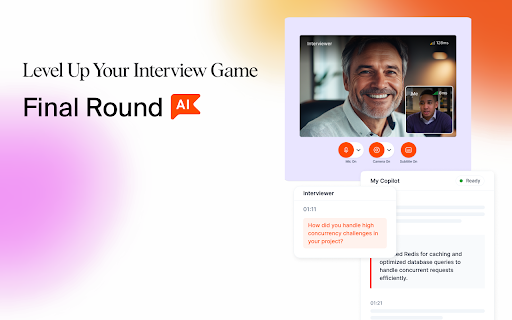


Final Round AI: Interview Copilot™ 🚀 Harness the power of AI to ACE interviews from Day 1 to Final Round **Updates: The Final Round AI Chrome Extension now unlocks coding interviews, one-way video interview, and many other amazing use cases of Interview Copilot™. Keyboard shortcuts are available! 🤠 Crush Your Next Interview with Final Round AI Final Round AI and Interview Copilot™ provide real-time interview coaching, mock interviews from top companies, and helps you build an ATS-friendly resume to land your dream job faster. Final Round AI is more than just a preparation tool. It’s your personal interview coach, guiding you to crush your next interview with ease. From live feedback to generating a hireable, ATS-friendly resume with one simple click, Final Round AI helps you stand out. 🤩 How Interview Copilot™ and the Chrome Extension Work Final Round AI provides real-time insights, helping you improve your answers and responses so you can stand out, feel confident, and land your dream job faster. The Chrome Extension now unlocks coding interviews, one-way video interview, and many other amazing use cases of Interview Copilot™. Short-cuts are available! “An essential tool for anyone looking to improve their interview skills and land their dream job.” — Anna Kersten 🔐 Privacy and Data Safety We prioritize your privacy. Final Round AI ensures your data remains secure and confidential. Read more about our privacy policy at https://www.finalroundai.com/privacy-policy

Ntro.io: Free Job Interview Copilot for Live Coding & Skill Asessment
Realtime AI assistant for all types of job interviews. Free forever and integrated with Android/iPhone mobile apps. 👋 Ntro.io is a real-time AI assistant designed to help you perform confidently during job interviews and professional meetings. It provides instant suggestions, contextual insights, and live language support directly within your meeting environment. Built as a lightweight Chrome extension with companion mobile apps for Android and iPhone, Ntro.io helps you stay focused on the conversation while receiving intelligent assistance in real time. ☆ General Conversational Interviews: Receive real-time response suggestions in a discreet overlay that integrates seamlessly with your meeting interface, helping you maintain natural communication and eye contact. ☆ Screen-Shared Live Coding Interviews: Use the integrated console to quickly analyze problems and receive structured guidance during technical coding sessions. ☆ Online Skill Assessments: Get AI-powered assistance for solving assessment questions with fast and accurate guidance. ☆ AI-Based Interviews: Stay prepared during automated interview systems with real-time suggestions and communication support. Ntro.io acts as your AI meeting copilot during interviews and professional conversations. It can: ☆ Provide professional phrasing and communication guidance ☆ Offer real-time translation for multilingual conversations ☆ Job Seekers — Improve interview performance and reduce stress ☆ Remote Teams — Stay organized and engaged during meetings ☆ Consultants, Sales, and Support Teams — Communicate more effectively with clients ☆ Business Professionals — Improve meeting clarity and productivity ☆ Non-Native Speakers — Overcome language barriers with real-time translation ☆ Real-Time AI Guidance: Receive contextual suggestions and communication tips instantly during conversations. ☆ Seamless Meeting Integration: Works directly inside your browser so you can stay focused without switching tabs. ☆ Mobile Companion Apps: Extend your experience using the Ntro.io mobile apps for Android and iOS. ☆ Fast and Accurate AI Responses: Optimized for speed and precision during live conversations. ☆ Personalized Assistance: Receive suggestions tailored to your specific situation and conversation context. ☆ Simple Setup: Install the extension and start using Ntro.io immediately in your meetings. ☆ Free Demo Available: Try Ntro.io with a free plan and explore its full capabilities. Your privacy matters to us. We implement appropriate security measures to protect your data and only share information with trusted service providers when necessary to operate the platform.

Glider Proctoring
This chrome extension allows you to share full screen of your computer privately and securely. The Glider AI Talent Quality Platform guarantees the high-quality hire on every role, across any industry, whether full-time or contingent, for both talent acquisition and talent development (L&D) teams. Glider proctoring chrome extension enables screen sharing to support https://hire.glider.ai for the duration of test. Glider seeks candidate's explicit permission to track screen activity during the test period. On test submission, hiring teams are provided with a detailed report on candidate competency and integrity with evidence.

Sensei AI Coding Copilot
Sensei AI is an interview copilot that does your interviews in real time. Use this chrome extension in addition to our main app to… Sensei AI is an interview copilot that does your interviews in real time. Use this chrome extension in addition to our main app to solve any technical problems in your way. Real-Time AI Assistance: Get instant support during your coding interviews with real-time suggestions, hints, and solutions tailored to the problem at hand. Multi-Language Support: Our extension seamlessly supports all major programming languages, ensuring you're never left without the tools you need, regardless of the language required by the interviewer. Platform Compatibility: Whether you're using LeetCode, HackerRank, CodeSignal, or any other major coding platform, our extension integrates smoothly to provide uninterrupted assistance. Interactive Code Explanations: Get step-by-step explanations for complex algorithms and coding problems, making it easier to understand and explain your solutions during the interview. Enhanced User Interface: Enjoy a sleek, user-friendly, and hands-off interface that integrates seamlessly with your coding environment, ensuring you can focus on what matters—acing your interview.

Verve AI
The Verve AI Chrome Extension is an integral part of the Verve AI web application, designed to enhance your coding interview experience by providing real-time coding assistance. This extension does not function independently and requires an active Verve AI account. 1.Sign Up or Sign In: https://www.app.vervecopilot.com/copilot Visit the Verve AI web application. Sign up for a new account or sign in to your existing account. 2.Launch a Coding Interview Session: Once logged in, start a coding interview session from your dashboard. 3.Navigate to the Coding Question: During the interview, go to the page where the coding question is presented. 4.Activate the Chrome Extension: Click on the Verve AI Chrome Extension icon in your browser toolbar. The extension will process the coding question, and the suggested answer or guidance will be available momentarily. Note: This extension is a companion tool for the Verve AI web application and will not provide functionality outside of an active session on the Verve AI platform.
