
leopnacgjdikhakdignjfelidbbalbcc

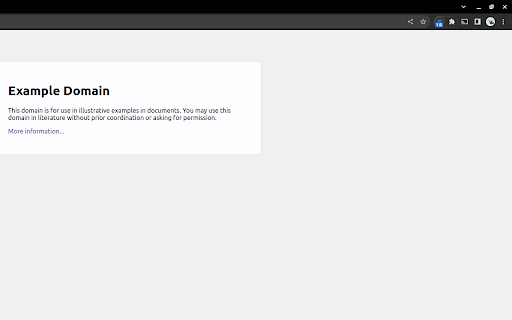
This extension clears all but the active tab in your browser. UPDATE v2: Complete code refactor for manifest v3! Have a lot of open tabs you want to easily close? Quickly close all of your open tabs except the one in current window with this extension. Easily re-open all of your previously closed tabs. The first click of the extension icon closes all of open tabs except for the current one in browser window. Made a mistake? Just click again when "1 R" is displayed on the extension's icon to re-open the tabs you just closed. "Clear Tabs" allows you to quickly close all open tabs in Chrome, except for your currently selected tab. Just click the extension icon! The extension also counts how many tabs you have open. Simple, easy, memory efficient, and privacy safe. Built for ease of use and privacy! Please keep the following features in mind: Only tabs in the current Chrome window will close, it will not close tabs on other Chrome window sessions. If you create a new tab, remove a tab, or change window focus, your previously closed tabs will NOT be recoverable. Tabs are only recoverable when the "R" recovery badge is visible in the extension icon. The recovery feature is for accidental clicks only, not a "tab saver" function. PRIVACY POLICY: This extension does NOT collect any personal information from the user: We have no way to collect data or store it. It will work with and without an internet connection because it does not need one to work, since data is never sent to any third party. Permissions used: TABS: To open and close tabs. STORAGE: To maintain extension state when background process is suspended. Version History 2.0.1 -- Overcome Chromium bug where events in chrome extension background service workers are ignored. 2.0.0 -- Complete code re-factor. Update all code with static-typing using ES2020 standards. Now using Manifest v3. Extension now releases memory and processor when not in use. 1.0.0 -- Initial public release. 1.0.1 -- Improper recovery fixed when only two tabs open. 1.0.2 -- Package integrity error. 1.0.3 -- Icon working with Firefox extension. 1.0.4 -- Fixed error: Too many open tabs caused them not to be able to be restored. - Performance improvement on closing tabs. - First attempt at getting extension to work with Firefox for Android. 1.0.5 -- Performance improvements. Finally fixed all bugs that would not allow a restore with a high number of tabs open.

Close Other Tabs+
Close Other Tabs+ is a browser extension designed to simplify tab management. With this tool, you can close, pin, unpin, group, or ungroup multiple tabs at once. The context menu items (referred to as "actions" in Close Other Tabs+) shown in the screenshots are just the default settings. You can remove or edit any of them or add new ones. What each action does is up to you. For instance, you might choose to close tabs to the left in the current window. Or close all tabs in all windows with the same domain as the active tab, including pinned ones. Or perhaps you want to close all groups except the current one - that's possible, too! The extension provides two context menus: Extension icon menu: Right-click the extension icon in the toolbar to access this menu, which can contain up to six actions. Page menu: Right-click on any webpage and select "Close Other Tabs+" to access this menu, where you can include as many actions as you like. Clicking the extension icon will immediately close other tabs. If you prefer a different action, you can set any action as the "Main action" in the settings. Close Other Tabs+ also supports keyboard shortcuts. To assign a hotkey to an action, follow these steps: 1. Open the extension settings and go to the "Actions" section. 2. Expand the "Actions" dropdown and note the index of the action to which you want to assign a hotkey. 3. Go to chrome://extensions/shortcuts, locate Close Other Tabs+, and assign a hotkey to Action X, where X is the index of your chosen action. ---------------------------------------------------------------- 🔓 Optional permissions Read your browsing history The extension will only request this permission if you use the filter-by-URL features, in which case it will need it to distinguish between tabs with different URLs. ---------------------------------------------------------------- 🐱 GitHub: https://github.com/loftyshaky/close-other-tabs-plus 🧩 Follow my Facebook page (more extensions): https://www.facebook.com/browservery ---------------------------------------------------------------- Ads When using Close Other Tabs+, you might encounter affiliate links on the extension's settings page.

Close Right
Add "Close Right" Button into toolbar. The tabs to the right of the current tab will be closed.

Close Tabs to the Left
Adds a button to close all tabs to the left of the current tab. Most browsers have the ability to right-click a tab and "Close tabs to the right", but not "Close tabs to the left"! This extension adds a button to the right of the address bar that all closes all tabs to the left of the current active tab. Unlike most other extensions, it doesn't closed tabs you've pinned!

Tab Killer
Close tabs with context menu options Right click and choose what to close: - duplicate tabs - tabs to the left or right - from the same or different domain or URL as the current one - from the current domain, but with a part of the URL path identical
