
lefoggeccdgcmbcooppiamikhklnnddj

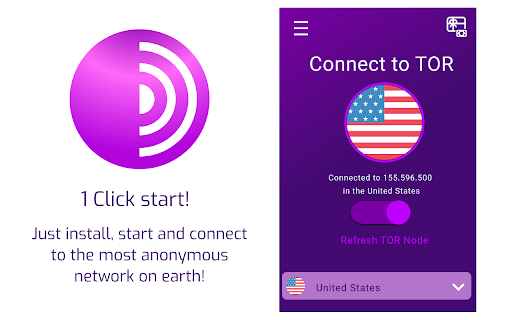
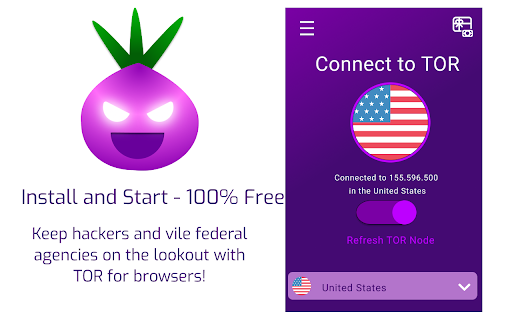
Tor for browsers, one click start. Quickly use the internet, while connected to the TOR secure network! With the TOR Browser Extension, anyone can use the TOR network on any browser compatible, without any need for additional installations or hassle. Connect to country exit nodes with TOR VPN such as Germany and the United States. Stop yourself from getting tracked, hacked and having your data stolen, while routing your Traffic Through TOR. Important note: this addon does NOT belong or relate to Tor® project and has NO affiliations with Tor® anonymity software or website at all. It is basically an unofficial extension that is developed and maintained independently by its author. We cannot guarantee your privacy or safety, if you need a perfect application please use the TOR Browser for android.

TorGuard VPN Proxy Extension
Hide your IP, block ads and override HTML5 Geolocation using TorGuard VPN Proxy TorGuard VPN's browser extension uses secure SSL proxies to keeps your web traffic private. Just like a VPN, it hides your IP address and encrypts all traffic passing through the web browser. Install this extension in a few clicks, choose your proxy location and connect. Once activated, websites will only see the proxy IP address, not your true location or IP. - x50 Countries to choose from - Block WebRTC requests - Block Trackers - Block Advertisements - Encrypt your traffic - Hide your IP address - Unblock websites - Multiple port options - Fast Download speeds - 24/7 Support

Browse with Onion
Easily browse desired websites with tor (onion) proxy! Browse with Onion is a lite extension that let you easily browse a certain website(s) (not the whole browser) with tor network. Before using the addon please make sure your computer (PC or MAC) is connected to TOR. A separate patch is prepared, to help users connect to the TOR network. To get the patch, please visit this GitHub repo (https://github.com/jeremy-jr-benthum/onion-browser-button/releases) and download (mac.zip) or (win.zip) file depending on your operating system. Then follow the instructions on the repo (https://github.com/jeremy-jr-benthum/onion-browser-button) in order to connect to TOR network. Note 1: With this extension ONLY added domains will pass through TOR network and all other domains/websites will remain intact from TOR proxy. Note 2: Before using the add-on you need to add desired domains which you want to pass through TOR proxy. To do so, please open toolbar popup and add desired domains comma separated in the designated area. For example, if you want to browse - torproject.org - with tor network, please add - *.torproject.org* - in the input area (note to add * at the beginning and end). All changes are auto-saved to the memory. Also please note that, items need to be comma separated and without space in the popup (*.torproject.org*,*.example.com*,...). As mentioned above, ONLY these domains will pass through the TOR network and all other websites will remain intact from TOR proxy. If you have a feature request, or found a bug to report, please fill out the bug report form on the addon's homepage (http://mybrowseraddon.com/browse-in-tor.html)

Telleport - Best Free VPN
Flip the switch, and you're connected to the best free VPN out there - Telleport. Flip the switch, and you're connected to the best free VPN out there - Telleport. Secure and private access to restricted and geo-blocked content from around the world. It takes just one click, and we have many locations to choose from. Browse in full privacy without restrictions, bandwidth limits and ad-free. Get the best free VPN Services for Windows, Android and Chrome. Stay safe online with our VPN proxy extension for Chrome. Why do you need Telleport VPN extension? ✔️ Telleport VPN browser extension provides a fast VPN connection through an encrypted channel between your browser and the target website, using secure VPN technology. ✔️ Unblock geo-restricted content. Your IP is your digital location. Mask your IP address and access restricted content, blocked websites, messaging apps, and social media sites. ✔️ Next-generation Security with State-of-the-art Encryption. Anyone who wants to snoop on your traffic will have a hard time getting past our military-grade 256bit encryption. Encrypt your browser traffic and protect your identity from trackers to enjoy maximum privacy and security. ✔️ WebRTC Protection from IP leaks Some web apps use this technology to discover your true IP address. Telleport VPN proxy extension will prevent your IP address from being leaked by changing browser’s WebRTC policy. ✔️ Strict No-logs Policy For Your Privacy Turn on your Telleport extension and feel free to surf the web. We never monitor or collect any logs of your online activity. Simply because it's encrypted. How do I enable VPN on Chrome? 1. Add the Telleport extension to your browser. 2. Sign-in your Telleport account. 3. Click on the Telleport icon in the top-right corner. 4. Flip the switch and you’re connected! ✔️ Premium security features Block websites and advertisers trackers from monitoring your web browsing activities with additional security features. ✔️ 24/7 customer service Get help the moment you need it. Drop us an email or connect with one of our customer support agents via live chat. Download, sign-in, and connect. That’s it!

Proxy Client for Onion
Tunnels your network requests through a Tor's SOCKS5 proxy server and hides your IP address Whenever you need to hide your real IP address, press the action button to start the official Tor executable in the background and configure your browser to tunnel network requests through this Tor client. The extension configures your browser's proxy settings to tunnel the entire network requests through a local SOCKS5 proxy server. This server is available when the "Tor" executable is running. This extension also blocks WebRTC IP detection to prevent your real IP address to leak. Features: 1. Improves the user's privacy by hiding the real IP address 2. Dynamically changing the proxy configuration of your browser only when active. Changes revert back when the extension is not working. 3. Configures WebRTC to not reveal private IP addresses when the extension is active. This is an optional feature. 4. It is possible to request a new identity (new IP) right from the extension whenever needed. 5. There is no conflict with other running instances of Tor (like Tor Browser). This extension uses its unique communication port. Notes: For this extension to run the Tor executable, you will need to install a NodeJS native client. This is a bridge connector to allow the extension to execute Tor. You will get a notification on the first use to install this native client. Please read FAQ #1 on the homepage of the extension to prepare the extension to use the Tor executable. For now, the Tor bundle is prepared for Mac OS and Windows. On Linux, install the tor as usual and set the path on the options page.
