
ldbbnlkgiddmgobgahcnppbkecenjcjn
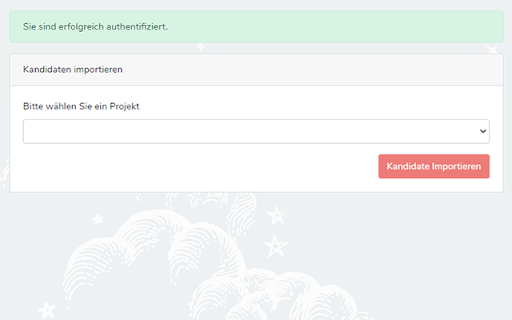
hrConnectum Plugin to connect recruiting platforms with the tool. hrConnectum Plugin to connect recruiting platforms with the tool. Recruiters using this plugin will be able to automatically import required information from recruitment platforms into the hrConnectum Tool.

Highlight This: finds and marks words
Automatically finds and highlights words and phrases on the web page according to your list - No registration required - Organize your search words in groups and lists - Use Regular Expressions (Regex tokens) - All data stored locally - Auto-refreshes highlights on page reload and content changes - Unlimited words and lists - Synchronise lists between your browsers Highlight This! comes: - as a Free version, limited to 200 words and limited highlighting styles - an Unlimited version with affiliate partner link highlighting https://highlightthis.net/PartnerLinks.html - 2 paid versions. Easy to use Chrome Extension that automatically searches for defined words in the current browser tab and marks them in a text. Many more advanced features available through settings: - Create color-coded keyword lists - Disable highlighting on certain sites - Export or import your settings and keyword lists - Define click action - Use lists from Pastebin, Google Sheets ** New in 6.3.10 - Fix: Issue with lookbehind regex ** New in 6.3.7 - Fix: Minor fix in detecting words after lower quotation marks - Fix: Incorrect highlighting with Regular Expressions that contain \b ** New in 6.3.6 - Fix: lists are not sorted anymore - Fix: breaking highlights due to specific control for "flex" containers ** New in 6.3.4 - Fix: an issue with sequence of Regex words - Fix: an issue with invalid characters in a wordlist - New: You can now order lists of words to give priority in highlighting if there are duplicate words ** New in 6.3.1 - Fix: zip file issue when installing extension ** New in 6.3 - New: Better support for languages which have no spaces or punctuation between words - New: Better support for languages with diacritics - Fixed: Sync with Google Sheets has been fixed ** New in 6.2.3 - New: You can now put a border around input fields if there is a matching word inside ** New in 6.2.1 - Fixed: an issue with highlighting in shadow-root elements ** New in 6.2 - New : Improved performance on large webpages - Fixed: an issue whereby words could disappear while filtering the list of words ** New in 6.0.10 - Fixed: an issue with highlighting of web components - Fixed: an issue with look behind regular expressions ** New in 6.0.6 - Fixed: highlighting on Single Page Apps - New: Form to send a bug to the developer ** New in 6.0.5 - Fixed: issue with corrupted synchronized lists which breaks the rendering of the lists ** New in 6.0.4 - Fixed: issue with restoring backups - New: ability to reset all data and settings ** New in 6.0.1 - Fixed: issue with transforming Synchronized lists ** New in 6.0.0 - Extra styles for highlighting : Bold, Italic, Underline - Ability to change highligting by selecting rounded corners, padding, shadow - Ability to define a zone on a page for highlighting - Switch to Manifest v3, which better protects user security - Subscriptions - Fixed: speed of editor - Fixed: various small issues with remote lists ** New in 5.3.6 - Fixed: an issue with scrolling to highlight tags ** New in 5.2 - Define click actions for highlighted words - Support for loading words from Google Sheets - Define download frequency for remote lists - Fixed: Negative reverse lookup regex - Fixed: Issue with Highlight overview - Fixed: Issue with download button ** New in 5.1 - Support for case sensitive matching - Manage words from context menu ** New in 5.0 - New editor to manage your words (filter, select, delete, move) - Support for Regex tokens ** Define words ** Easily specify words and phrases you want to be highlighted. ** Highlighting ** Highlights the words and phrases on the page Shows how many words have been highlighted ** Works on Ajax pages ** The extension detects changes to the page and re-highlights the words.

Recruitee Talent Sourcing
Easily source candidates and import data from various networks Recruitee Talent Sourcing for Chrome makes your talent acquisition even more effective! We provide recruiters a simple and easy way to source promising candidates from sites including Xing, Dribbble, StackExchange and GitHub to your positions on Recruitee. It's simple. Just browse to a user profile on a supported service, click the Recruitee icon in the top right, and you'll have the opportunity to import (source) their profile information on one or more of your job positions in Recruitee. Learn about more features and signup for an 18-day free trial: www.recruitee.com Features: - Tag candidates while sourcing - Import candidates with one click - Parse data into candidate profiles - Access right away in Recruitee - Detect duplicate profiles - Move candidates to jobs or talent pools

LinkMatch For Zoho Recruit
Seamless Zoho Recruit Profile management – Now with AI Insights LinkMatch helps you manage profiles from professional networking platforms in Zoho Recruit without manual work. Designed for sales teams, recruiters, and business developers, it keeps your CRM updated while you focus on building relationships and closing deals. - Automatic Recognition: Instantly see which profiles are already in your Zoho Recruit. - Quick Profile Management: View and edit Zoho Recruit profile details directly from your browser — no need to switch tabs. - Save Time, Work Smarter: Add new leads and contacts to Zoho Recruit in one click. - AI Insights: Get AI-powered recommendations to identify top leads, prioritize connections, and optimize your workflow.

Waalaxy - LinkedIn Automation Tool
Make LinkedIn your No. 1 acquisition channel with Waalaxy. Automated prospecting and recruitment made easy Waalaxy’s mission is pretty simple: Make LinkedIn your No. 1 acquisition channel. Our goal is to make automated prospecting and recruitment easier than ever. With our intuitive extension, you can easily import prospects directly from LinkedIn and set up your prospecting campaign with just a few clicks - no technical skills required! Here’s a glimpse of what you can achieve with Waalaxy: Automate your LinkedIn outreach and email follow-ups effortlessly. Extract profiles from LinkedIn People Search, Sales Navigator, and Recruiter Lite with just a few clicks. Set up personalized prospecting campaigns in minutes and let Waalaxy handle the rest, freeing up to 70% of your time to focus on.. well, whatever you want. Enrich vital prospect data instantly and sync it with your favorite CRM like Hubspot, Pipedrive and 2000+ apps through Zapier/Make. Stay organized and ensure that no lead slips through the cracks. Manage multiple LinkedIn accounts seamlessly within a unified workspace. Collaborate with your team, share leads, and analyze performance statistics, making Waalaxy ideal for sales, marketing, and recruitment teams. Streamline your LinkedIn conversations with Waalaxy's integrated inbox. Create message templates, schedule timely follow-ups and much more, all within one intuitive interface. Waalaxy is directly integrated into LinkedIn interface. It’s like activating the hidden god mode. Find your prospect’s email, schedule messages, create reusable message templates & more, directly in LinkedIn. Start using Waalaxy for 0€, for as long as you want with our freemium plan. Give a try to our premiums plans risk-free with a free trial. Our expert team is ready to assist you 5/7 day directly on the chat, ensuring you get the most out of every feature (and without having to wait days that someone replie to your emails). Join over 100,000 professionals who have revolutionized their LinkedIn prospecting with Waalaxy. Transform your outreach and experience accelerated lead generation today! Begin your journey with Waalaxy and turn multi-channel prospecting into a money-making game.
