
lcpbgpffiecejffeokiimlehgjobmlfa
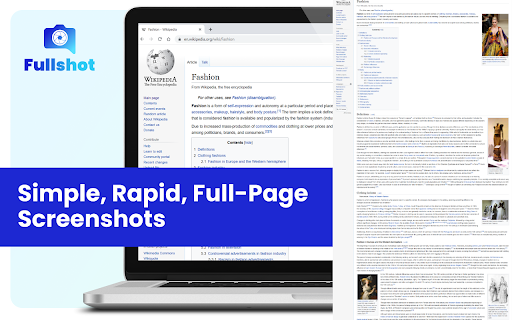
Simple, Rapid, Full-Page Screenshots Discover Fullshot – Your Go-To for Quick, Seamless, Full-Page Screenshots! 🚀 📸 Capture entire web pages effortlessly 🌐 Works offline for convenience Download now and experience simplicity in every screenshot!

CocoShot: Screenshot & Screen Recorder
Capture full page screenshots and record screen to MP4 with annotations. PDF export with clickable links included. 🚀 CocoShot: The Ultimate Screenshot, Screen Recorder & AI Video Editor Capture, Edit, and Record with the most powerful all-in-one productivity tool. From full page screenshots to high-definition screen recordings with AI subtitles, CocoShot does it all. 🎥 Pro Screen Recorder & AI Video Editor • High-Quality Recording: Capture your desktop, tabs, or webcam in crisp HD. Perfect for Zoom, Google Meet, and MS Teams. • AI Auto-Subtitles: Save time with our magic Auto-Caption feature. Automatically generate subtitles for your recordings with high accuracy. • Powerful Video Editor: Trim, crop, split, and merge your recordings within the browser. No external software needed! • Real-time Markup: Annotate with arrows and text while you record to create professional tutorials or bug reports. • Export to MP4: Save and share your videos in the most compatible format instantly. 📸 Advanced Screenshot & Screen Capture • Full-Page Capture: Automatically scroll and snap entire web pages perfectly. • Smart PDF Export: Convert screen captures to PDF with clickable hyperlinks preserved—ideal for research using Web Clippers. • Image Annotations: Use our robust editor to blur sensitive info, add markup, or apply professional filters to your screenshots. 🌟 Use Cases & Solutions: • Remote Meetings: Best Zoom/Google Meet recorder with AI captions for meeting minutes. • Content Creators: Record tutorials, edit videos, and add subtitles in one flow. • Developers: Record bugs with annotations for GitHub, Jira, and Slack. • Educators: Create accessible learning materials with automatic subtitles. Join thousands of users and upgrade your workflow. Get CocoShot today—the only Screen Recorder and AI Video Editor you will ever need!

Scrolling Screenshot & Full Page Capture
✨ The Ultimate Screenshot & Annotation Tool ✨ ➤ Long webpage screenshot capture 🔥 ➤ All features included in free version 🔥 ➤ Save and edit annotations forever 🔥 ➤ Over 100K users love this tool 🔥 Markup Hero is the only tool that offers multi-page scrolling screenshots for ultra-long websites – a problem other tools can’t solve. No website is too long or too complicated to get the perfect scrolling screenshot. Capture, annotate, and share with powerful editing tools that are always accessible. 🆓 FREE FOREVER WITH PREMIUM OPTION ➤ Premium features is just $3/month ➤ unlimited screenshots and edit forever 1️⃣ Scrolling Screenshot – Capture entire webpages, even extra-long ones 2️⃣ Multi-Page Slicing – Break long screenshots into manageable pages 3️⃣ Selected Area – Capture just what you need 4️⃣ Full Desktop – Grab your entire screen 5️⃣ Upload & Edit – Work with existing images and PDFs ➤ 20+ markup tools including arrows, text, pen, highlighter, and signatures ➤ Blur sensitive info with one click ➤ Insert images or other screenshots ➤ Add multiple pages – reorder like a PDF 🔥🔥 ➤ Crop, rotate, and zoom with precision ➤ All screenshots saved to your history ➤ Past markups can be edited forever 🔥🔥 ➤ Create folders and collections ➤ Title and search your screenshots ➤ Star favorites for quick access ➤ Instantly shareable links ➤ Expiring links for sensitive content ➤ Let others add annotations to your screenshots 🔥🔥 ➤ PDF export with one click ➤ Copy to clipboard for quick pasting 🔥 NEW: AI-POWERED SCREENSHOT FEATURES Extract text from any screenshot or image with just one click! More AI features coming soon, including background removal, image replacement, and text summarization. ➤ Product managers explaining features and collecting feedback ➤ Developers showcasing code and performing QA ➤ Designers creating comps and mockups ➤ Educators grading assignments and providing feedback ➤ Students completing coursework and asking questions ➤ Sales teams creating collateral and proposals ➤ Entrepreneurs… for literally everything! ➤ Chrome Extension (this one!) ➤ Desktop App for Mac, Windows & Linux ➤ Slack App ➤ Google Drive ➤ Notion ➤ API for developers Join over 40,000 users who have made Markup Hero their go-to screenshot and annotation tool. Try it now – no account or credit card required to get started! 🔗 Visit https://markuphero.com for more info or to download our desktop app.

Sita Screenshot Full Page™
Capture Webpage visible, Capture Full Page Website And Share Online Take a picture of the entire screen or part of the web page screen. It is very simple to use and has many utilities to edit images after taking screenshots of web pages. No registration or login required, everything is free. SUPPORT FULL SCREEN CAPTURE. The utility allows to capture the full screen of the website, then you can edit the image, add text to the image, very good for you as a tester when testing the website. SUPPORTS CAPTURING THE ENTIRE VISIBLE PART OF THE WEB PAGE The visible part of the website is understood as the part displayed on the computer screen, the software supports capturing this display part. SUPPORT FREE PHOTO SHARING Photos after being taken can be uploaded online for free, without advertising, without charge. Everything is completely free. This Sita Screenshot screenshot tool is part of my collection of developer and tester utilities on https://sita.app. Everything is free, for my own work and for the rest of the team, and I hope it's useful to everyone. DETAILS ON PRIVACY The extension only collects user data (screenshots, browser URL, etc.) for the purpose of capturing screenshots, and in the moment the user requests the capture. Image processing and data storage are performed locally on the user's device.

Full Page Screenshot - Screen Capture
Screenshot tool for making a full page or partial screen capture with further edit, text adding and download. The best way to take a full page screenshot of your current browser window. Click on the Screenshot icon (or press Alt+Shift+P), watch the extension capture each part of the page, and be transported to a new tab of your screenshot where you can download it as an image or PDF or even just drag it to your desktop. The advanced screen capture technology handles complex pages—including inner scrollable elements as well as embedded iframes—unlike any other extension. Why Full Page Screenshot? ✂️ Screenshot of the full page, not just the visible area or selected area 💾 Save screenshots capture in JPG and PNG through our capture tool. ✏️ Crop, annotate. Use the image editor to add shapes like lines, circles, arrows, and boxes. 👀 Great User Interface. ⏱️ Without registering. Don't waste your time creating an account, just take a Screenshot. A smart screen capturing tool which provides you lot of powers with perfect results to capture your important web pages or documents. It has all the essential feature that makes it useful and must have browser application. You can easily capture your screen of different sizes and annotate, edit with a powerful built-in image editor. In order to screenshot the entire page it must scroll to each visible part, so please be patient as it quickly assembles all the pieces. For the rare scenario where your page is too large for Chrome to store in one image, it will let you know and split it up into images in separate tabs. If you need any help, or want reach out with any questions and feedback - do it by email or in the Reviews section of the Chrome store!
