
lclgeccopngdddgfdiamllhggmcdpffn
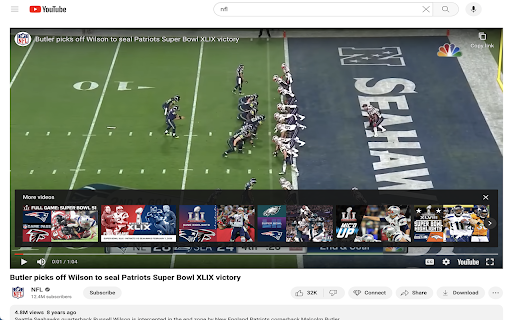
Blocks ads on youtube by displaying the embedded version of the video Blocks ads on Youtube by replacing the standard viewer with an embedded version of that video. Results in a smooth ad free experience. - Blocks ads at the beginning of videos - No interruptions during videos - Automatically checks if videos are embeddable, if not we revert back to original experience to minimize interruptions If for some reason the video cannot be embedded, we give the user the option to manually disable through the popup, to not prevent the video from being played.

Adblock for Youtube™
✓ Permissions: like common ad-blocking extensions we do need default permissions on every website to remove ads or popups for example on embedded videos and Youtube itself. ⓘ About Adblock for Youtube™ is a content filtering and ad blocking browser extension which blocks all ads on Youtube™. It allows users to prevent page elements, such as advertisements, from being displayed. Banner, Ad-Clips or even preroll ads you usually see before the actual video on Youtube are blocked by this extension. Features: + blocks ads, banner and popups + blocking of ads on external sites which loads Youtube.com + prevent preroll ads from loading on Youtube.com + you can also remove annotations from videos and musics (see options page). + loads videos and YouTube.com website faster. The technology is simply based on adblocking filterlists which blocks external ad urls on Youtube. We do not change anything on the website itself. Adblock for Youtube boosts the performance to load websites (without ads and tracking) It is free to download and use!

Pro YouTube Ad Blocker
Block ads on YouTube for a seamless viewing experience. Tired of sitting through ads before every video? Pro YouTube Ad Blocker removes all types of ads from YouTube and skips ads on Hotstar, giving you a clean, distraction-free viewing experience. 🎥 Video Ads — Pre-roll, mid-roll, and post-roll ads are gone 🖼️ Overlay Ads — No more banners popping up over your video 🏠 Homepage Banners — Clean homepage without promoted content 📄 Feed Sponsored Cards — Removes sponsored videos from your feed 🔍 Search Ads — No promoted results when you search 📌 Sidebar Ads — Blocks display ads next to the video player ⚡ Shorts Ads — Ad-free Shorts browsing 🛒 Merch & Promos — Hides merch shelves and promotional overlays ⏩ Automatically skips ads on Hotstar so you get straight to your content 🔘 Master toggle to enable/disable everything in one click 🎛️ Individual toggles for each ad category — block only what you want 💾 Settings sync across your devices ⚡ Lightweight — minimal impact on browser performance 🔒 Privacy-first — no data collection, no tracking, no analytics 🧩 Simple & clean UI — set it and forget it 🆓 Completely free Download now and take back your viewing experience! 🎉

Adblock for YouTube Block Ads Skip Video Sponsored
YouTube ad blocker – blocks banners and pop-ups. Enjoy ad-free, faster browsing and protect your privacy effortlessly! Annoying ads interrupting your favorite YouTube videos? Block them with Adblock for YouTube — a fast and lightweight Chrome extension designed to give you back your viewing time. Block All Types of YouTube Ads: Instantly remove video ads, banners, pop-ups, and overlays. Enjoy Faster Browsing: Reduce data usage and load videos faster by preventing heavy ad scripts from running. Protect Your Privacy: Block trackers and malicious scripts to safeguard your information. Lightweight and Efficient: Works in the background without slowing down your browser. Customizable Settings: Adjust blocking preferences easily via the extension popup. Why Choose Adblock for YouTube: Seamless Experience: Save bandwidth and enjoy smooth, uninterrupted streaming. How It Works: The extension detects and filters ad-related requests and cleans the page layout using optimized CSS rules. It is designed to be a "set and forget" solution, ensuring a clean interface every time you open a video. Affiliate Program Disclosure: To support the ongoing development and maintenance of this extension, Adblock for YouTube uses affiliate programs. This means that some links on the websites you visit may be automatically replaced with affiliate links. This process does not collect or share any of your personal data. It does not add any extra cost to your purchases. You can easily disable all affiliate redirects at any time using the ON/OFF switch in the extension's popup menu. We aim to offer a premium ad-free experience while providing a transparent way to support the project.

Adblock for YouTube™ — best adblocker
Privacy aware, secure Adblock for YouTube™. Blocks any ads on YouTube.com. You can understand what this extension does by looking at the name. If you don't understand then let's say, this extension helps to keep you away from various advertisements on YouTube. You can turn this extension on and off whenever you want to turn off and on your YouTube ads or advertisements. This extension has a disable button with which you can stop the extension. The best feature of this extension is that it will also show you how much time this extension has saved you from advertisements. So don't delay and download this extension soon it will keep you away from YouTube app for free and you don't have to pay any money for it. 1. Blocks video ads or advertisements during videos on YouTube. 2. Blocks suggested videos on YouTube. 3. YouTube blocks sponsored advertisements. 4. Avoid various sponsorship ads or banner ads and suggest advertisements on YouTube. 5. This extension will keep you away from YouTube advertisements. 6. Very lite and easy to use Extension. You will find thousands of extensions of this name in the market but the original extension of this name is this. If you don't believe it, you can try it. I am sure once you use the tension you will understand that it is the original extension that will help you to stay away from various advertisements on YouTube. Everyone uses this name of Ads Block for YouTube but the original extension is this. This extension keeps you away from various YouTube banner ads. Not only that, YouTube also keeps away from various sponsorships. You can turn this extension on and off whenever you want.It means you can turn YouTube ads off whenever you want and you can turn YouTube ads on.This extension keeps you away from the YouTube app. You can turn off this extension to support your favorite YouTubers. because every YouTuber gets their income from YouTube advertisement. So I request everyone to support their favorite YouTubers and also support me. While using it you will have a pop up open on YouTube. through that you can provide your review and you can close that pop up if you want. Clicking the "Don't Ask Again" button on the pop up will not opening the pop up a second time.
