
lbmokfklpmlklngnbmfiafnaoncadldc

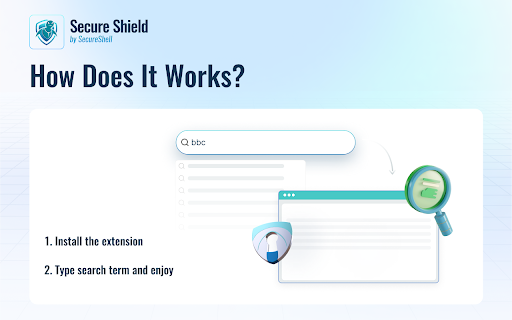
Switch your default search to Yahoo to ensure a secure search experience As part of our branded Secure Shell offering, this extension modifies your default search to Yahoo to provide a nice and secure search experience. Welcome to read more about the Secure Shell product offerings: https://www.secureshellhub.com/

Auto Clicker
Perfect for testers, developers, avid gamers, and regular users, AutoClicker is your go-to tool for automated clicks. For the gaming community, AutoClicker is a game-changer. Eliminate the need for continuous clicking in idle, incremental, or clicker games like minecraft and roblox. Alleviate the hand stress from intensive grinding in RPG games. With AutoClicker, set your custom click speed and tap, streamline your gameplay, achieve gaming objectives faster, and level up effortlessly. It's the best auto clicker for Chrome users looking to boost their gaming performance. Gaming Advantage: Gain a significant advantage in your favorite clicker games, RPGs, and more. AutoClicker simulates super-fast clicks, providing a competitive edge. Customizable Click Speeds: From leisurely to lightning-fast, customize your click speeds with our Chrome click automation tool. Select Click Points: Guarantee precision with the ability to choose specific click points on your screen. Auto Click Sequences: Automate complex tasks using pre-set click sequences, enhancing your efficiency in games and workflows. Scheduled Clicking: Schedule your clicks for regular intervals, perfect for tasks requiring recurring actions. User-Friendly Interface: Navigate AutoClicker's features with ease, thanks to its intuitive design.

Software Downloader for Windows & Linux
Software & program downloader to search & download applications integrated with OnWorks. This extension is a software and program downloader to search, download and run Windows and Linux applications. It is mainly design to facilitate the development of any app. When the extension is clicked, it opens a window where users can search for its desired program for Windows and Linux. After that, our internal engine searches for the best apps that match the keywords entered. These programs appear in a list where the users can click from to initiate the download having as a reference the OnWorks.net search engine. * Search for Windows programs. * Search for Linux programs. * Download Windows programs. * Download Linux programs. * Can use our onworks.net to run any online Windows and online Linux applications.

Unblocked Games — New Tab
Unblocked Games in your favorite browser. Play, explore, relax! Unblocked Games extension will change your new tab page to a powerful and functional game catalog that you can customize. It has tons of games available, weather widget, quick links, bookmarks, relaxing music and much more! Please read carefully: By clicking "add to Chrome", I accept and agree to installing the Unblocked Games — New Tab extension and setting Chrome New Tab to that provided by the service, the Privacy Policy https://gamestabs.com/privacy/ and Terms of Use https://gamestabs.com/terms/ You can uninstall app any time if you don't like it. Settings: - choose one of 15 beautiful cursors; - set any “.png“ or “.jpg“ image as your wallpaper; - you can turn widgets on and off; - select any games for your new tab page; - change measurement units and time format; - colored wallpapers; - night mode (dark theme); - edit your quick links.

Open With iTunes™
Open your audio files using iTunes now. Want to open music files using your favorite audio player software iTunes? You can do so now after you install our software extension. To begin using our software extension, here are the steps you need to do. Ensure you have iTunes installed on your computer. Listen to your favorite music with iTunes now. Install our software extension "Open with iTunes" Once you install our software, please refresh all your existing Chrome Tabs/close Chrome browser and restart Chrome browser to let the extension load. Choose the music file you wish to listen to with iTunes via the right click context menu button. Its that simple, just use the right click context menu to choose iTunes when you want to listen to your songs with iTunes. You can open all types of audio files, it does not have to be .mp3 format. It can be also .mp4 and AAC file format. Disclaimer: Please note this extension is NOT made by Apple and is made by an independent development team. All copyrights belong to their respective owners. Google doesn’t endorse or sponsor this Chrome extension. This extension is not owned by, it is not licensed by and is not a subsidiary of Google Inc.
