
lakceedfffnfheaipjadbcndkldlplnd



Web filter and parental control. Blocker for porn, malicious and adult sites. An easy to use, reliable Parental Control, Pornografic and Malicious Websites Blocker, Web Filter , that blocks websites according to their category. It has all the features that can be found to other similar paid applications, for free. As porn is available to anyone and every webpage is a potential risk for your security , this is the easiest and safest way to protect your children and your family. This blocker is an integrated solution as it has versions for all major web browsers (Chrome, Firefox & Microsoft Edge). No registration and sign up requirement. "Safe Web" respects your privacy and doesn't store any information to Cloud. - Integrated solution for all Web Browsers (Chrome, Firefox & Microsoft Edge). - Quick configuration based on user age. - Stealth mode functionality. - Password protected configuration page. - Date and time that extension was last enabled, so you can check if someone remove and reinstall the extension. - Browsing history page. - 35 website categories that can be filtered (including porn, adult, malicious, gambling, social networking and others). - Websites whitelist & blacklist. - Choice to deny access to all websites, except these aren't explicitly whitelisted. - Forces specific search engines (google, bing, yandex, duckduckgo) functionality, in family safe mode. All other search engines are substituted by google. - Choice to force youtube.com functionality, in restricted mode.

Urban Browser Guard
Urban Browser Guard safeguards your online privacy and blocks harmful content, including malicious websites and intrusive ads Urban Browser Guard Chrome extension adds a security layer that blocks access to malicious websites while filtering out annoying ads and other unwanted content. Urban Browser Guard protects your digital fingerprints from leaking into the wrong hands and prevents identity theft, malware ads, and phishing attempts, whether you’re in a public place or at home. ⛏️ Mining Site Alerts: Receive alerts about cryptocurrency mining websites that could compromise your device's performance and security. 🧹 Clear Cache and History: Clear your browser cache and history, ensuring your data stays private. 🚫 Block Analytics Requests: Easily block analytics requests that track your online behavior. 🛡️ Advance browser protection: Blocking access to malicious sites and ads, anti phishing, and improving secure browsing and private internet security. 🆕🤖 Chat AI Anonymizer - Personal data protection (Optional Feature): When enabled and approved, Urban Browser Guard warns you before sending AI chat messages that may contain personal information (such as names, phone numbers, ID numbers, passport details, SSN, TIN, or MAC addresses). Detection backend based is analyzed in a de-identified and anonymized manner and is available only to users who opt in. When using the optional Advance browser protection features, you enjoy anti-phishing, anti-malware, blocking access to malicious sites and blocking malicious ads for your browsing. To use these safe browsing and AI chat protection features, subject to your acceptance of the prominent disclosures provided for each, we will process browsing information. We further encourage you to review our privacy policy before installing the Urban browser guard extension, available here: Privacy Policy https://www.urban-vpn.com/about-us/privacy-policy-urban-browser-guard/ This extension is an all-in-one browser protection solution. You don't need to download additional software → click "Add to Chrome" to install the extension, and you're set to browse freely. Urban Browser Guard is a comprehensive Chrome browser extension for securing your connection. It will not slow your browser’s performance and will not affect bandwidth. ⚡Browser protection updates and fixes. ⚙️ UI/UX and settings updates.

SafeBrowse Parent Control
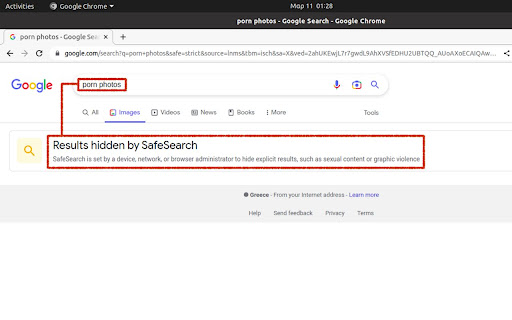
Protect kids from adult and harmful content on the web SafeBrowse Parent Control – Free parental control extension for Chrome. Block inappropriate websites, blur adult images, and filter bad words to keep kids safe online. BEST PARENTAL CONTROL EXTENSION FOR CHROME SafeBrowse helps parents protect children from adult content, inappropriate websites, and harmful material while browsing. Simple to set up, no account required. Your data stays on your device. ✓ Block inappropriate websites – Built-in blocklist of adult and unsafe sites. Add custom sites to block or allow. Block porn, adult content, and any domain you choose. ✓ Blur adult images – Automatically blurs inappropriate images on Google Images and risky sites when kids search adult terms. Safe searches (e.g. school, games) show normally. ✓ Word filter – Replaces bad words and inappropriate language with ***** on any webpage. Customize your word list in the dashboard. ✓ Parent and child profiles – Switch to Child profile when kids use the browser; switch to Parent to browse without restrictions. Each child can have their own profile. ✓ Activity reports and insights – See what each profile tried to access and when. Blocked site attempts, top blocked domains, and per-profile activity. Know what your kids are doing online. ✓ Ask parent – Kids can request access to a blocked site. Parents approve for 15 minutes, 1 hour, or always from the dashboard. ✓ Schedule blocking – Set time-based rules so the web is blocked or allowed during specific hours (e.g. homework time, bedtime). ✓ PIN protection – Lock settings with a PIN so only parents can change rules or switch profiles. ✓ Privacy first – No cloud required. Blocking and filtering happen on your device. Export or delete your data anytime. 1. Install the free parental control extension. 2. Set a PIN and create Parent and Child profiles. 3. Switch to Child profile when your child uses Chrome. 4. Open the dashboard (extension options) to view reports, adjust blocklists, and manage settings. WHO IS SAFEBROWSE FOR? • Parents who want to block inappropriate content for kids • Families looking for free parental controls for Chrome • Anyone who needs to filter adult websites and images • Households with shared computers used by children

Porn Blocker - Block Pornography, Adult Content, and NSFW Websites
Block porn, adult content, and NSFW websites. Protect yourself or your family from adult sites with safe search. Block porn in one click! Porn Blocker is the best way to block adult content, filter explicit material, and help you stay focused, productive, break habits and safe online. Great for parental control safe search as well. Block by specific URL or by category in a click! See for yourself! ***Make sure to "toggle on" the adult content filter to block porn content. ***Make sure to enable the extension in incognito mode if you want the extension to work and block content in incognito. 1 click setup! Key Benefits & Features: ✅ Block Porn Sites Automatically – Our powerful filter blocks 100,000+ adult websites instantly and by keyword. ✅ Custom Block List – Add specific websites to your own blocklist. ✅ Safe Browsing for Families – Protect kids from inappropriate content. ✅ Work & Focus Mode – Remove distractions to stay productive. ✅ Instant Alerts – Get a reminder if you try to visit a blocked site. ✅ Lightweight & Fast – Runs in the background without slowing down Chrome. ✅ Block Social Media and Gaming - lets you block any content you want such as gaming or social media for more control over your online experience. 🏆 Who is this for? ✔️ Anyone looking for clean online experience or to break free from bad habits and improve self-control. ✔️ Parents – Keep your children safe from harmful content. ✔️ Students & Professionals – Eliminate distractions for better focus. ✔️ NoFap community 🔒 100% Private, Secure, and Discrete. No way to track, log, or store your browsing history. 💡 Take control today! Download Porn Blocker now and experience a cleaner, safer internet. Click "Add to Chrome" to start blocking adult content now. You could be set up in 30 seconds from now. Porn Blocker team here, We just wanted to say thank you for using the extension. We can't believe all the positive feedback. We're here to help with any questions or suggestions. Simply install the extension then open it in the top right of your browser to enable blocking. Try it out, its super easy to use.

BlockSite Block Websites & WebSilence
The ultimate site and keyword blocker for focus, productivity, and parental controls. Take back control of your digital world. WebSilence: Regain Your Focus and Ensure Security in the Digital World WebSilence is a powerful and versatile Chrome extension designed for both professionals and students who want to increase their productivity by avoiding distracting websites, and for parents who want to ensure their children's safe online browsing. With its modern interface and flexible features, it gives you complete control of your internet experience. The extension offers much more than a simple site blocker. Thanks to its cloud-based syncing feature, you can synchronize your settings across all your devices, ensuring consistent protection and focus wherever you are. * Flexible and Powerful Blocking Options: * Domain Blocking: Block an entire site, such as youtube.com. * Page Path Blocking: Block specific site sections, such as facebook.com/gaming. * Keyword Blocking: Dynamically block and identify objectionable keywords (e.g., "violence," "gambling") not only in the URL but also within the content of the page. * Predefined Security Levels: Offers one-click blocking profiles specifically designed for different age groups: * Young Child (Ages 3-7): Blocks common distractions like game and video sites. * Pre-Teenager (Ages 8-12): Targets social media and platforms that may contain inappropriate content. * Teen (Ages 13-17): Restricts access to adult and potentially harmful sites. * Fully Customizable Lists: In addition to the predefined levels, you can create your own custom block and allow lists. This allows you to allow sites necessary for education or work, even when a security level is active. * Cloud Sync and Account Management: Save all your block lists and settings in the cloud by creating a free account. This allows you to easily apply the same rules across your home and work computers. (This feature is provided by a secure WordPress-based REST API infrastructure.) * Scheduled Access (Scheduled Unblocking): Plan your break times by granting access to specific sites only between specific hours. For example, you can grant access to a social media site only between 6:00 PM and 7:00 PM. * Modern and User-Friendly Interface: It has a clean, intuitive, and modern interface developed with React and Material-UI. You can perform quick actions via the plugin's pop-up and easily access the detailed settings page. * Easy Adding from History: You can add new sites to your list with a single click by viewing your browser history. Who is it Ideal For? * Students and Professionals: Those who want to avoid distracting sites while studying or working. Take control of your digital life with WebSilence, maximize your focus time, and create a safe online environment for your family.
