
lagefbgpdmiidmipmdacofceikkahdhf
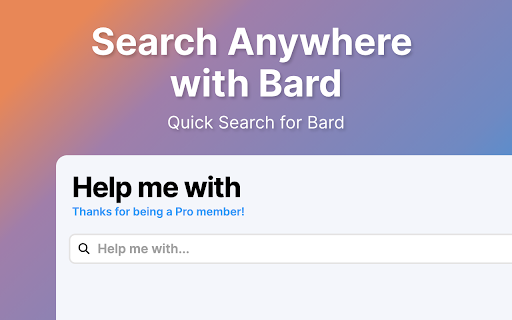


Search Gemini AI from Anywhere with Help me with Introducing Help me with, the chrome extension that brings the power of Google's new ChatBot LLM to your fingertips. With just one click, you can access the most advanced AI-powered search language models available today, without leaving the page you're on. Help me with is designed to be simple and straightforward. The extension opens up a search box on any page, allowing you to submit your queries to Bard and get the most accurate and relevant results for your search. With zero complicated settings configure, Help me with is easy to use and incredibly intuitive. Thanks to its seamless integration with the Google's Bard, Help me with delivers the most accurate and relevant results for your search queries. Whether you're looking for news, articles, products, or services, Help me with makes it easy to find what you need, fast. In summary, Help me with is the ultimate productivity tool for anyone who wants to search smarter, not harder. Install Help me with today and experience the power of AI and Language models at your fingertips. Features: - Search Bard Anywhere with Alt+H - Customize the Keyboard Shortcut - Display Results from inside the UI - Click on the Browser Icon to Search - Right Click to Search - Type 'Help' in your URL bar and hit tab to Search! Disclaimer: Bard is trademark of Google, LLC. The browser extension Help me with, is in no way shape or form related to Bard or Google, LLC. It is an unofficial Extension which is developed and maintained independently by its author.

S&C - GPT-4o™ AI chat for Google™ search
Chat with GPT-4o™/ChatGPT™/Claude™/Pi on all google™/duckduckgo™ searches. Search-n-Chat.ai(S&C) Generates Gemini™ (and GPT-4o) chat results for the query you typed on google/duckduckgo/yahoo right from google's/duckduckgo's page for FREE. - It also allows you to continue the chat with Claude™ or ChatGPT™ or Pi™. - It provides 3-4 followup questions as well. - Unlike few other tools here there is no limit on number of free queries per day. You have access to unlimited free queries. - It is a very minimal micro-plugin, for plugins with broader functionality check our github page: https://github.com/SingularityLabs-ai - It allows you to ask unlimited custom followup question unlike the official version which restricts you to only once. - [12/7/23] - ChatGPT™ added. - [12/11/23] - Gemini™ model support for BARD. - [12/18/23] - Claude™ 2.1 model added - [01/10/24] - Added duckduckgo.com - [01/24/24] - Added yahoo.com - [2/4/24] - Pi™ Chatbot added - [2/8/24] - Gemini™ url added - [2/15/24] - Added search.brave.com - [2/15/24] - Pi/ChatGPT™ API changes For any suggestions write to us on our github discussions https://github.com/SingularityLabs-ai/bard-google-extension-mini/discussions. Feel free to create a ticket or send a pull request if you need for any changes. Disclaimer: Search-n-Chat.ai is not official Google™ or OpenAI™ or Anthropic™ or Yahoo™ or Duckduckgo™ or Pi™ application. It is an unofficial extension that is developed and maintained independently and has no affiliation to Google™ or OpenAI™ or Anthropic™ or Yahoo™ or Duckduckgo™or Inflection™.

ChatGPT, Bing & Bard For Chrome: Kursor
Discover an unparalleled web browsing experience with Kursor, the comprehensive solution for all your online communication needs. Summarize, translate, rephrase, correct grammar, and create content with just one click. Experience the future of web surfing with Kursor, powered by GPT-AI ! Kursor utilizes the power of OpenAI's GPT- AI to revolutionize your browsing, ensuring seamless integration and the latest technology. 💸 100% Free and Unlimited Use Kursor is entirely free to use, with no restrictions on the number of searches you can perform. 🖱️ One-Click Functionality Effortlessly select any text on the web and access Kursor's powerful features like summarizing, translating, rephrasing, and grammar correction with just one click. 🔎 ChatGPT for LinkedIn: Gain valuable insights into job opportunities by seamlessly integrating LinkedIn's job data, helping you stay informed and connected in the professional world. 🌐 50+ Language Translations Translate text into over 50 languages, breaking down language barriers and accessing content from around the globe. 🎭 10+ Tonalities for Rephrasing Rephrase text in more than 10 different tonalities, giving your content a unique and customized feel. 💬 AI-Driven Chat Ask questions and resolve queries instantly with our AI chat window powered by ChatGPT. 📝 Versatile Composition Functionality Compose emails, messages, paragraphs, tweets, articles, or blog posts with specified objectives, length, and tone. 🔥 Easy Access to Third Window Open the third window effortlessly using cmd + shift (for Mac) / ctrl + shift (for Windows). ⚡ Swift Response Time Enjoy smooth and timely responses with our seamless integration of GPT technology. 📧 Contact Us for Support Reach out to our team anytime at contact@kursor.in for any assistance or inquiries. Install Kursor now and elevate your web browsing experience with the power of ChatGPT!

New Tab with Gemini
Introducing "New Tab with Bard" - the ultimate fusion of convenience and intelligence for your browsing journey. Each new tab springs to life with a dynamic chat window powered by the ever-engaging Bard AI. Dive deep into thought-provoking conversations, seek answers, or simply indulge in light banter. Plus, with an integrated real-time date and time display, you'll always be in sync with the world around you. Experience the next-gen new tab experience with Bard. Bard AI Chat Window: Engage on-the-go with Bard AI, offering captivating interactions every time you open a new tab. Integrated Digital Clock: Keep up with the pace of life with a seamlessly embedded date and time display. Fluid Performance: Effortlessly transforms your default new tab view ensuring top-notch browsing speed. Optimized for All Devices: Designed meticulously for desktops, laptops, and tablets alike. Prioritized Privacy: Your chats with Bard are personal. We ensure they remain confidential and are never stored or shared. Free: New Tab with Bard is completely Free to install and use. Disclaimer: Bard is a trademark of Google, LLC. The browser extension New Tab with Bard, is in no way shape or form related to Bard or Google, LLC. It is an unofficial Extension which is developed and maintained independently by its author.

Voice Mode for AI Chatbots: Talk to ChatGPT, DeepSeek & More
Activate voice mode in AI chatbots (ChatGPT, DeepSeek & more). Have voice conversations with popular AI chatbots. "Voice Conversation for AI" expands the capabilities of popular AI platforms by adding voice control and read-aloud features. This extension allows you to interact with multiple AIs seamlessly through voice, eliminating the need for typing. You can speak to AIs like ChatGPT, DeepSeek, Claude, Mistral AI, Poe, and others in over 145 languages, making communication more accessible and engaging. Features: • Advanced voice control for multiple popular AIs including ChatGPT, Mistral AI, Poe, and others. • Enables voice typing across all websites with customizable voice commands. • Extends AI with voice control, voice input, and multilanguage support. • Hear AI's responses in a natural voice with options to change the voice and language. • Adjustable speaking speed for AI responses (slow or fast). • Customizable message-sending options: Send messages automatically after speaking or manually. • Voice command to clear message input and customize your experience. • Automatic language detection for text-to-speech voice. • Read-aloud button for each message, allowing you to listen to responses again. • Highlighted sentence or phrase you're listening to, improving comprehension. • Real-time answers and voice conversations with seamless integration. • Fully customizable keyboard shortcuts for an optimized experience. • Supports over 145 languages, including English, Spanish, Mandarin, Russian, Hindi, and more. With this extension, you can: • Speak to multiple AIs and hear responses in real-time. • Use voice commands to send messages, clear input, or perform other actions. • Interact with the AI in over 145 languages. • Customize your experience with different voices, speeds, and language options. Whether you're looking for hands-free AI interaction or need a more natural way to engage, "Voice Conversation for AI" makes your experience more immersive and intuitive. This extension is perfect for users tired of typing and those who prefer to listen rather than read. The voice features are customizable, and the integration is seamless, providing a powerful voice interface across AI platforms. Usage guide: • After installation, access the settings by clicking the ⚙️ icon near the input field of your chosen AI. Customize voice input language, voice control preferences, and adjust the speaking speed. • To activate voice control, simply click on the 🎙️ icon or press the "X" key outside the input field to start speaking. • For longer voice inputs with multiple sentences, press and hold the "X" key until you finish speaking. • To listen to a specific message or to hear it again, click on the 🔈 icon located on the right side of the message. • To turn read-aloud on or off, simply click on the 🔈 icon located near the AI's input field. • For voice typing, on any website just right-click on the input field, choose "Voice typing" from the menu, click the 🎙️ icon, and start speaking to type without using the keyboard.
