
lachijbhhoeimcnjncfhhpmgfgcoagha

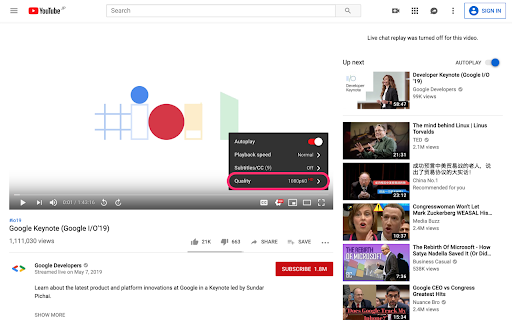
Chrome extension that fixes the video quality to the highest available on YouTube. - Automatically sets YouTube videos to the highest available quality.

Auto Resolution Quality for YouTube™
Tired of YouTube™ videos not automatically switching to HD? Or do you want to limit your bandwidth? Try Auto Resolution Quality for YouTube™! Switches to your desired quality automatically Choose any quality you prefer! Super fast with lightweight code! No annoying icons! It just works! No video reloading No rebuffering If you like Auto Resolution Quality for YouTube™, please rate us with 5 stars and share on Social Media!

AutoMax YouTube Quality
Web Extension to automatically maximize YouTube video quality Are you tired of constantly switching max video quality on YouTube manually? Say no more. Take maximum from your YouTube experience. This web extension automatically turns on maximum available video resolution for you. Also, you can easily enable / disable this behaviour in the popup. It requires only minimal permissions and runs only on youtube.com. And it's open source, go check out the code if interested.

Auto HD|LQ for YouTube™
Play YouTube videos in the highest or lowest available quality. Auto HD|LQ for YouTube™ is an extension that forces the YouTube player to play videos in the highest (HD) or lowest (LQ) available qualities. Some features: 1. Automatically set the Highest/Lowest available quality for all YouTube videos, depending on the user's choice. 2. Easily switch the quality type from the toolbar popup UI. 4. HD quality is useful where internet speed is high enough to load large videos. 5. LQ is handy where internet speed is low and you just want to see what the video is, and don't want to waste your bandwidth. 6. There is also an option to automatically set the video quality by YouTube (auto mode). Note: to report bugs, please visit the addon's homepage (https://mybrowseraddon.com/youtube-hd-lq.html) and fill the bug report form.

Video Quality Settings for YouTube™ (HD/4K)
Watch YouTube™ in your preferred video quality, such as 720p, 1080p, 1440p and 2160p. Video Quality Settings for YouTube™ is a browser extension that sets the preferred quality of YouTube™ videos, and remembers your video quality settings between sessions. Limiting the video frame rate to 30 FPS is also supported. The continued development of Video Quality Settings for YouTube™ is made possible thanks to the support of awesome backers. If you'd like to join them, please check out https://armin.dev/go/patreon The video quality is set to 1080p by default when the extension is installed, and the option can be updated from the player settings on YouTube™, or from the extension's options. Reload already opened videos for changes to take effect. The developer does not collect any personal data from this extension, visit the extension's privacy policy for more information. The extension is also available for Edge and Firefox: https://github.com/dessant/youtube-video-quality#readme Reviews are not monitored for bug reports, please use GitHub for issues and feature requests.
