
kpnhbkbpgpkfoajcoacldcdhgiigehpo
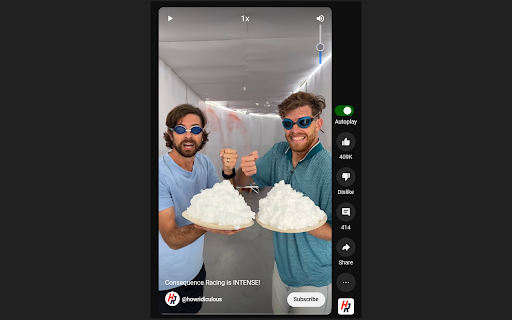
Auto play next short change speed, volume and more On TickTok,Youtube and Instagram shorts it automatically: Skips Recaps Add Speed Slider Adds Volume Slider Skip low likes Playback control with right and left arrow keys Skips Recaps Add Speed Slider Adds Volume Slider Playback control with right and left arrow keys If you have any suggestions or Bugs, please open an issue. Configure what is skipped in the settings Page. Import and Export all Settings.

Youtube Shorts Autoplay
If autoplay stalls, refresh Youtube or restart Chrome, and you're back to hands-free enjoyment! Introducing the YouTube Shorts AutoPlay Chrome Extension! Tired of manually starting each YouTube Shorts video? Discover our solution - the YouTube Shorts AutoPlay Chrome Extension. It automates video playback, offering you a seamless, uninterrupted experience. AutoPlay: Enjoy YouTube Shorts videos effortlessly as the extension queues up and plays the next video automatically. Easy Setup: Just install to dive into YouTube Shorts. If you find "YouTube Shorts Autoplay On" message, you can use this extension. If not, just refresh(F5 at window, command + r at Mac) on "Shorts page". Refresh: Click the refresh button on "Shorts Page" to ensure all elements load correctly. Elevate your YouTube Shorts experience. Download the AutoPlay Extension now to enjoy endless captivating content without any touch!

YouTube Shorts Speed
Control playback speed of YouTube Shorts Add a speed slider to Youtube Shorts

YouTube Shorts Auto Scroll
Tired of manually swiping through endless YouTube Shorts? This extension automatically scrolls to the next short video when the current one ends, allowing you to enjoy a seamless, hands-free viewing experience. Key Features: Automatic Scrolling: Effortlessly watch YouTube Shorts without needing to swipe or click. Seamless Transition: The extension smoothly scrolls to the next video as soon as the current one finishes. Hands-Free Viewing: Enjoy a continuous stream of short videos without any manual interaction. Lightweight and Efficient: The extension is designed to be lightweight and efficient, ensuring it doesn't slow down your browsing experience. Easy to Use: Simply install the extension, and it will automatically start working on YouTube Shorts pages. No Configuration Required: The extension works out of the box with no settings or configurations needed. How to Use: Install the "YouTube Shorts Auto Scroll" extension from the Chrome Web Store. Navigate to YouTube Shorts. The extension will automatically start scrolling to the next video when the current one ends. Why Use This Extension? This extension is perfect for anyone who enjoys watching YouTube Shorts and wants a more convenient, hands-free experience. Whether you're multitasking, relaxing, or just want to binge-watch without interruption, this extension makes it easy to enjoy a continuous stream of short videos. Privacy: This extension does not collect any personal information or browsing data. It only interacts with YouTube Shorts pages to enable auto-scrolling. Support: If you encounter any issues or have suggestions, please feel free to contact us. nathan4dev@gmail.com

AutoScroll for YouTube Shorts™
Tired of manually swiping through Shorts? This extension puts your viewing on autopilot! 🆕 **V2.3 — Playback Speed Control!** ⚡ Watch Shorts at 1x, 1.25x, 1.5x, or 2x speed — change it right from the player or the popup menu. 🚀 **V2.0 — The Big Revamp** This started as a stupid project, and because of all of you using it I couldn't leave you with a broken version. It's been completely revamped with a new UI and smarter features — buttons integrated right on the video player for easier access and a new way of autoscrolling so that it doesn't break (like last time)! 📂 Open-Source Repository: https://github.com/panthebig/Youtube-Shorts-Autoscroller-Chrome-Extension
