
kpklkejpihdfdkpnjhflcigioicmgddk
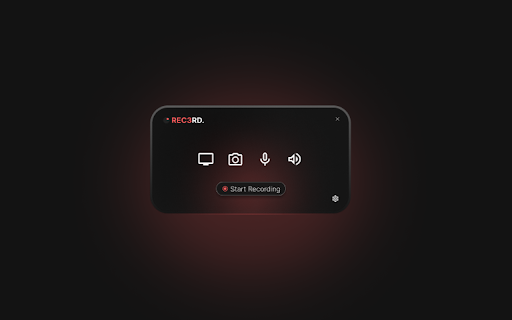
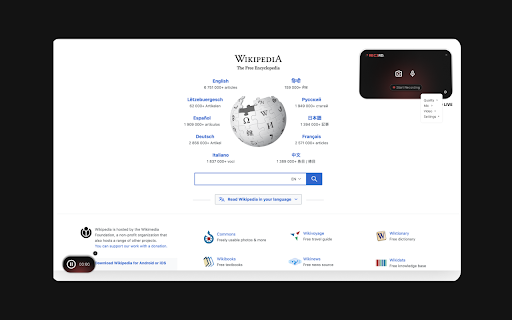
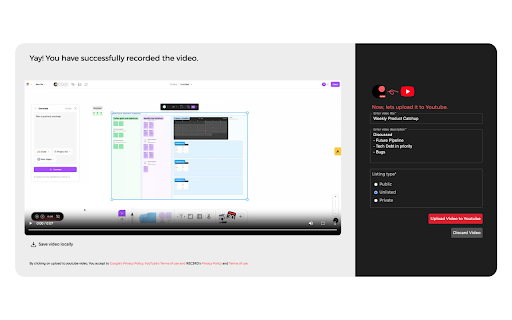
A browser extension that records the screen and uploads the result on to Youtube REC3RD, your go-to buddy for lightning-fast video recording right from your browser! Say goodbye to the hassle of navigating complex recording software – with REC3RD, capturing videos and uploading to youtube is as simple as a few clicks. Whether you're creating tutorials, or sharing ideas, REC3RD helps you to record seamlessly without leaving your browser at all. No need for extra tools or lengthy setups – just install the extension, hit record, and effortlessly capture your screen and/or webcam. ✨ Record Meetings on the Go: Seamlessly record your Google meet meetings in browsers with REC3RD's intuitive extension. 🎥 Upload Directly to YouTube: Upload your videos, meetings, ideas to youtube in one click. No Hassle. No Cap. 🌐 Record Important Async Messages: With minimal interface interactions, REC3RD makes it easy to record and share important async messages. 📥 Download Videos Locally: Have your recordings at your fingertips by downloading them locally.

Michael's Upgrade for TrakED
Upgraded features for TrakED in the THS. (This extension is not an official product of the THS or Intersystems TrakCare software.) Upgraded features for Trak ED in the LGH. Features: - Re-enable spell check in the triage page - Use the enter key when logging in - Handover sheet for ED Main Floor and EMU - ED Main Floor filters and persistent sort - Triage Summary print out - Filter and count results of an enquiry - Count patients currently breaching length of stay targets -- This extension is not an official product of the LGH or InterSystems Trak software.

Boss Hub | Signal YES
By Whatsapp & Telegram & SMS & Email send Stock & CryptoCurrency & Gold dynamic trade price Signal & Notification & Message to you. BOSS HUB: https://bosshub.up.railway.app By Whatsapp & Telegram & SMS & Email send Stock & CryptoCurrency & Gold dynamic & realtime price Signal & Notification & Message to you. Boss app is your copilot that facilitates the creation of LLM applications by employing multiple agents capable of interacting with one another to tackle tasks. 1️⃣ Features ✅ Support 100+ tasks & workflows according your prompt, command

Apiary - Web Highlighter & Annotator
Highlight and take notes directly on what you read online and instantly share them with friends and colleagues. Easily highlight and take notes on what you read online and then easily save them for later and share them with friends and colleagues in one click. Apiary is a free to try chrome extension based product that allows you to easily highlight and take notes on what you read online. After you have annotated something online it will be saved to your Apiary account where you can then organize in any way you like with our folder system. You can than easily share directly from the website where you took the notes or from your Apiary account later on with anyone you want. Just highlight and get a shareable link you can send to anyone with one click. When using Apiary on a website or email online you have two options. You can choose to just highlight some text or you can highlight and add a comment to that highlight. Allowing you to save and share you favorite parts and current thoughts while reading it with others. You can view your annotations live by clicking the chrome extension and having the Apiary sidebar appear showing all the highlights and notes you have made on that page. Or you can view them later in your Apiary account where we save all the contents of what you were reading and the highlights and notes you took. Allowing you to get the full context of whatever you were taking notes on. Annotate, save, and share what you read online instantly today. ----------------------------------------- Key Features: Web and Email Highlighting Take Notes On What You Read Online Apiary Account Access With Organization Systems Quick and Easy Shareable Notes Private Notes That Only You Can See Automatically Saving Notes ------------------------------------------- How To Use: In order to use the Apiary Chrome Extension you will need an account with Apiary. Please visit www.myapiary.io to create an account today. 1) Create An Account On Apiary (www.myapiary.io) 2) Download Chrome Extension 3) Sign Into Chrome Extension w/ Your Apiary Account 4) Select Text (Left Click & Drag) You Wish To Annotate 5) Click On Apiary Popup To Either Highlight Or Take Note On Selected Text 6) Delete An Annotation By Clicking On A Highlight And clicking Delete Icon 7) Share Your Notes For A Page By Clicking The Apiary Share Button On Bottom Left Corner Of Window 8) View A Note By Either Visiting Your Apiary Account Or By Clicking View On A Currently Annotated Web Page ------------------------------------ Pro Tips: 1) Make Sure You Are Logged Into Apiary Chrome Extension If You Are Having Issues Annotating 2) Organize Your Notes Into Folders On Apiary To Easily Find Notes Later 3) Share Your Notes With Friends By Clicking Share Button And Sending Link To Friends. --------------------------- Got Feedback? Please reach out to us at support@myapiary.io If you find bugs please let us know at https://forms.gle/rHvoLZwaXfVcbAMJ7. If you have a feature request please let us know at https://forms.gle/vguFD2Rxi2FCsSQi8. By installing the extension, you agree to Apiary's Terms of Service, Privacy Policy, and Community Guidelines (which can be found here: https://www.myapiary.io/term-services and https://www.myapiary.io/privacy-policy)

Video Pod Recorder
Records your screen with optional microphone narration. 🌟 Video Pod Recorder – Screen & Audio Recording Made Easy! 📽️ Record Your Screen & Voice – In One Click! Video Pod Recorder is the ultimate screen recording extension that lets you capture your screen, tab, or window while recording audio from your microphone. Perfect for podcasts, video tutorials, presentations, or online meetings! 🎬 Features: ✅ Record Your Screen & Voice Simultaneously ✅ Choose from Full Screen, Application Window, or Browser Tab ✅ Crystal-Clear Audio Recording from Microphone ✅ Save Recordings Directly to Your Device ✅ Lightweight & Easy to Use – No Lag, No Hassle! 🎙️ Perfect for: 🔹 Podcast Creators 🔹 Online Instructors & Teachers 🔹 Business Meetings & Presentations 🔹 YouTubers & Content Creators 🚀 How to Use: 1️⃣ Click the Video Pod Recorder extension icon. 2️⃣ Choose what you want to record: Screen, Window, or Tab. 3️⃣ Click Start Recording – Capture video & audio instantly! 4️⃣ Click Stop Recording – Save your video with one click. 🔒 Privacy First! No data is stored or shared. Your recordings remain 100% private.
