
koccgpapcmnpikpnelhoiopakandghpc
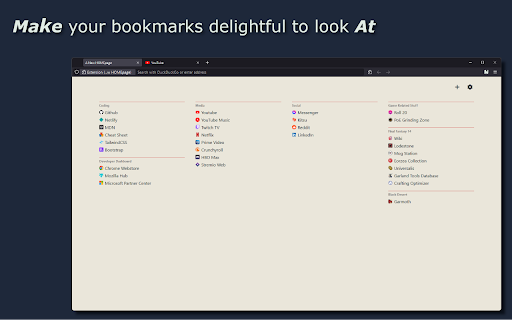
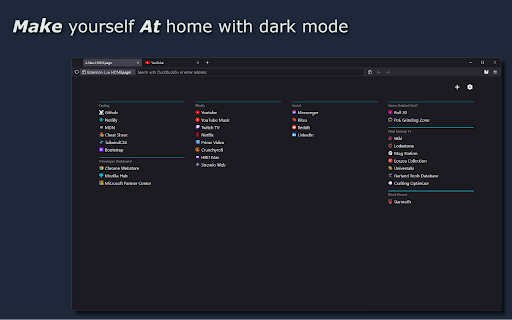
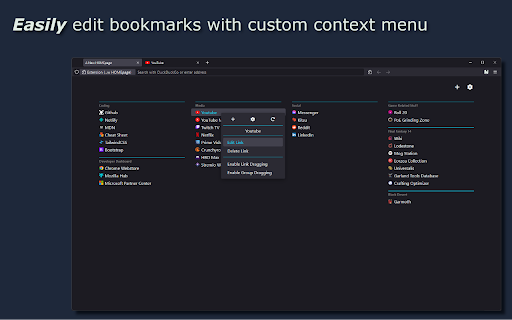
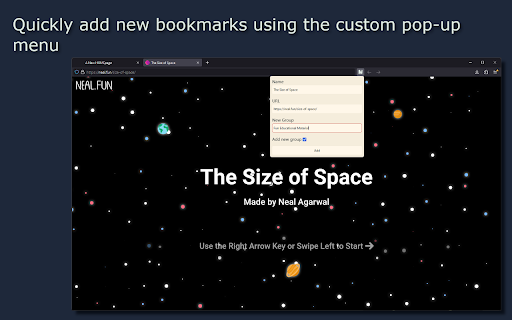
This extension replaces your browser's new page and home page which presents your links as a clean, simple list Embrace a visually pleasing and convenient new tab replacement with "A New HOMEpage." Create a personalized list of links, grouped and sorted to match your unique interests and preferences. The minimal, typographic design ensures it stays unobtrusive and visually appealing, letting you focus solely on getting where you want to go quickly and efficiently. Its features include: - create bookmark lists in 4 simple columns - editing and deleting links - import/export bookmarks - changing the order of links and lists by dragging & dropping - ability to change color theme and create your own - list folding function to hide links inside

Empty New Tab Page
With this extension, new tabs display a blank page instead of the usual new tab page with thumbnails. For those who don't want to worry which recently visited pages show up on the new tab page, who prefer plain over noisy, simple over complex. Version 1.3.0's only change is to use manifest_version 3. For this extension, this does not affect behavior at all. The change is required to keep the extension listed in Chrome Web Store.

A Fine Start - minimal new tab page
A minimal new tab page for Chrome that presents your favorite links as a clean, simple list. A Fine Start replaces Chrome's new tab page with a handy list of links, grouped and sorted how you like. Use it for free in your current browser. 99% of A Fine Start's features are free. There is an optional Premium sub that gives you an account and syncs your bookmarks between different browsers and devices. Includes a minimal, typographic design that stays out of your way and gets you where you want to go—quickly. - Minimal text links - Groups - Drag-and-drop sorting - Group folding - Dark mode - Multiple themes - Restore points - Optional syncing account I care deeply about your privacy. A Fine Start operates with minimal personal information. By default, A Fine Start save your bookmarks directly in your browser. If you choose to purchase a Premium subscription, A Fine Start collects your email and saves both your email and bookmarks on its servers for the sole purpose of providing you syncing across all your browsers and devices. The permissions the browser extension asks for are needed solely to facilitate authentication for Premium users. They aren't used for any other purpose.

Easy Speed Dial
Easy Speed Dial replaces the new tab page with a colorful grid of your bookmarks and folders. Easy Speed Dial replaces the new tab page with a colorful grid of your bookmarks and folders. Browser Bookmarks Bookmarks and folders that you already have in the browser are used for display in the Easy Speed Dial grid. Custom Backgrounds A curated collection of backgrounds is available. You can also select a favorite photo from your device Dark Mode Light and dark color schemes are available. Your device preference is used by default, but you can change it, if desired.

Arc Search
Replaces the generic new tab page with a search engine similar to Arc. Looking for Arc's stunning command bar to use in Chrome? Download Arc Search today. How to use Arc Search? Step 1: Install the extension Install Arc Search from the Chrome Web Store Step 2: Navigate to extension keyboard shortcuts Go to chrome://extensions/shortcuts in your browser Step 3: Edit keyboard shortcut Edit the "Show search overlay" extension to your desired shortcut (default is Cmd/Ctrl + T) Key features: • Simple tab switcher with all open tabs • Indexes through all search history for quick, reliable results • Automatically recognizes URLs and navigates directly, or searches for queries • One-click shortcuts to ChatGPT and Perplexity with your search query
