
kmnfpbhpiadgjmbhajleoghenphldppi
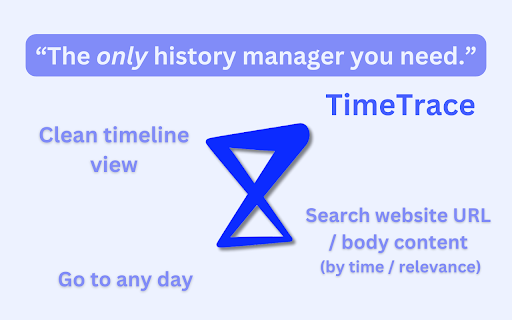


View your history in a timeline format that shows time spent. Search through website contents as well as title and URL. The only history manager that makes life easier, not harder. Tired of spending hours scrolling through Chrome history trying to find that one website you browsed two weeks ago? Getting frustrated sorting through endless irrelevant websites and irrelevant pop-up sites just to find that one article you viewed roughly two weeks ago? Introducing TimeTrace — your personalized database designed to help you navigate your browsing history like never before. TimeTrace is a web extension that presents all of your browser history as an intuitive and informative timeline. Our extension not only allows you to see exactly how much time you’ve spent on each website and better understand your browsing habits, but it also allows you to search for the content of any site you've browsed. Features include: - A powerful search bar that allows you to search browsed website content in addition to site title and URL. - A continuous timeline that shows all browser activity and time spent on each website. - Timeline automatically folds URLs from the same domain together, with the option of hiding irrelevant browsing activity (hide sites visited for less than 5s). - Easily go to any day that has browsing history and view your timeline. We are currently working on automatic AI summaries for timeline events. In the near future, we will be offering an AI co-pilot that helps you find any content on any website you’ve ever browsed using TimeTrace. TimeTrace does not store any user personal information. All user data are stored locally. For more information, please view our privacy policy: https://docs.google.com/document/d/12rHAdt82dFMD0kItUu2Y1aHOkg0b7LzJzEfgLlY5SIo/edit?usp=sharing

Web Activity
Use Web Activity tool as your website time tracker to check your screen time, page views and get web based time tracking. 🌐 Introducing Web Activity - your ultimate web time tracker and productivity enhancer! 🚀 ➤ Elevate your online experience with web time tracker extension, empowering you to take control of your digital life. With tailored features to boost productivity, manage web screen time, and protect privacy, it's the ultimate solution for a healthier relationship with the Internet. 🚀 🧑💻 How to make the most of web activity: 1. Quick Setup: Install extension pressing the button Add to Chrome. 2. Personalization: Customize settings easily to suit your preferences. 3. Monitor: Keep an eye on your web activity and track your progress in real-time. 4. Analyze: Explore the analytics dashboard to gain insights from your data. 5. Improve: Use these insights to optimize your online habits, boost productivity, and overcome web addiction. 💡 Key Features to Transform Your Experience: ✨real-time tracking: Stay informed with instant updates on your web activity, providing valuable insights into your browsing habits. ✨ custom time limit: Manage your screen time effectively with a browser time tracker, setting personalized limits and web timer for browsing sessions, ensuring a balanced digital lifestyle. ✨ website blocking: Eliminate distractions by blocking specific websites during designated periods, promoting deep focus and concentration. ✨ comprehensive analytics: Gain understanding into your browsing behavior with detailed analytics, allowing you to make informed decisions about your digital habits. ✨ privacy protection: Enjoy unparalleled privacy and security with web based time tracking. 🔍 Effortlessly track Your web activity ➤ Web activity is your essential web analytics in the digital world. It quietly records your website visits using a website time tracker, offering valuable insights for professionals and students alike. ➤ Take control of your browser screen time, block distractions, and create a focused digital environment. With this extension, managing your online habits has never been easier. 📈 Manage your screen time like a pro ➤ Struggling to stay focused in a sea of digital distractions? Web Activity empowers you to take charge of your screen time. Set personalized time limits, block distracting websites, and create an environment conducive to deep concentration. ➤ Effortlessly monitor your progress and make adjustments as needed. With screen time tracker, you'll conquer procrastination and maximize your productivity like a true professional. ⏱️ Unlock Insights with web analytics ➤ Explore your browsing habits with web activity advanced web analytics dashboard. Identify trends, track your most visited websites, and gain invaluable insights into your online behavior. ➤ Armed with this knowledge, optimize your digital resources and browsing experience. Make informed decisions to enhance productivity and efficiency in your web usage statistics. 🔒 Privacy and Security First ➤ Rest easy knowing that web activity prioritizes your privacy. Operating locally within your browser, it ensures your personal data remains secure and confidential. ➤ Your browsing activities stay on your device, protected from unauthorized access and outside interference. - Top-rated web activity tracking extension. - Fast and accurate screen time tracker for enhanced productivity. - Effortlessly track website usage and browsing habits. - Enhance your focus with customizable features in a distraction free environment. 💻 Feature Highlights to Elevate Your Experience: 🌟 Privacy Protection: Rest assured knowing that Web Activity prioritizes your privacy, operating locally within your browser to safeguard your personal information. 🌟 Seamless Integration: Enjoy a seamless integration into your browsing experience, effortlessly tracking your online journey without intruding on your workflow. 🌟 Intuitive Customization: Tailor web activity tool to suit your preferences with intuitive customization options, ensuring a personalized and optimized browsing experience. Stay tuned for future updates as we continue to enhance Web Activity with new features and ensure compatibility with the latest advancements in web technology. 💡 This extension tracks your browser usage in real-time, providing insights into the websites you visit and the time you spend online. 💡 Yes, web activity is free to download and use. 💡 To install web time tracker, press the button "Add to Chrome". 📌 Is my data secure with Web Activity? 💡 Yes, it operates locally within your browser, ensuring the privacy and security of your personal information. 📌 Can I track website usage with it? 💡 Yes, this tool provides comprehensive analytics on website usage, allowing you to gain insights into your browsing habits and see total time spent browsing. 📌 Does it work with incognito mode? 💡 Web Activity may not track activity in incognito mode, as it operates within the browser's standard mode 🚀 Take control of your digital life with web activity Ready to take control of your online experience? Download our tool today and experience the difference for yourself. Whether you're aiming to boost productivity, manage browser screen time, or protect your privacy, this comprehensive tool, complete with a web timer, has everything you need to succeed in the digital world.

Browlytics - Browser Time Tracker by Category
Track your browsing time by website. 100% local, private, and secure. See where your time goes with beautiful analytics. See where your browser time actually goes. BrowLytics is a simple browser time tracker & web activity analytics extension that shows how you spend time online, grouped into clear categories like Social, Productivity, Entertainment etc. What it does • tracks time spent per website automatically • groups activity into simple categories • shows daily and weekly breakdowns at a glance • displays a real-time timer on the extension icon • lets you pause tracking and exclude websites Designed to stay simple • clean, minimal UI • dark and light themes • works instantly after install Local and private by default All data stays 100% on your device. No accounts. No cloud syncing. No selling data. BrowLytics helps you understand your browsing habits first so you can decide what to change.

Tab Time Tracker
Track time spent on each tab and URL with the Tab Time Tracker extension for better productivity and browsing habit management The Tab Time Tracker extension is a powerful tool that allows users to track the time they spend browsing the web, with detailed breakdowns of their browsing history on each tab and URL. This extension is ideal for anyone looking to better understand their browsing habits and manage their time more effectively. With the Tab Time Tracker extension, users can easily keep track of the time they spend on each open tab in their browser, from the moment they create it to the moment they close it. The extension provides detailed breakdowns of the time spent on each URL visited on each tab, making it easy to see which URLs are consuming the most time and identify areas where time could be better managed. This feature is especially useful for identifying patterns or habits that may be impacting productivity or overall well-being. By providing detailed insights into the time spent on each URL, users can better understand their browsing habits and make informed decisions about how to manage their time online. Overall, the Tab Time Tracker extension is an essential tool for anyone looking to take control of their browsing habits and manage their time more effectively. Whether you're a student, professional, or casual browser, this extension can help you make the most of your time online and achieve your goals more efficiently.

Advanced Browser History
View history as a tree, skip URLs from history, bulk-delete visits, search by URL or title, filter by domain or day, and group sites Advanced Browser History, your all-in-one tool for exploring, filtering, and managing your browser's history with ease. Below you'll find everything you need to know to get started and make the most of all features. Features: 1. Browse your history by day, then drill into each domain and its path hierarchy. 2. Find any visit by keyword in the URL or page title.. 3. Delete all visits at once—by day, domain, or path. 4. Create named groups of URL patterns to organize visits. 5. Automatically prevent matching domains or URLs from ever being recorded. 6. Optionally sync your URL groups across all signed-in devices. 7. Add any URL or sub-URL to a group in one click, then bulk-remove or skip them.
