
kmjmlilenakedodldceipdnmmnfkahni

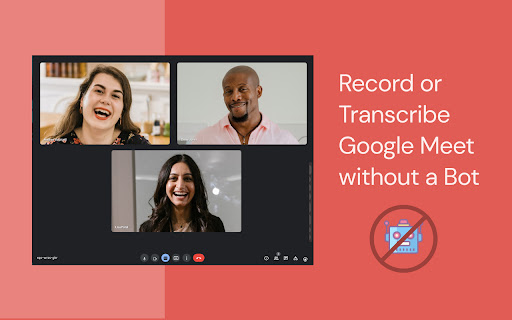
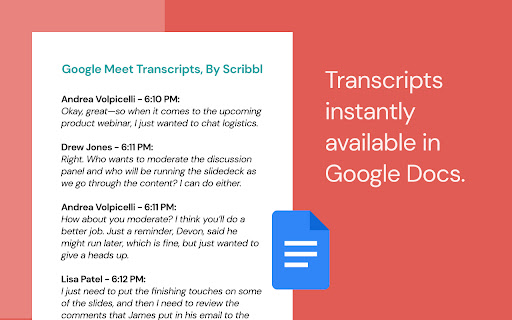
Record, transcribe, & take notes with our bot-free AI note taker for Google Meet, Zoom, & MS Teams Meet Scribbl: the fastest, most accurate AI meeting notes extension for Google Meet, Zoom, and Microsoft Teams. No bots. No interruptions. Scribbl automatically records, transcribes, and generates AI-powered summaries that appear instantly after every call. Stay fully engaged in the conversation while Scribbl handles the notes, decisions, action items, and follow-ups for you. Scribbl is perfect for recruiters, sales teams, agencies, project managers, consultants, and anyone running back-to-back meetings who needs clear, accurate notes without extra work. ✨ What Scribbl Does • AI meeting notes and action items • Real-time transcription • Video or audio recording without a bot • Instant summaries with key points and decisions • Search across all past meetings • Auto-save transcripts and chat to Google Docs • Easy sharing and team collaboration • Supports 40+ languages 🚀 Why Scribbl Stands Out • Bot-free recording for a smoother, distraction-free meeting • Extremely accurate AI summaries powered by advanced ChatGPT models • Saves hours each week on follow-ups, recaps, and task creation • Centralized, searchable meeting history for your whole team 🛠 Key Features • Automated note taking and action items • Record or transcribe meetings without adding a bot • Real-time transcript during the meeting • Save transcripts, chat, and summaries to Google Docs • Search spoken words across any past meeting • Organize and share meetings with your team • Build a private meeting library inside Scribbl • Export transcripts, summaries, and recordings • Works across Google Meet, Zoom, and Teams 🔧 How It Works • Install the Scribbl Chrome extension • Join your Google Meet, Zoom, or Teams meeting • Scribbl automatically records or transcribes the call • AI generates summaries, action items, and follow-ups • Everything is saved and searchable in your Scribbl workspace 🔒 Privacy and Security • No bots joining meetings • Data is private and secure • Nothing sold to third parties • You control your recordings and transcripts ⭐ Get Started Free Install Scribbl to get free AI meeting summaries, transcripts, and a complete searchable history of your meetings.

Laxis: Google Meet Transcription & AI Summary
Google Meet Transcription, AI Summary and Insight. Get the most out of Google Meet! Transform Your Google Meet Experience with Laxis Elevate your Google Meet sessions with Laxis, your advanced AI meeting assistant! This powerful Chrome extension is designed to maximize productivity and enhance meeting management through an array of dynamic features. Pre-Meeting Preparation: • 📝 Customizable Templates and Tags: Easily set up personalized templates and tags for different meeting types. • 📅 Google Calendar Integration: Sync your meetings effortlessly with your Google calendar. During the Meeting: • 💬 Real-Time Transcription: Get accurate transcripts as the meeting unfolds. • 👨🏻💻 Speaker Recognition: Achieve 100% accuracy in identifying speakers. • 🏷️ One-Click Tagging: Mark important segments with tags like “Important,” “Follow up,” or “Action” for easy reference. • ☁️ Flexible Saving Options: Automatically save transcripts to the Laxis cloud or download them in Word, PDF, or TXT formats. Post-Meeting Follow-Up: • 🤖 LaxisChat: ChatGPT like chatbot to answer any questions related to your meetings • ⌨️ AI-Augmented Editor and Smart Summaries: Quickly summarize and edit action items, key points, topics and etc. • ✍️ AI writer: repurpose your conversation into engaging contents with a single click • ✨ Insight and Quotation Management: Organize and manage meeting insights and notable quotes. • 🔎 Advanced Search: Easily retrieve information across all your meetings. • 📥 Seamless Sharing: Distribute meeting outcomes with your team. Getting Started is Easy: 1. Install the Laxis Chrome extension. 2. Open Google Meet in your Chrome browser. 3. Laxis will automatically launch, enabling captions for real-time transcription. 4. Utilize in-meeting highlights and auto-scroll features for a streamlined experience. 5. Choose your preferred file format for downloads, or enjoy auto-saving with a registered Laxis account. Extensive Language Support: Laxis excels in English and supports over 40 languages, including French, German, Portuguese (Brazil), Spanish (Spain and Latin America), and many more. This comprehensive language support ensures that no detail is lost in translation, regardless of your team's linguistic diversity. Some advanced features may vary by language. To change language settings, adjust the captions in Google Meet settings. We Value Your Feedback! Visit our website or contact us for more information and support: • Website: https://www.laxis.com/ • Contact Us: https://www.laxis.com/contact Laxis is here to change the way you use Google Meet—try it today and experience meetings like never before!

Read AI
Boost productivity with Read AI's extension—bring the benefits of connected work AI directly to your meetings and calendar. Read AI is the fastest-growing independent work AI platform designed to help everyone work smarter and get more done. With features including world-class meeting notes and coaching, connected enterprise search, and helpful recommendations, our AI Copilot makes it easier to keep track of the details and move faster towards success. Trusted by millions worldwide, Read AI transforms daily work into insights and actions that propel you forward, faster. KEY EXTENSION FEATURES: 🎤 Automatic Meeting Detection Read AI detects upcoming Zoom, Teams and Google Meet meetings and prompts you to add Read, capturing conversations seamlessly. 🗓️ Smart Meeting Scheduling Effortlessly find the best time to meet, get real-time meeting summaries, and see the cost of meetings directly in your Google Calendar. 🔗 Meeting Scheduling Link Share a single link to let others find a time to meet without the back-and-forth. 📝 Live Meeting Summaries Catch up instantly if you’re late to a meeting, with real-time live notes of ongoing discussions. At Read, we take your privacy seriously, and we want you to feel confident about how we handle your information. Your trust means everything to us, which is why we don't sell your data to anyone - period. So why do we ask for all of those browser permissions? We request permissions like “”, “activeTab”, “notifications”, “contextMenus”, “notifications” and “scripting” so Read AI can work seamlessly across all your productivity platforms, not just a limited set. These permissions allow us to deliver powerful features now and enable future updates that bring even more context and value to your workflows. By using the Read AI’s browser extension, you agree to Read's terms and conditions and privacy policy:

Otter.ai: Record & Transcribe Meetings - Google Meet & Web Audio
Live transcription, summary, AI chat for meetings or website audio — Zoom, YouTube, online lectures, and more. No bot in Google Meet Otter.ai Chrome Extension offers real-time transcription, AI-powered summaries, and ChatGPT-style Chat to online meetings and any tab with audio—all inside Chrome. Compatible with Zoom, Microsoft Teams, and Google Meet. No-bot in Teams or Google Meet. Also compatible with YouTube, Coursera, online lectures, podcasts, and any website on Chrome browser. KEY FEATURES - Live transcription & captions – High accuracy so you never miss a word - Smart meeting summaries – bullet points, action items, and insights after the call. - AI chat with your meeting – Ask “What’s the deadline?” or “Summarize next steps” and get instant answers. - No-bot in Google Meet – no extra participant joins your call. - YouTube captions – Great for high-quality transcripts and language learning. - Works everywhere – from webinars and online classes to Twitter/X Spaces and LinkedIn Live - Search & share – locate any sentence later; export to Google Docs, Slack, CRM HOW TO PIN THE EXTENSION AND LOG IN: - After downloading, tap the extension icon, then tap the pin icon to add it to your browser bar. - You need to log in to use Otter. Tap the pinned Otter logo in your browser bar to log in to or sign up for an Otter account. HOW TO USE WITH GOOGLE MEET: - Remain logged in to use Otter. - After you join a Google Meet meeting, an Otter extension pop-up will open and ask if you want to - Record the meeting on your device, with no bot in the meeting. - Send AI Notetaker to the meeting as a normal participant. - You can see live transcript in the meeting. HOW TO USE WITH ZOOM: - Open a Zoom URL in your Chrome browser. - An Otter extension pop-up will open and ask if you want to send AI Notetaker the meeting to get an automatic meeting summary - However, if AI Noteteker is already scheduled to attend the meeting, you will not receive this pop-up. - You need to sync your calendar to enable Otter AI Notetaker to automatically join and record future meetings on your calendar. HOW TO TRANSCRIBE AUDIO ON THE BROWSER: - Open the website you want to transcribe the audio of, such as YouTube, online lectures, etc. - On this website, open the Otter Chrome Extension, and click “Record”. - If you mute or pause the audio or video you want to record and transcribe, the audio will not be recorded. - An overlay with live transcript will appear on the website that is being recorded. You can minimize the overlay.

Bluedot: AI notetaker & Meeting Recorder
Bot-free AI note taker & AI meeting notes for Google Meet, Zoom & Teams meetings. 🤖 AI notetaker for Google Meet, Zoom and MS teams. Generate AI meeting notes adapted to your use case (customer calls, all-hands, etc.) ⚙️ Automatically update your CRM, Notion, and more. ✨ Meeting highlights: Clip and share meeting moments. 💬 Annotation & comments: Annotate a particular part of your screen and leave time-based comments. 🎞️ Video editing: We transcribe all your recordings and then let you edit your video simply by editing the transcript. Delete an umm, an ah or a whole sentence! 💾 Video hosting: Store and organise all your videos in one place, using collections.
