
kmellgkfemijicfcpndnndiebmkdginb

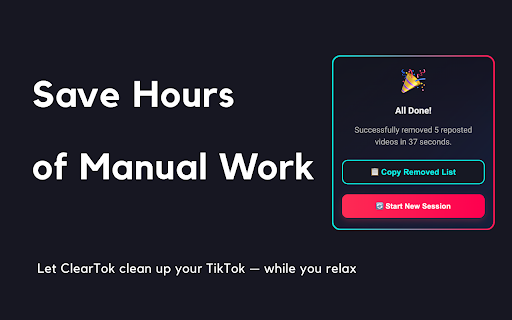


Instantly remove all your TikTok reposts—no scrolling, no tapping. ✅ How to use 1️⃣ Make sure you’re logged into TikTok (open tiktok.com in a new tab). 2️⃣ Open ClearTok and click Start Removing. 3️⃣ The tool will automatically: — Open each reposted video — Remove it from your account activity — Loop until every repost is removed 🔧 Key features - One-click bulk removal of all TikTok reposts - Runs in your browser—no password required - Export report — download a CSV/XLSX log after cleanup - Works on Windows, macOS, Linux, and ChromeOS 🔒 Safety & Privacy - ClearTok never collects personal data or TikTok credentials. - All clicks are simulated locally and visibly on-screen. - You can stop anytime by simply closing the TikTok tab. 💡 Troubleshooting If TikTok rate-limits your account, ClearTok pauses automatically. Wait about an hour, then click Resume or Start again. Clean your profile in seconds. Start fresh—install ClearTok now. ## Recent Updates ### v1.8.2 (2026-05-09) - Better support for TikTok’s latest 2026 Reposted Videos tab layout - Safer repost removal flow with stronger checks before deleting anything - More stable detection when TikTok updates buttons, tabs, or page selectors - Automatic recovery when cached TikTok UI selectors become outdated - New mobile app download area with QR code, App Store, and Google Play links, with custom bulk delete ranges - Full localization support for the new mobile download section ### v1.8.0 (2026-04-15) - Fixed a rare issue where the extension could mis-target the Videos tab and create new reposts instead of removing them - Improved Reposts tab detection using TikTok's official anchors for more reliable targeting - Added automatic recovery when cached TikTok selectors fall out of date — no reinstall needed - Redesigned the side panel UI and on-page overlay for a cleaner, more professional look v1.7.0 (2026-03-16) Improved initial repost loading logic to fetch a fuller list (up to 100 items) before starting deletion Fixed an issue where the last repost could be clicked repeatedly instead of stopping cleanly at the end Replaced the “Share Card” button with a “TikTok” button linking to the official ClearTok account Simplified popup completion logic and removed unused share-card code paths for better maintainability ### v1.6.9 (2026-02-11) - Refactored workflow to always click the profile button to navigate to the profile page - Increased timeout for waiting for the repost tab - Added support for multiple languages - **UI/UX Improvements**: Boosted text contrast, added focus rings for accessibility, and enhanced button interactions ### v1.6.8 (2025-01-04) - Enhanced selector fallback system for improved TikTok UI compatibility - Improved logging and debugging for element detection - Optimized DRY_RUN mode for testing purposes - Bug fixes and performance improvements v1.6.6 (2025-12-18) Added 10 new languages: Arabic, Filipino, Indonesian, Italian, Malay, Burmese, Dutch, Polish, Portuguese, Turkish Improved language detection and switching experience Updated localization files for German and French ### v1.6.0(2025-09-25) - optimized the extension to work with the new TikTok UI - improved the detection algorithm - added a premium version with more features - added a new language: Chinese ### v1.1.2 (2025-07-12) - Added multi-language support (Franch, Arabic, Japanese, Spanish, and more) ### v1.1.0 (2025-07-01) - One-click bulk removal of all TikTok reposts - Automatic login detection and prompt - Export and copy log of removed videos ### v1.0.0 (2025-06-15) - Initial public release of ClearTok - Chrome extension for one-click TikTok repost cleanup

TikTok Remover – Reposts, Favorites & Likes
Remove all your TikTok reposts, favorites and likes in bulk with one click Tired of removing TikTok reposts, saved favorites and liked videos one by one? TikTok Remover automates the entire cleanup process directly from your browser sidebar — no manual clicking, no repetition, no wasted time. Just open the extension, choose what to remove, click Start, and let it run. ──────────────────────────────────── 🔁 REMOVE ALL REPOSTS IN BULK ──────────────────────────────────── Automatically un-repost every video you have shared to your followers feed. Whether you have 10 or 10,000 reposts, the extension navigates your profile, opens each video, removes the repost, and moves on — completely hands-free. ──────────────────────────────────── 🔖 REMOVE ALL FAVORITES IN BULK ──────────────────────────────────── Clear your entire saved/bookmarked videos collection without opening each one manually. The extension handles the full flow automatically: profile navigation, tab switching, video opening and removal. ──────────────────────────────────── ❤️ UNLIKE ALL LIKED VIDEOS IN BULK ──────────────────────────────────── Remove your likes from hundreds or thousands of TikTok videos in a single automated session. Unlike years of activity without touching a single button after you press Start. ──────────────────────────────────── ✅ KEY FEATURES ──────────────────────────────────── - Quick Remove All — one click to start removing everything, newest first - Scan & Analyze — count exactly how many reposts, favorites or likes are on your profile before you start - Customized Remover — choose your removal strategy: - Unlike / Un-favorite / Un-repost the N newest items - Clear the oldest X% of your history - Remove the oldest N items - Adjustable delay — set a custom speed between actions to simulate natural browsing behavior - Real-time progress log — see every action as it happens with timestamps - Stop at any time — pause the process instantly with the Stop button and resume later - Works across all three content types independently — reposts, favorites and likes each have their own dedicated tab ──────────────────────────────────── 🆓 FREE VERSION ──────────────────────────────────── The free version removes up to 5 items per session across all three tabs — perfect for testing the extension before unlocking. ──────────────────────────────────── 🔓 PRO VERSION ──────────────────────────────────── Unlock PRO with a one-time code to remove unlimited reposts, favorites and liked videos with no restrictions. The Unlock PRO button is in the extension sidebar footer. ──────────────────────────────────── 🔒 PRIVACY — 100% LOCAL, NO DATA SENT ──────────────────────────────────── TikTok Remover works entirely inside your Chrome browser using your existing TikTok session. It does not collect, transmit or store any of your personal data, account credentials or activity history. Everything happens locally on your device. - No TikTok login required — uses your already-logged-in session - No third-party servers — your data never leaves your browser - No account registration — install and use immediately - Minimal permissions — only accesses tiktok.com and Chrome local storage to save your progress ──────────────────────────────────── 📖 HOW TO USE ──────────────────────────────────── 1. Install the extension from the Chrome Web Store 2. Click the TikTok Remover icon in your Chrome toolbar to open the sidebar 3. TikTok will open automatically if not already in your browser — make sure you are logged in 4. Choose a tab: Reposts, Favorites or Likes 5. Optionally run Scan & Analyze to count your items 6. Click Remove All (or configure a custom strategy and click Start) 7. Watch the progress log as the extension cleans your profile automatically ──────────────────────────────────── ⚡ NEED MORE TIKTOK AUTOMATION? ──────────────────────────────────── Check out TikTok Bot PRO — our full automation suite with Extract Followers, Auto Like, Auto Comment, Bulk Follow and Bulk Unfollow features. ──────────────────────────────────── ⚠️ DISCLAIMER ──────────────────────────────────── TikTok Remover automates interactions on TikTok.com using your existing logged-in browser session to remove content that you have personally reposted, saved or liked. This extension is an independent tool and is not affiliated with, endorsed by, or associated with TikTok or ByteDance Ltd. TikTok® is a registered trademark of ByteDance Ltd.

Unrepostify - TikTok Repost Remover
Remove all your TikTok reposts in one click. No login required. Remove all your TikTok reposts instantly with Unrepostify — the fastest TikTok repost remover for Chrome. ✓ Remove all reposts in one click ✓ Free credits included on install ✓ No login or account required ✓ Fast, safe and private — runs entirely in your browser HOW IT WORKS 1. Install Unrepostify and open TikTok 2. Click the extension icon 3. Hit "Fetch Reposts" then "Delete" — done WHY UNREPOSTIFY? Unrepostify is the easiest way to clean up your TikTok profile. Whether you have 10 or 10,000 reposts, Unrepostify handles them all. No complicated setup, no account needed — just install and go. Looking for a ClearTok alternative? Tried SocialAut or UnrepostAll and want something simpler? Unrepostify gives you a cleaner interface, transparent credit-based pricing, and a free iOS & Android app to remove reposts on the go. FEATURES - Bulk repost removal — remove hundreds of reposts at once - Credit system — buy only what you need, credits never expire - Free to try — start with free credits on install - Cross-platform — also available on iOS and Android Perfect for cleaning up your TikTok profile, removing old reposts, or starting fresh. The best TikTok All Reposted Videos Remover for Chrome.

RepostCleanup – TikTok, Instagram & X
Bulk remove reposts on TikTok, Instagram, and X with one click Whether it's TikTok, Instagram, or X (Twitter) — cleaning up your reposted content used to mean endless, tedious clicking. Not anymore. RepostCleanup is a lightweight yet powerful extension that automates the process of removing reposts across three major platforms. With just one click, it handles the heavy lifting so you don't have to. 🌐 Multi-Platform Support: Works on TikTok, Instagram, and X (Twitter) — all in one extension. 🚀 One-Click Cleanup: Hit "Start" and let the extension automatically find and remove your reposts. 🎯 Preview Mode: Don't want to remove everything? Use Preview Mode to browse your reposts and select only the ones you want to delete. 📊 Real-Time Progress: Watch the cleanup happen live with a detailed progress display — see success/fail counts, elapsed time, and estimated time remaining. ⏸️ Pause & Resume: Need a break? Pause the cleanup anytime and pick up right where you left off. 🛡️ 100% Safe & Private: Everything runs locally in your browser. No passwords, personal data, or browsing history is ever collected, stored, or transmitted. 🌍 Multi-Language: Available in English, 中文, Español, Deutsch, Français, 日本語, 한국어, and Português. 1.Open Chrome and log into your account on the platform you want to clean up (tiktok.com, instagram.com, or x.com). 2.Navigate to your profile page. 3.Click the RepostCleanup icon in your Chrome toolbar. 4.Choose "Clean All" to remove everything, or use "Preview" to pick specific reposts. 5.Click "Start" and watch it work! Real-time logs keep you informed every step of the way. (Note: Please do not close the tab while the cleanup is running for the best results.) This extension is an independent tool and is not affiliated with, endorsed, or sponsored by TikTok, Instagram, X, or any of their parent companies.

Repost Cleaner
A Chrome extension to remove all reposted videos!. Repost Cleaner is a modern Chrome extension that helps you automatically remove your reposted videos on TikTok Web — quickly, safely, and without complicated steps. With a clean interface and one-click start, you can manage your reposts directly from your browser. Repost Cleaner automatically scrolls through your reposted videos on TikTok and removes them using human-like actions and safe delays. 1.Open TikTok Web and log in 2.Click the Repost Cleaner extension icon 3.Enter your license key (required only once) Keep the TikTok tab open while the remover runs Progress and status updates are shown directly in the extension. TikTok applies rate limits and temporary restrictions to automated actions. Because of this: The remover may pause or stop temporarily You may need to wait 5–10 minutes before restarting Refreshing the TikTok page may be required This behavior is controlled by TikTok and can vary per account. ⚠️ Do not close the TikTok tab while the extension is running. Repost Cleaner: Does not collect personal data Does not track browsing activity Stores settings locally in your browser only The extension is designed to assist users in managing their own content responsibly. Repost Cleaner is not affiliated with or endorsed by TikTok or ByteDance. The extension is provided “as is” and functionality may change if TikTok updates its website.
