
kknjnehpgiaeljeilemamjjiopemockp
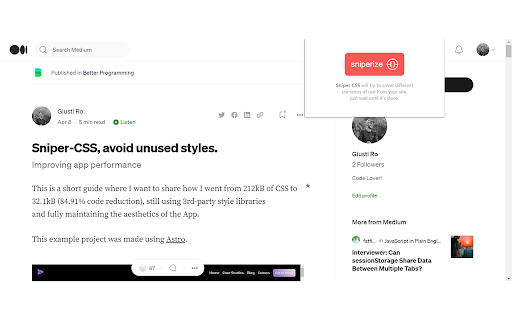

Avoid unused CSS styles code in your Web/Apps. This extension will interact and try to collect all CSS rules of your site, using emulations like Dark and Light themes, going through different media breakpoints, switching User Agents and so on. It will be being improved with time! Try it! Supporting: -Multiple Breakpoints -Dark and Light Themes -Multiple User-Agents -Node's Pseudo-States -Keyframes -Other At-rules like prefers-motion, pointer, etc. -On-load hook related rules. Roadmap: -To add some user inputs preferences and apply them to generated CSS file.

SnipCSS
Extract the CSS/HTML for any element on any page, only take the styles you want SnipCSS extracts all CSS styles associated with any portion of a webpage. It works on all websites, and after a few clicks you get the CSS, HTML and Images associated with the section of the website you are trying to recreate. ANY COOL DESIGN YOU SEE ON THE WEB CAN BE YOUR PERSONAL TEMPLATE FOR QUICK PROTOTYPING! ======================================== If you tried to do the same by copying/pasting by hand it would probably take 20 minutes, but with SnipCSS you can select and get all styles including ones with media queries in under a minute. I even use it on sections of websites I created myself in other projects, so I can get a quick reusable HTML/CSS component to plug into my new project. Unlike other CSS extractor extensions that use "Computed Styles", SnipCSS uses the Chrome DevTools protocol. Just like when you use devtools you see a list of associated styles, SnipCSS reconstructs that list for each element in the subtree of the DOM snippet. All images, fonts and everything else needed for the design is downloaded, and you can easily export all the files into a zip file. PRO VERSION LAUNCHED! ======================================== Get CSS from multiple resolutions or multiple elements using the Pro Version! Also advanced features like no-conflict CSS classes, scoping, removing unnecessary attributes/classes, and creating a sub-selection of items have been added for Pro members. Version 1.7.0 adds the ability to turn your snippets into React/Vue templates by using ChatGPT. The template version of a snippet injects Lorem Ipsum data into the html so copyrighted images/text are automatically replaced. You can also use Stable Diffusion to replace images in the HTML. Generative AI features require a free SnipCSS account. TAILWIND CONVERSION! ======================================== Version 1.9.0 adds the ability to convert all HTML/CSS into valid Tailwind, including with media queries and pseudo selectors. Just visit SnipCSS.com and sign up if you're interested in unlocking these advanced features.

Ghost CSS Detector
Find the ghost css in your app in a single click. Find the ghost css in your app in a single click. When you spend enough time at the front-end development, There will be some irritating moments where you couldn't figure out what is happening with the margins/paddings and scroll issues. This extension comes in handy finding those ghost elements for you.

CSS Used
Get all css rules used by the selected DOM and its descendants. One click to get all the css applied to the selected web element and its descendants. -- Recent Update -- 1. Migrated to Manifest V3. 2. Resources are read from local caches, making it much faster and solves the cross-origin issue. 3. Optimized style parsing in a more efficient way. 4. Dropped support for some outdated CSS, mostly -o- and -ms- prefixed properties. 5. Implemented a new UI powered by Svelte, with some visual tweaks. -- Known Limit -- 1. For CSS rules like ".wrap p{...}", if only " " is selected, the result ".wrap p{...}" will not apply to " ". Either change the rule to "p{...}" or add a ".wrap" parent in the final HTML. 2. CSS custom properties (variables) and all the style inherit related features are not supported currently.

Unused CSS/JS Detector
Detects unused CSS and JS files on web pages Unused CSS/JS Detector Optimize Your Web Development Workflow with Precision Enhance your web development efficiency with the Unused CSS/JS Detector, a powerful Chrome extension designed for developers and web optimization enthusiasts. This tool helps you identify and manage unused CSS and JavaScript files on any webpage, streamlining your optimization process and improving page load performance. Key Features: 1. Detect Unused Resources: Automatically scans the current page to pinpoint unused CSS stylesheets and JavaScript files, saving you valuable time during audits. 2/ Block/Unblock Functionality: Easily block detected unused resources with a single click and unblock them when needed, with changes persisting across sessions. 3. Real-Time Load Time Tracking: Monitor page load times with precision (down to 0.000ms) and see performance improvements as you block resources. 4. Reset Option: Quickly reset all blocked resources with the "Reset Blocks" button to revert to the original state. 5. User-Friendly Interface: Features a clean popup with clickable links to resource URLs, truncated for readability with full URLs available on hover. How It Works: 1. Click the extension icon to open the detector. 2. Analyze the page to see a list of potentially unused CSS and JS files. 3. Use the "Block" button to prevent resources from loading, and watch the load time update after a page refresh. 4. Unblock or reset as needed to fine-tune your optimization. Perfect For: - Web developers optimizing site performance - Front-end engineers auditing codebases - SEO specialists improving page speed - Anyone looking to reduce bloat in web projects Installation: Simply add the Unused CSS/JS Detector to your Chrome browser, and start optimizing your web pages today! Optimize smarter, not harder. Download the Unused CSS/JS Detector now and take control of your web resources!
