
kjjbgjlgheapeklccilpahkjaejlmfkf
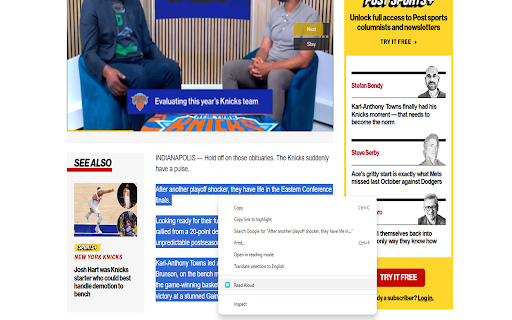
Right click and convert text to speech. Read Aloud using the browsers SpeechSynthesis engine. Use the context menu to turn any article into text to speech. This extension is free to use. Simply highlight the text you want read out aloud and then right click, to get it to work. A text-to-speech (TTS) browser extension turns any web page, email, or PDF into spoken audio on demand. With one click—or even a keyboard shortcut—you can have a synthetic yet natural voice read the content aloud while you drive, cook, or simply rest your eyes. What sounds like a small convenience ripples outward into time savings, better comprehension, and genuine inclusion. Below are some concrete benefits that make a TTS extension one of the most useful add-ons you can install. 1. Accessibility for readers with visual or cognitive barriers For millions of people with low vision, dyslexia, or other learning differences, reading long passages can be exhausting or outright impossible. TTS provides an instant accommodation: the page is parsed, queued, and spoken clearly at a controllable speed. Because the voice output is generated locally, users retain privacy while gaining the autonomy to browse any site—from scientific journals to social media—without waiting for authors to add screen-reader markup. This democratizes information access and satisfies the spirit (and, increasingly, the legal requirements) of inclusive design. 2. Reduced eye strain and screen fatigue Even for sighted users, staring at bright rectangles all day leads to dry eyes, headaches, and disrupted sleep. Switching a portion of your reading load to audio gives your vision—and the rest of your posture—a break. You can lean back, close your eyes, and absorb the same material without sacrificing productivity. Over weeks and months, small reductions in screen-time compound into meaningful relief from digital eye strain, especially for professionals who already spend eight hours in front of a monitor. 3. Productivity through multitasking and mobility Reading is a single-threaded activity; listening is not. With text-to-speech you can turn a 3 000-word industry report into a podcast-style experience while commuting, jogging, or tidying the house. This reclaiming of otherwise “dead” time means you finish articles and white papers you would have bookmarked and forgotten. Knowledge workers often cite an extra two to three hours of productive intake per week once they adopt a TTS workflow—a silent yet powerful advantage. 4. Enhanced comprehension and retention Cognitive-science studies show that pairing visual and auditory channels (“dual encoding”) improves memory. Even if you keep the screen visible, hearing the words synchronously can sharpen focus and reinforce complex vocabulary or technical terminology. Many people find they catch nuances—tone, irony, numbered lists—that their skimming eyes might miss. For language learners, listening to native-quality pronunciation while following along in text accelerates vocabulary acquisition and accent mimicry.

TTS Reader
Read any webpage, PDF, or Google Doc aloud with one click. 400+ AI voices with real-time highlighting and reading time estimates. 🚀 Main Features: 🔹 Instant Read Aloud: Reads any text out loud with one click. 🔹 Dynamic Highlighting: Sentences are highlighted as you listen, so you never lose your spot. 🔹 400+ AI Voices: A wide selection of high-quality voices across many languages. 🔹 Universal Compatibility: Works on PDFs, Google Docs, blogs, and eBooks. 🔹 Click-to-Read: Tap any sentence to start listening from that point. 🔹 Natural-Sounding Speech: Powered by advanced AI for clear, lifelike audio. 🔹 Reading Time Estimate: See at a glance how long it takes to read your content aloud.

GPT Reader/Transcriber: Free AI Text to Speech/Speech to Text (TTS/STT)
Free AI text to speech (tts) & speech to text (stt) with ChatGPT. Listen to natural voices or transcribe audio instantly. To use the extension: 1️⃣ Click the extension icon (or visit chatgpt.com) 2️⃣ Sign in with your ChatGPT account 3️⃣ Click the extension icon or the button on the ChatGPT page 4️⃣ You will notice an overlay open where you can choose either the text to speech or speech to text option 🔥 Key Features of ChatGPT Reader & Transcriber 🔥 ✅ Free to Use AI Text to Speech (TTS) ChatGPT Reader & Transcriber is completely free to use and includes a premium tier for more serious users ✅ Download AI-Generated Audio (NEW!) Save high-quality speech as an audio file for offline listening ✅ Read Aloud Any Text Instantly (WEB and FILE UPLOAD supported!) Convert Google Docs, PDFs, EPUB or custom text into natural-sounding speech with one click. ✅ Human-Like AI Voices Uses OpenAI's voices for clear, smooth, and natural narration ✅ New! Free Speech-to-Text (STT) Transcription • Live transcription – speak and see your words appear in real-time • File transcription – upload audio files and convert them to text • Download transcriptions – export as PDF or TXT for easy sharing • Unlimited & Free – no usage caps, enjoy all transcription features at no cost ✅ Supports Multiple Inputs Paste text or upload documents—ChatGPT Reader & Transcriber handles it all ✅ Customizable Playback Controls Adjust speed, pause, rewind, and play at your preferred pace ✅ Accessibility and Productivity • Students – Listen to notes and papers while studying • Professionals – Review reports and emails hands-free • Readers with Dyslexia & Vision Impairments – Improve comprehension with assistive speech • On-the-Go Listeners – Enjoy articles or documents while commuting, exercising, or multitasking ❗ Not affiliated with or endorsed by OpenAI or ChatGPT ❗ ❗ Free alternative to sites like ElevenLabs, Speechify, Rev, Otter.ai or other text to speech/transcription services❗ 🛠 Download ChatGPT Reader & Transcriber: Free AI Text to Speech & Speech to Text today and elevate your reading and transcription experience with free, high-quality AI voices and transcriptions. 🛠

Text to Speech (TTS) Read Aloud Voice Reader by Audeus
Read aloud using text-to-speech (TTS) to convert webpages, PDF, emails, & text to audio. Text-to-speech extension with AI voices Read aloud any PDF, Google Doc, Email, Word doc, webpage, article, and text with our text-to-speech (TTS) app to save time and boost productivity. AI Voice Reader from Audeus comes with lifelike voices to help keep you in flow. Text-to-speech (TTS) is used to convert webpage text into engaging audio so you can get done, Audeus works where you are. Whether you need to review an email and listen to it aloud or need to study for an important exam with an app that reads your text aloud, Audeus helps save you time, and help you get more done than you ever thought possible. Audeus works by being able to process the current webpage you’re reading and instantly convert that text into audio. Audeus works where you work by reading your documents & websites aloud for you so you can save time, energy, and make rapid progress on your goals. Whether you’re working in Gmail, Google Docs, or any other webpage, Audeus will read your text aloud instantly. Basically doubling your reading speed instantly, and getting you in flow instantly. 🌟 How Our Members Use Audeus for Chrome Our members use Audeus's text to speech(TTS) extension for work and school to make sure they get the most out of their time. Whether you struggle to read, find studying gets difficult after a short period of time, or want to get in flow much quicker, Audeus is for you. One Audeus subscription covers all your needs by allowing you access to the web app that works wherever you need it to. - 🎓 College Students - get more done so you can have more time to enjoy and do more during the week than you ever thought possible - 🎓 Graduate Students, especially those with a lot of reading such as medical students, law students, and PhDs who have to read many papers - 💼 Busy Professionals - 👩⚕️ Professions with high reading workloads such as doctors & lawyers - 📚 Students who struggle to read from Elementary to high school - 🧠 Life-long learners - 🎧 Auditory learners - 🎙️ People who really love listening to podcasts - 📖 People who love to read - 🚀 People looking to boost their productivity and unlock new levels of progress towards their goals 👉 Get started for Free today by installing the chrome extension for text-to-speech (TTS) - it takes less than 60 seconds! 💻 Audeus works where you work Audeus (TTS) works where you work, and syncs your reading progress across all your devices. You can pick up where you left off to continue where you were reading. You have a full library of all your documents on any device by visiting audeus.com, and pick up where you left off. Whether you’re changing it up and working from a coffee shop, or just need to get moving, Audeus allows you to access your library wherever you are. So anything that you’ve saved to your library syncs everywhere. ⚡ Listen at the playback speed that’s right for you Listen at your ideal playback speed to save time, boost focus, and get more done with customizable playback speed up to 3.5x. Our AI text-to-speech voices sound clear at very high reading speed so that you can get more done in less time, and boost your focus. Speeding up what’s being read out loud helps with engaging with the material that otherwise would feel less engaging at slower speeds. But sometimes, you need to slow down for other types of readings so you can adjust the speed at even 0.5x for the times you need to slow it down to let the material sink in. It’s like buying a superpower, you double not only your reading speed, you’re able to unlock new levels of productivity and focus that you just didn’t think was possible simply from personalizing the reading speed while also having the AI voices be super clear. 🎧 Lifelike AI Text-to-speech Voices that keep you in flow Audeus's voice reader comes with natural and engaging voices to help keep you in flow with over 150+ voices & 50+ languages. Whether you want to just change it up with a new voice, or find different voices are better for different readings - with Audeus you have access to a massive collection of AI text-to-speech voices so that you can personalize your experience. Use the Audeus text to speech chrome extension to read aloud your readings with high quality AI text-to-speech (TTS) voices to stay focused longer with voices that pull you in. Our members find that certain voices are better for editing your emails, especially when doing a final pass on a very important email you're about to send out. Other voices our members find are better suited to get through dense reading assignments or research papers. You can use the chrome extension to read aloud with high quality AI text-to-speech voices anywhere you work, and to cover readings right within your browser. It's important the voices are natural, because it will allow you to focus for longer because it's nice to listen to, and will help you learn faster as you are engaging more parts of your brain to help with retaining what you've read. AI text-to-speech is a massive unlock on realizing your full potential. Often you just need one idea to land on you in just the right way to completely transform the trajectory of your life. It can be that one email for work where using Audeus, before hitting send, lets you catch those pesky run-ons and nail the perfect words that persuade your team and win over your organization. It gives you the confidence you need to know that what you wrote is clear before sending it out. 🖍️ Never lose your place again with Sync Text Highlighting Boost focus with text highlighting that is in sync with what you read. Audeus chrome extension text to speech will highlight the spoken text as its being read aloud. This unlocks a new level of focus that you never thought was possible, especially with other TTS programs where they only highlight the area, Audeus supports the ability to sync the exact word you’re listening to anywhere you are reading to keep you laser-focused and engaged. Be able to use sync text highlighting to: - Effortlessly follow along as your text is being read aloud - Reduce eye strain with synchronized highlighting while you read and work from any webpage, PDF, Gmail, Google Doc, & more - Comprehend and recall more of what you've read by engaging because of using more of your senses - Eliminate reading fatigue, word highlighting makes it much easier to stay in flow and read longer especially getting through important work that can get difficult to get through - Helps you stay focused on your work even in distracting and loud environments - the visual highlighter helps direct your gaze 📝 Audeus lets you write & listen with text editor Whether you're at the library, a coffee shop, or working from home, reading your work out loud isn't always an option. Which is why many of our members use Audeus in their writing process to catch those sneaky errors and awkward phrasing before hitting "send". Audeus lets you 'hear' your writing out loud while you’re editing. You can use the custom text editor to use as a scratch pad to listen to your writing aloud. Whether you're adding final touches to your personal statement, editing a research paper for a big conference, or crafting the perfect email to send out to your team, Audeus's voice reader (TTS) lets you quickly find those run-on sentences and awkward phrasing so you can confidently hit "send" on what you write. All without you needing to speak your work out loud wherever you happen to be working. Whether you’re writing in Google Docs, Gmail, or in the custom text editor, Audeus works where you write. - Instant text-to-speech conversion of your text so you can listen right away - Support for multiple languages with voices that support over 50+ languages - Works with PDF with the PDF to audio reader (it also works with Word docs (DOCX/DOC), non-drm epubs, & more!) - Custom text editor to write and listen out loud as you write - Player widget that works where you are in your browser and doesn’t get in the way If you have any questions, comments or suggestions, contact us by visiting: https://www.audeus.com/contact Visit our website to learn more, especially for frequently asked questions: https://www.audeus.com

Text to Speech Reader
Use Text to Speech Reader app for seamless listening. Perfect for reading text aloud and enhancing accessibility with TTS Reader. Discover the Ultimate Text to Speech Reader for Effortless Accessibility and Productivity Looking for a powerful tool to simplify how you consume written content? Meet our text to speech reader, the perfect Chrome extension to enhance your reading experience! Whether you want to read the text aloud for better comprehension or turn written words into speech for hands-free convenience, this tool has you covered. Packed with versatile features and a user-friendly interface, it's designed for everyone—from students and professionals to casual readers. 1️⃣ Multi-Format: Convert websites, documents, with this pdf reader text to speech. 2️⃣ User-Friendly Interface: Navigate effortlessly with a simple and intuitive design. 3️⃣ Boost Productivity: The text to speech reader turns content into audio fast. 4️⃣ Natural Audio: The read voice reader provides lifelike, clear sound. 5️⃣ Reliable Performance: Delivers smooth and consistent results every time. The tool simplifies tasks by letting you read text to speech instantly. Perfect for multitasking, it provides a seamless text voice reader experience. With options to have text read aloud free, it’s ideal for work, study, or leisure. This tool provides exceptional flexibility. It also functions perfectly as a read aloud text to speech desktop solution. Versatile and user-friendly, it’s ideal for various needs. ➤ Flexible Options: Adjust speed, and pitch with ease. ➤ Online or Offline: A free reader online and offline. ➤ Read in Voice: Convert content into clear audio for listening. ➤ Multi-Language Support: Enjoy content in various languages. This tool is designed to make your reading experience seamless and enjoyable. Whether you’re working, studying, or relaxing, it provides the flexibility and convenience you need to stay productive and engaged. With intuitive features and a user-friendly interface, it adapts effortlessly to your daily routine. - Custom Playback: Pause, rewind, or skip as needed. - PDF Support: A trusted text to speech pdf reader for work or study. - Read Aloud Fast: Highlight content, and the read voice does the rest. It makes it easy to read text for me with clear audio. This audio text reader free tool supports multitasking by letting you speak and read text to me in voice. Enjoy the convenience of the reader and flexible reader for effortless accessibility. Perfect for Everyone Students can make studying more efficient with the app, turning study materials into audio for easier learning. Professionals can save valuable time by having reports or emails read aloud during their commute. For accessibility users, the instrument provides hands-free convenience for easy listening. Use Cases for the Reader ▸ Work Smarter: Turn reports or emails into audio with the app. ▸ Leisure Reading: Let the voice text reader read articles or eBooks aloud. ▸ Support Learning: The speech to text reader ensures accessibility for all. Why the instrument is Essential 1. Convenience: The voice read aloud feature lets you listen anywhere. 2. Time-Saving: Use our tool online for multitasking. 3. Focus: A voice reading text helps avoid distractions. 4. Personalization: Adjust voices and playback speed to your liking. 5. Accessibility: Reading text to speech ensures inclusivity. - Install and click on the app icon to open it. - Highlight or upload content, including PDFs. - Let the app handle the rest effortlessly. ➤ Paragraph Reader: Use the app for reading text. ➤ Narrative to Audio: Save files with the tool. ➤ AI text to speech reader: Delivers accurate voice. • Natural Sound: Natural reader offers smooth audio. • Easy Setup: Click on icon, and your instrument is ready. • Affordable: A powerful free reader out loud at no cost. 1. Can I use it for PDFs? Absolutely! It's a trusted pdf text to speech reader designed to handle various formats effortlessly. 2. Is it beginner-friendly? Yes! Even if you’re new to read in tools, our intuitive design ensures a smooth experience. 3. Are there free options? Certainly! Enjoy a free app for basic functionality while exploring premium upgrades. ➤ Add the extension to your browser. ➤ Click on the app icon. ➤ Highlight or paste content. ➤ Enjoy hands-free listening! With this powerful text to speech reader online, you’ll transform how you engage with written content. Say goodbye to endless scrolling and hello to smarter reading today!
