
kjhknbbgbadlogbdfffgmngdgclomfol
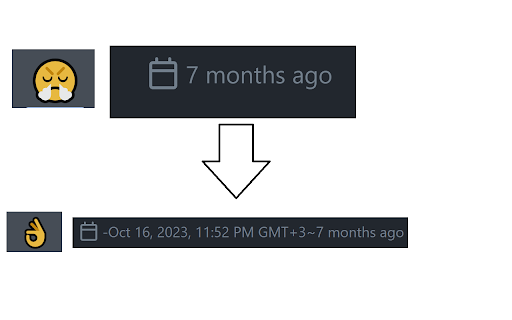

Shows you the exact dates on github, instead of relative times. Shows you the exact dates on github, instead of relative times. No need to hover on dates anymore! Features: - See the exact dates of deployments. - See the exact dates of commits. Note: Refresh the page if you don't see the exact dates.

GitHub Unveiler
Replaces GitHub usernames with display names in GitHub and GitHub Enterprise instances. GitHub Unveiler dynamically replaces nearly all username with display names throughout the GitHub web sites. It is designed to be compatible with all varieties of GitHub: GitHub, GitHub Enterprise Cloud, and GitHub Enterprise Server. This is primarily intended for users in GitHub Enterprise Cloud or GitHub Enterprise instances where usernames are long digits of cryptic numbers. Instead of looking at a long commit log and trying to remember who 321168652 is, you can now see at a glance that it's Don! By default, GitHub Unveiler will pull down each user's display name, however, you can also provide customized names in the Options page. After installing this extension, you must opt-in to use it on each domain you'd like to use it. Navigate to the GitHub server you want to use it at, click the 'Extensions' button, and then select the 'GitHub Unveiler' extension. This extension does not collect or transmit personal data (it only stores a local cache of publicly available display names).

Github Highlights
Speed up your problem solving! Highlight the highest voted comments in GitHub to quickly locate the best solutions. When you visit a Github issue or pull request, this extension runs quietly in the background and pinpoints sections along the scrollbar where positively voted comments are located. Each highlight is weighted by the count and type of reactions which varies the height of the highlight - the longer the highlight, the greater chance that's the solution you're looking for in the thread. Download the extension and just let it simply do its thing while you investigate. Please share your feedback! And as always, please rate this extension as you would the most helpful comment!

GitHub Save
If you ever wanted to save inidividual files from a GitHub repository that piqued your interest, this extension is for you. GitHub Save is a web extension designed to enhance your GitHub experience by providing a seamless way to save individual repository files. Whether you're a developer or a researcher, GitHub Save helps you curate and organize essential files with ease. With GitHub Save, saving specific files from a GitHub repository is a breeze. No more downloading entire repositories or searching through lengthy codebases—simply save the files you need with a few clicks. GitHub Save seamlessly integrates into popular web browsers, ensuring compatibility across various platforms and operating systems. Whether you use Chrome or Firefox, GitHub Save is ready to optimize your GitHub GitHub Save features a clean and user-friendly interface, making it accessible to users of all technical backgrounds. No complicated configurations or setups required—start saving files right away. Upgrade your GitHub workflow today with GitHub Save and take control of saving and organizing your repository files. Simplify your GitHub experience, streamline your workflow, and make file management a breeze.

Foresight Dashboard for GitHub Actions
A simplified GitHub Actions status dashboard based on the Foresight Repositories app view. Used to provide a quick overview of your current GitHub actions status for the manual monitoring purposes. *** HOW TO USE *** - You need to be a https://www.runforesight.com user to be able to take advantage of the extension functionality. If you want to just try it out, there is a free demo available at https://app.runforesight.live/repositories and this extension has been configured to work with it as well - Details will be hidden on repository cards bey default and cards will be skinned according to their last known action run status (green, yellow, red) - Success rate stats will be also displayed directly on the card
