
kjdfaaclbbbjjeepcfpgennckckhofle
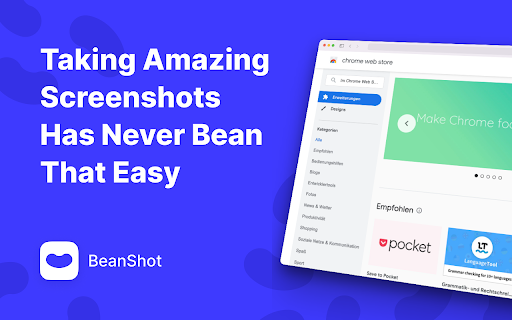
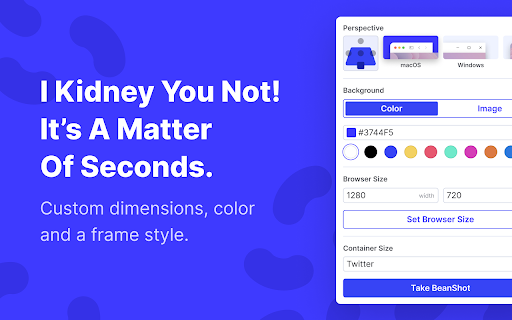
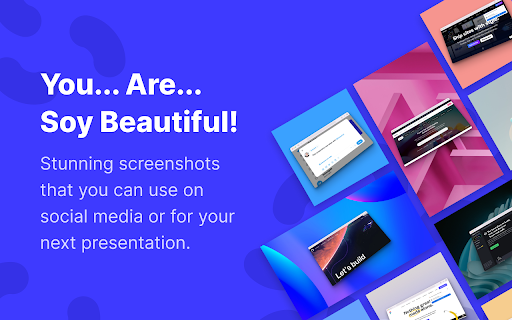
BeanShot makes it child's play for you to take clean and fantastic-looking screenshots of any web page. You have full control over the size and can make pixel perfect adjustments to the aspect ratio of the final images. Only with BeanShot, you get all the following benefits for free: ✨ NEW ✨ Apply amazing 3D effects to your screenshots to make them pop and make your presentation stand out from the rest. 🖼️ Clean Browser Frames for Windows and macOS Long URLs and many open tabs often make normal screenshots of your browser look choppy and distract from the actual content. BeanShot takes replaces your browser bar on the shots with a clean and minimalistic browser bar. Also benefit from the following advantages. Choose the browser bar that suits your operating system or requirements. 🎨 Background Color Give your screenshots more room to breathe. BeanShot places your screenshots in a visually appealing way on a background of your favorite color. The aspect ratio of the screenshot does not necessarily have to be the same as the final graphic. 🖼️ Background Image Need more than color? Choose from 10 beautiful backgrounds to give your screenshots a polished and high-quality look. 📱 Social Media Presets Export screenshots easily and directly in the right aspect ratio to shine on social networks. Taking Amazing Screenshots Has Never Bean That Easy With BeanShot 📸

PostSpark - Beautiful Screenshots & Mockups
Create beautiful screenshots and mockups for social media and marketing needs. 🖼️ Screenshot Editor Capture and edit screenshots in a powerful editor: - Design eye-catching mockups with customizable backgrounds, browser frames, and visual effects - Annotation tools: add text, arrows, stickers, and redact sensitive information - Video & Animations: Apply 3D transforms and zooms for dynamic, beautiful animations 📱 Mobile & Desktop Mockups Display your app or website in over 30 device mockups: - Phones, tablets, laptops, desktops - Drag-and-drop interface with pre-made layouts 💬 Social Media Post Screenshots - Capture Tweets / Bluesky Posts screenshots - Support for quotes, threads, and replies 👨💻 Code Screenshot Generator Turn your code into beautiful images: - Right-click code and select “Code Screenshot” - Supports 50+ programming languages with syntax highlighting ⏱️ Timed Screenshots Need to capture tooltips or hover states? - Use the built-in delay timer to capture the perfect moment 🎨 Add Custom Branding - Upload your own stickers, backgrounds, logos - Maintain brand consistency across all screenshots 🔧 Power Features - Capture full-page or specific DOM elements - Fast, high-resolution exports ready for use

TakeAscreen | Record & Capture Screenshots
Take Screenshots | Screen Record & Capture Screenshots Unlock the power of visual communication with TakeAscreen – your go-to platform for capturing screenshots and screen recording. With TakeAscreen, you have the tools to effortlessly capture every moment. Whether you're showcasing dynamic content or preserving important information, our user-friendly interface ensures you can take screenshots with precision. Seamlessly transition from screenshots to screen recording, as TakeAscreen empowers you to capture video screen records effortlessly. Capture Screenshot moments that matter most to you. Our intuitive platform allows you to capture the essence of your content, making it perfect for presentations, tutorials, or simply sharing standout visuals. Beyond capturing images, TakeAscreen expands your capabilities into the realm of Screen Recording. Record your screen and create engaging videos that convey your message dynamically. Say goodbye to complexity and hello to streamlined content creation. Step into the future of content with TakeAscreen. Whether you're a professional, educator, or content creator, our tools empower you to bring your vision to life. Capture Screenshot excellence and embrace the power of Screen Recording with TakeAscreen – your all-in-one solution for visual storytelling.

MultiCopies
Tired of Continuously Copy-Pasting Info from different websites to a document for projects, documentations, etc. ??? MultiCopies is the solution !!! MultiCopies stores this in the same order Download the entire copy history as .txt or .doc (formatted by font & size) OR Copy everything or whichever you want and paste manually anywhere.

MiniMC
❇️ Mini Media Converter, affectionately known as Mini-MC, is a versatile and robust software designed to empower users with seamless multimedia conversion capabilities. MiniMC excels at transforming various media formats, catering to a wide range of needs for image, video, and audio files. This open-source gem effortlessly handles the conversion of images, videos, and audio files with utmost efficiency. 🛜 Offline Conversion: One of Mini-MC's standout features is its complete offline functionality. No internet connection is required, as all conversions take place on the client side. Your files remain secure and private, with no data sent to external servers, guaranteeing your data's confidentiality and safety. 🏞️ Image Conversion: Mini-MC is your reliable companion for converting a myriad of image formats, including JPG, JPEG, PNG, GIF, BMP, WebP, ICO, TIF, TIFF, SVG, RAW, TGA, and more. No matter the source format, MiniMC ensures your images are easily tailored to your preferences. 🎥 Video Conversion: Whether you're dealing with MP4, M4V, MP4V, 3GP, AVI, MOV, WMV, MKV, FLV, OGV, WebM, H.264, or H.265 video files, MiniMC effortlessly transcodes them into your desired format, enabling compatibility with various devices and platforms. 🔊 Audio Conversion: Enjoy the freedom to convert your audio files, including MP3, WAV, OGG, AAC, WMA, FLAC, and M4A. MiniMC allows you to modify audio formats with ease, ensuring your music and sound files are compatible with your preferred media players and devices. 😇 Open Source: Mini-MC is proudly open source, meaning it is a community-driven project that welcomes contributions from developers and enthusiasts. Its open nature promotes transparency and customization, allowing users to tailor the software to their specific needs.
