
kiphpdiacbpomdggeobpjkbmenjbmmkf
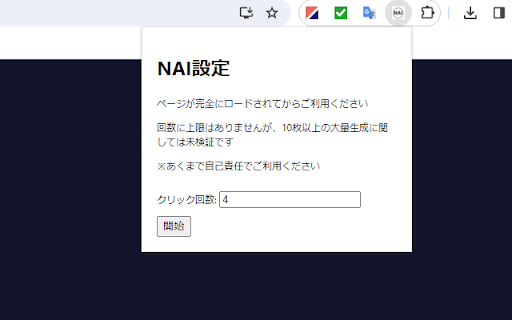

NovelAIで画像を生成する際、生成ボタンを自動で押してくれる拡張機能です。 この機能により、指定した枚数分の画像をバックグラウンドで生成し、その間に別の作業を行うことができます。 【想定ユーザ】 ・NovelAI… NovelAIで画像を生成する際、生成ボタンを自動で押してくれる拡張機能です。 この機能により、指定した枚数分の画像をバックグラウンドで生成し、その間に別の作業を行うことができます。 【想定ユーザ】 ・NovelAI Subscriptionの「Opus」に加入しており、普通サイズの画像生成が無料で行えるユーザ ※それ以外のユーザでも利用は可能ですが、Anlasの大量消費にお気を付けください 【詳細説明】 ・拡張機能のポップアップから、生成する画像の枚数を設定できる ・「開始」ボタンを押すことで、当機能が自動で生成ボタンを押下する ・画像生成完了後、再度当機能が自動で生成ボタンを押下する(この時、ユーザーはNovelAIのタブを開いている必要はない) ・設定した枚数分の画像生成完了後、完了を連絡するChrome通知が届く 【注意】 ・サーバに負荷をかけないよう、画像生成から再度生成ボタン押下までにインターバルを入れています ・あらかじめ、画像生成の消費Anlasが0になっていることを確認してからご利用ください ・ページが完全にロードされてからご利用ください ・あくまで自己責任でご利用ください

nico downloader
ニコニコからの動画保存をサポートする他、ニコニコを便利に使うための非公式の拡張機能です。 【帰ってきたニコニコ 対応済】ニコニコの動画を保存するためのリンクを、動画ページのタイトル直下に作成します。 さらに、ニコニコ大百科を始めとするニコニコのサービスの拡張・機能向上を行う拡張機能です。 これらは全て自動でリンクを作成するため従来に比べ手間が省けており、かつシンプルです。 ◆設定方法 こちらを読んでいただくのが一番わかり易いと思います。 https://note.com/masteralice3104/n/na2e2325b50a3?sub_rt=share_pb ◆バグの報告はここから https://github.com/masteralice3104/nico_downloader/issues ◆ソースコードはここにあります https://github.com/masteralice3104/nico_downloader ■動画保存の事前準備 ① 当拡張機能をインストール ② 当拡張機能のオプションに記載された初期設定を行う ③ 初期設定モードをOFFにする ■基本的な動画保存の使用方法 ① 任意の動画ページ(sm~~~の動画)を開きます。(nm~やso~等は基本的に対応しません) ② 動画の右下にある「~~~~~.mp4を保存」をクリック ③ 自動でダウンロード・変換処理を行った後、保存ダイアログが開くor既定のフォルダにダウンロードされます(Chromeの保存設定に依存します)。 ■注意事項 ○ 様々な法的規制に十分に注意してご利用ください。 ○ 保存方法③の処理は回線速度とCPU速度に依存します。また通信量などにご注意ください。

NAI_magic_wand
1. PromptsEditor The following operations can be performed using only the mouse.… 1. PromptsEditor The following operations can be performed using only the mouse. ・Increase/decrease Strength & weaken of propmt ・Temporarily disable prompt ・Change the order of prompts Help adjust your prompts. 2. PromptsBookmark You can bookmark your favorite prompts. 3. PromptsFromImage Prompts and other meta information can be extracted from images created by NovelAI.

SpellStack for NovelAI
Assists in entering prompts in NovelAI. You can organize your prompts by grouping and sorting them by style, effect, face, body, background, etc. You can also save and manage the prompts you create. What you are editing on the extension is input to NovelAI prompts in real time. Group words according to style, effect, face, body, background, etc. Word groups can also be reordered. The content of the generated prompts will be color-coded according to the word groups. Words can be sorted one by one, so you will never lose track of the words you have already entered. There is no need to add parentheses to indicate the strength of a word. You can increase or decrease them with extensions, and parentheses are automatically assigned so you will never get a pair of parentheses wrong. # Save and restore prompts You can save your favorite settings. You can also restore the contents of a previously created prompt and resume working on it.

Quick NAI
novel.ai website image generation helper. webui syntax, wildcards and more.
