
khnadcdfjbjgojiilfdebbpiepokangj
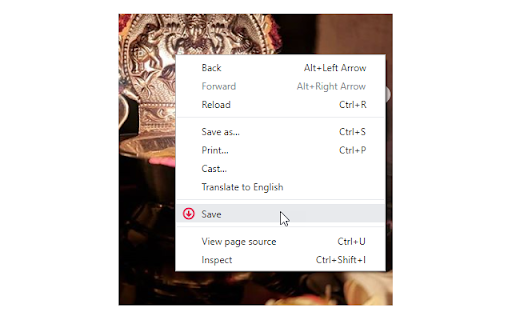
Right click on images to save on your computer. Supports posts with multiple images. Visit homepage for more: https://browsernative.com/instagram-downloader/ Extension by BrowserNative, forked from InstaSee by Chris Panayotoff. Not created by or affiliated with Instagram.com.

Lenz Image Downloader
Download images from Instagram in a quality of your choice (supports high-quality image downloading) With this tool, you can download high-quality images from Instagram pages. To use the extension, open a new page on Instagram or reload an existing page. The extension adds a new label to each image on the top left side of the images. Each label indicates the current image quality. By pressing each label, you will get the image on the default browser download's directory. Features: Supports 150, 240, 320, 480, 640, 750, and 1080 pixel qualities. Supports renaming each image to include page title. Based on Manifest V3 (do not use any resource when the extension is not used). Saves images in the well-known JPEG/JPG format. Developer Notes: Unlike general-purpose image downloaders (such as Download All Images), this extension tries to grab the image links from HTML5's image "srcset" attribute. This is the fastest method to find available image resources.

Video Downloader for IW
Easily download and save desired videos for instagram web with just one click. Video Downloader for IW is a lite addon that lets you easily download desired videos from the Instagram web. Simply add the add-on to your browser and open the Instagram page. Once the add-on is active (the toolbar icon is dark grey) you will see a download icon next to any video (on the top left corner side). Please click on the icon to download the video to your machine. Please note that the download location is the default location for download in your browser. This add-on tries to capture and download the highest-resolution video to your machine. Note 1: due to the recent changes in the Instagram app, video and audio files are now downloaded separately for an item. Once you click the download button, please wait for a few seconds for the extension to capture download links. Note 2: to combine (mux) audio and video files together and make a single video, you can use the Video & Audio Muxer extension: https://chrome.google.com/webstore/detail/video-audio-muxer/pegcngnogjhiaaogjnlghcinoleocmcl). To report bugs, please fill out the bug report form on the add-on's homepage (https://mybrowseraddon.com/video-downloader-for-instagram.html).

Full Res Insta
This extension adds direct links to show full resolution images on instagram. This extension adds direct links to show full resolution images on instagram. Install this extension, go to intagram page that you want to view full res images on, click on the extension button on right side of the address bar and you should see new buttons on top left side of all loaded images. Please see the screenshot for details.

Web Downloads For Instagram™ website
Enhance the website experience by extending its functionality to save images, video and Storie In today’s digital age, web downloads from popular websites are becoming increasingly popular. With the rise of streaming services, downloading content from the web has become a convenient way to access media. Whether it’s stories, image, or video, the tool are a great way to get the content you want without having to wait for it to be delivered.
