
khkhldnegcihpbamhhjenedngpaooaja

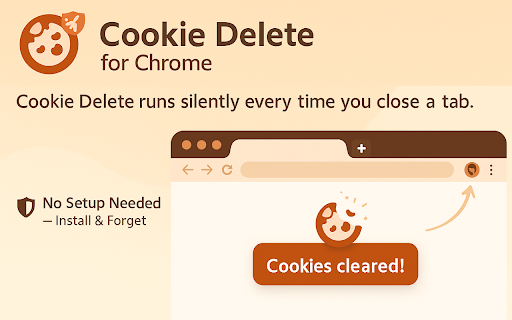

Use this extension to auto-delete cookies instantly when you close a tab for better privacy Looking for a simple way to protect your privacy while browsing? Cookie Delete for Chrome auto-deletes cookies the moment you close a tab. No setup needed—it runs silently and helps keep your data private. Perfect if you're searching for a lightweight privacy tool. Auto Delete - Deletes cookies as soon as you close a tab. Boosts Privacy - Stops trackers and keeps your data safe. Easy to Use - No settings, just install and forget. Install the Extension - Go to the Chrome Web Store and add Cookie Delete for Chrome. Open and Browse - Visit any website and use it normally. Close the Tab - Once you close the tab, the extension deletes all cookies for that site. Enjoy Private Browsing - Your browsing stays clean and private—no cookie leftovers. This extension keeps your browsing private and your cookie data clean without any manual work.

Free Adblocker for Chrome by Open Adblocker
Free Adblocker for Chrome by Open Adblocker Block ads across the web with Open Adblocker, the best free open source adblocker for Chrome. We keep our goal simple: Blocking all types of ads on all pages in one click for enjoy an easy, clean ad free browsing experience. 🍪Automatically block annoying cookie consent pop-ups across the internet for a smoother browsing experience. ⚙️A completely redesigned settings page with quick access to filters, feedback, and bug reporting. Add Open Adblocker to your browser access these features: 🧩Lightweight, memory efficient adblocker extension for Chrome - Easily block banners, popup, pop under and video ads. 🎥 Block YouTube Ads - Skip distractions and enjoy uninterrupted viewing experience. 🌐 Choose the domains you want to block - Control which sites have ad blocking on or off. 🧱 Block malware and adware - Stop unwanted and misleading content across the web. 📊 Tracking protection filters – Block trackers, analytics scripts, and tracking parameters in URLs. ⚙️ Transparent and Open Source - Our entire codebase is open source and available on GitHub. 🍪 Hide and block Cookie banners - Automatically remove cookie pop up banners across the internet. 🔌 Social media filters – Remove Like/Share widgets and embedded social elements. 🆕 The ability to report a bug - Report issues directly from the settings page to help improve Open Adblocker. Why Open Adblocker? - Lightweight hustle free experience, just one click and you are set. - Built in free cookie consent popup blocker - Optimized memory consumption. - True open source transparency. - Block cookie banners. How to get started? 1. Click “Add to Chrome” and confirm installation. 2. Pin it to your taskbar for quicker access. 3. Open the open adblocker extension and turn Ad blocking on or off. What’s New 🛡️ Advanced security filters enhancement – Block malicious sites, phishing URLs, scams, malware, badware risks, and extensive anti-malware lists. 🔌 Social media filters – Remove Like/Share widgets and embedded social elements.

Tab Defenders
Worried that background tabs are eating up precious RAM? Tab Defenders is a memory manager for Chrome that automatically shuts down inactive tabs and frees up precious memory so that your system remains speedy and responsive! MODE 1: CLOSE TABS AFTER SPECIFIED DURATION You can specify a duration (in minutes) after which any background tab (i.e. a tab that hasn't been visted) will be shut down and its URL saved to storage. This mode is great if you wish to periodically clean Chrome tabs while ensuring that they are always available for recovery if needed. MODE 2: CLOSE TABS USING LEARNT PATTERNS The second mode of operation automatically learns your usage behaviors and shuts down tabs when it thinks that the chance of you returning to them is negligible. Tab Defender uses a state of the art statistical modelling module to track your domain-wise habits and automatically clean tabs in the background. RECOVERING CLOSED TABS If a tab was accidently closed by the extension and you wish to recover it, use the 'View Complete History' option under the 'History' tab to see closed tabs and recover them with the click of a button. WHITELISTING DOMAINS If there are some domains whose tabs you do not want to be automatically closed, you can add them to the whitelist directly from the extension. THEMES The extension offers a modern UI theme (default) as well as a more retro look. You can switch between the two by clicking the 'Tab Defenders' button in the extension popup. Please close and re-open the popup to see your changes in action. About the Developers This extension was developed by Aman Ladia, Jean Laguerre, Anthony Mensah, William Lam and Hung Bui of Stanford University.

Clear Cache Chrome
⚡️Instantly remove browser cache, clear history, downloads and cookies with one click.🛡️ Faster browsing, enhanced privacy. 🚀 Introducing Clear Cache Chrome - the ultimate Chrome extension for effortlessly clearing your browser cache and optimizing your online experience! Say goodbye to cluttered caches and hello to a faster, smoother browsing session with just one click. 🐌 Frustrated with a slow Chrome browser? You're not alone. A cluttered cache and browsing history, including cookies, can significantly impact your browsing experience. Many Chrome users search for ways to "clear cache and cookies Chrome"to regain that speedy performance. Our extension makes it incredibly easy to clear your cache and other data, giving you a faster, smoother, and more enjoyable browsing experience. 🔑 Key Features: 1️⃣ One-click cache clearing 2️⃣ After-Clear Automation actions (close tabs, browser, reload, etc.) 3️⃣ Selective data removal options (control what to remove, whitelist sites, history auto-remove patterns) 4️⃣ Automation: Clear on Startup, After being idle, When you close a tab, Scheduled cleaning, History auto-removing 5️⃣ Specific Domains targeting (clear only selected domains, manual or scheduled every X minutes) 6️⃣ Clear History Log Viewer (control what was cleared and why) Advanced Features: ✨ Automatic Tab Reload: Your active tab will automatically refresh after the clearing process, ensuring a seamless transition. ⏰ Customizable Time Periods: Select the time frame for data cleaning - last hour, 24 hours, 7 days, 4 weeks, or all time. 🌅 Auto clean on browser startup ⏱️ Scheduled Clearing: Automatically clear cache at specified intervals - hourly, daily, weekly, or custom intervals 🗑️ Auto Clear History: Automatically remove history entries for specific sites/domains as soon as they are visited ❌ After-clear tab management (close tabs or browser automatically) ⌨️ Quick keyboard shortcut customization (Ctrl+Q / Cmd+Q) 💫 Toolbar Indicator: The extension's icon will flash while it's hard at work clearing the selected items. 📃 Whitelist Sites - Protect specific sites from cache clearing 🌓 Dark/Light theme toggle 🔔 Completion Notification: Once the cleaning is done, you'll receive a desktop notification detailing what data has been cleared. Can be turned on/off. ©️ Import\Export: Backup your settings or copy acroos browsers. Whether you're looking for how to clear browser cache, perform a chrome clear cache, or clear instagram cache, Clear Cache Chrome has got you covered. Our intuitive interface makes it a breeze to navigate and select the specific data you want to remove. No technical expertise required! 😄 🌟 Benefits of using Clear Cache Chrome: - Reclaim valuable storage space on your device - Enhance browser performance and speed - Protect your online privacy - Eliminate outdated and irrelevant data - Enjoy a clutter-free browsing experience No more sifting through complex settings or dealing with slow-loading pages. With Clear Cache Chrome, you can take control of your browser cache and history with just a few clicks. Our robust cache cleaner and history cleaner work together seamlessly to provide you with a streamlined browsing session. 🙌 Comprehensive Cleaning Options: With Clear Cache Chrome, you have the flexibility to select the specific data you want to remove from your browser. Our cleaning options include: (Note: Password deletion is no longer available in Chrome 144+ due to security changes in the browser) Customize your cleaning preferences to ensure your online activities remain private and your browser runs at its optimal performance. ❓ How to clear cache with our Chrome Extension: 1. Install Clear Cache Chrome from the Chrome Web Store 2. Go to Options and select the data you want to remove (cache, history, or both) 3. (Optional) Set Clear Scope to "Only Specific Domains", add your domain list, and enable Scheduled Clearing with a custom minute interval 4. Click on the Clear Cache Chrome icon in your browser toolbar on any page to clear what you want 5. Enjoy a faster, cleaner browsing experience! 🌍 Don't settle for subpar performance or compromised privacy. Choose Clear Cache Chrome and take control of your online experience today! 🎉 Upgrade your browsing game with out app! * The App may contain advertisements for our other applications. Updates: - 1.4.x - Added site White-list - 1.3.x - Added localization to all languages, added quick keyboard shortcut - 1.10.x - Whitelist Sites, Auto Clear History, Scheduled Clearing - 1.20.x - Added Presets + sessionStorage clearing option - 1.30.x - Added "Only Specific Domains" scope + 2 more auto options (idle, onClose) - 1.31.x - Added "Active Window Only" scope + Option Page UX simplified - 1.32.x - Incognito support

Easy Clean
Easily clear browser cache with one click and automatically clean it after closing the browser for enhanced privacy and security. One-click quick cleanup of browser cache, with automatic cache clearance upon closing the browser to ensure the security of your privacy. The extension contains no advertisements or pop-ups that affect user experience. It is clean and open-source. Features - One-click cache clearance - Customizable cleanup items - Domain whitelist (exclude specified domains from clearing cookies) - Automatic cleanup upon closing the browser - Close browser tabs with one click
