
khgfhiclgilifjfblcjfcefbhjlponpm

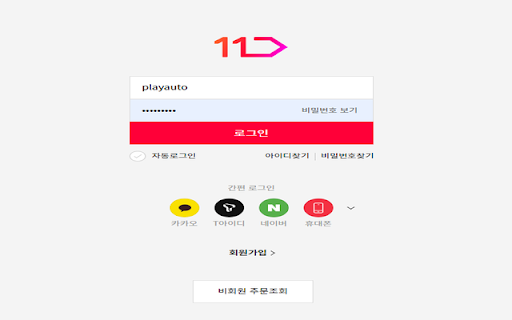
This is a tool which enables the user to automatically logIn into different e-commerce websites. This is a tool which enables the user to automatically log into different e-commerce websites, without having to manually type in the ID/PW fields and clicking the login button.

DragFree (Mouse Unblock+Char Count+Image Save+Capture)
Restores mouse drag, right-click, and image save on blocked sites. Adds bulk image save, char counter, and page capture. If you've ever felt frustrated by being unable to select text or right-click on news articles, blogs, study materials, or shopping pages, try **DragFree**. * **Unblock Restrictions:** Enable mouse dragging, right-clicking, text selection, copying, and pasting. * **"Auto" Mode:** Automatically unlocks restrictions on every website you visit. * **"Manual" Mode:** Unlock only when needed by clicking the [Unlock] button or using a shortcut. * **View Text:** View the page's HTML/text in a new tab (extracts content even within iframes). * **Batch Image Save:** Download all images from a page at once. * **4 Capture Modes:** Current screen, Select area, Select element, and Full scroll page. * **Built-in Word Counter:** Easily check the character count of any text. * **"Manual" Mode (Recommended)** Click the [Unlock] button on the desired page or press the shortcut (**Alt+1**) to instantly remove restrictions. * **"Auto" Mode** Automatically removes restrictions on all sites. If a specific site does not function correctly, use the "Register Current Domain" button to add it to the **Exceptions List**. * **Text View Pro-Tip** For sites with advanced protection where right-click cannot be enabled, use **[View Text]** to extract and view the content in a new tab. * **Image Saving / Screen Capture** requires "Download" permission. Please refresh the page once after granting permission. * You can manage or revoke granted permissions at any time via the `chrome://extensions` page.

1688 AlphaShop: AI Sourcing & Image Search
Official 1688 AI agent: Find suppliers via screenshot, analyze Amazon trends, and source faster. 🌟 1688 Official Global Sourcing AI Assistant 🌟 🛍🌏 1688 AIBUY is a browser extension designed specifically for global buyers, aiming to enhance your international sourcing experience on the 1688 platform. -------------------------------------------------------------------------------------------------------------------------------------------- 💪 Key Features: 🌍 1688 Official Global Shipping Recommendations ‒ Find a product you like and want to find similar high-quality global sources? Get official recommendations for similar products and use one-click screenshots to find matches. 💱 One-Click Currency Conversion ‒ Tired of manual currency conversion? Automatic conversion saves you the hassle of calculating exchange rates. 🌐 Multilingual Product Translation ‒ Immersive multilingual translation experience, making it easy for global buyers to understand detailed product information on 1688. 📦 Cross-Border Attributes Display ‒ Show key cross-border information such as hot-selling countries and package attributes to help you make informed sourcing decisions. 🤖 AI WangWang Chat Translation Assistant ‒ AI-powered real-time translation of chats with sellers, breaking language barriers and improving communication efficiency. -------------------------------------------------------------------------------------------------------------------------------------------- 👉 We are continuously optimizing and expanding the 1688 AIBUY extension to meet the needs of global buyers. Future features are coming soon (highly recommended to install now for early access): 🛡️ AI Agent Accompaniment Service ‒ From account creation and product selection to payment and fulfillment, the AI assistant will accompany you throughout, providing a zero-barrier shopping experience and assisting global buyers with easy sourcing. -------------------------------------------------------------------------------------------------------------------------------------------- 📪 Support and Contact: - If you have any questions or suggestions, please contact us at: 1688AiBUY@service.taobao.com - Official Website: https://aibuy.1688.com - 📱 Join our WhatsApp, Line, and Dingtalk groups via our website 👆🏻to get the latest updates from 1688! 💌 User Feedback: https://survey.taobao.com/apps/zhiliao/b_7wdW3Tz

스피드 서치
검색엔진,쇼핑몰,랭킹 정보를 쉽고, 빠르게 검색! 검색을 많이 하시는 분들을 위해 만들었습니다(무료 버전) 카테고리 : 검색 / 쇼핑 / 랭킹 주요 사용자 온라인마케터, 검색전문가, 쇼핑몰 운영자, 블로거,사장님들,개발자,디자이너 등 검색이나 가격비교를 많이 하시는 분들 사용방법 1. 검색엔진에서 검색하시면 우측 하단에 팝업창이 나타납니다 2. 다른 검색엔진을 클릭하시면 저장된 검색 화면으로 바로 전환됩니다 3. 검색 버튼을 클릭할 때마다 다음 사이트로 이동하면서 검색됩니다 4. 도매꾹, 쿠팡, 스마트스토어 상세페이지에서 전체 이미지다운을 하면 한번에 다운이 됩니다 5.블럭을 지정후 마우스 우클릭시 스피드서치를 바로 검색 가능합니다 이럴 때 사용하세요 1. 회사 검색 시, 경쟁사 조사 시 우리 회사를 검색엔진 또는 SNS에서 검색하려고 할 때 각각 들어가려면 정말 귀찮은 일이죠 이럴 때 스피드 서치를 이용하면 빠르게 검색엔진별로 1클릭만으로 이동 그리고 판다키워드로 네이버 키워드 조회수까지 한번에 검색 가능합니다 사장님 필수템!! 2.네이버 키워드 조회수가 궁금할 때 검색과 동시에 네이버키워드 pc/모바일 조회수를 알려 줍니다 3. 상품 찾기(최저가, 가격비교) 상품을 한 곳에서만 찾으시나요? 이제는 검색 후 이곳저곳 가격비교 하셔보세요 아주 빠르게 쇼핑몰을 돌아다니면 찾을 수가 있습니다 4. 우리 회사의 상품점검 시 쇼핑몰별로 등록되어 있는 우리 회사의 제품을 쿠팡,네이버쇼핑등 쇼핑몰별로 1클릭만으로 찾아보세요 정말 신세계가 열립니다 5.트렌드분석시 트렌드 분석을 위해 실시간인기검색어 정보를 빠르게 찾을 수 있습니다 6.각종 랭킹을 알고 싶을때 네이버 베스트, 옥션 베스트상품, 지마켓 베스트상품, 실시간인기검색어 등의 랭킹이 알고 싶을때 7.빠르게 상품이미지를 다운받고 싶을 때 8.주소창에서 빠르게 네이버,쿠팡, 네이버쇼핑을 검색하고 싶을 때 - 방법 : 주소창에 ss 스페이스 키 다음 키워드를 넣고 아래로 내리면 보인다

스톡쉐어
해외구매대행 셀러를 위한 AI 상품소싱/등록 솔루션 ‘스톡쉐어’의 새로운 해외구매대행 솔루션 입니다. 상품 상세 분석 서비스 ‘스톡쉐어 스카우터’ 기능이 기본 탑재되어 있습니다. 판매가능성이 높은 상품을 쉽게 소싱하는 것부터 상세페이지 번역/편집, 주요 쇼핑몰 일괄등록, 주문 및 CS처리까지 ‘스톡쉐어’ 으로 한 번에 해결해보세요. 이제 구매대행은 ‘스톡쉐어’ 하나면 충분합니다. ⎯⎯⎯⎯⎯⎯⎯⎯⎯⎯⎯⎯ • 확장프로그램 핵심 기능 • ✔ 타오**, 티*, 16*, 알리***** 상품 수집 지원 • 스톡쉐어 핵심 기능 • ✔ 상품 상세 분석 서비스 ‘스톡쉐어 스카우터’ ✔ 클릭 한 번에 모든 이미지 일괄 번역 ✔ 카테고리 자동 추천 ✔ 구매대행 상품에 최적화된 키워드+태그 ✔ 모든 비용이 포함된 원가 자동 계산 ✔ 해외배송비 자동 계산 ✔ URL 수집 및 EXCEL 일괄수집 제공 ℹ️ 스톡쉐어 바로가기 : https://stockshare.cc
