
kgnnfindhiakkfahbjmjebddpkikapgh


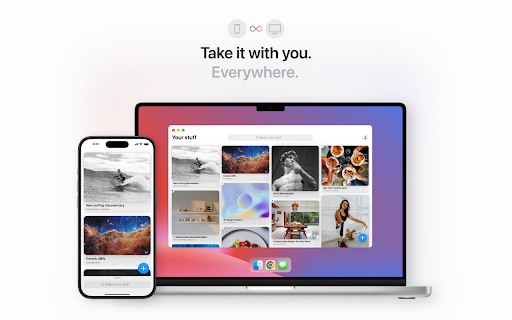


The Cool Stuff extension allows you to add links to Cool Stuff directly from your browser. Pretty cool. The Cool Stuff extension lets you save stuff to Cool Stuff directly from your browser. Pretty cool. Simply click the icon. Cool Stuff does the rest. Worried about how extensions use your personal data? Us too. Check out the code that powers this extension here: https://github.com/fun-on-the-internet/cool-stuff-web-extension ✦ Collect Your Internet ✦ Cool Stuff is for your cool stuff – a beautifully simple way to collect your internet. Save links, articles, designs, books, movies, music, recipes, restaurants, trips, guides, references, inspiration… whatever’s cool to you. GET STARTED FOR FREE ✓ Save stuff from anywhere ✓ Syncs across mobile and desktop ✓ Highlight favorites and things-for-later ✓ Get your own Cool Stuff link ✓ Keep it public or go private Perfect for creatives, designers, readers, foodies, fashionistas, engineers, and everyday internet explorers.

EchoTab
EchoTab helps you keep your browser organized without the clutter. We just released v1 with a fresh design and a new workflow: EchoTab now lives as a Pinned Tab, giving you easy access to your workspace without taking over your New Tab page. What you can do: 🔍 Search & Switch: Find any tab instantly with Cmd+K. 📂 Lists & Sharing: Group your tabs into lists and easily share them with others. 🏷️ Custom Tags: Keep things sorted with your own tags. 🔙 Recently Closed: Quickly reopen tabs you didn't mean to close. 📊 Tab Stats: See how you use your browser. 🔒 Private: Open-source and local-only. Your data never leaves your device. Streamline your browsing today with EchoTab.

GimmeThat - Universal Wishlist for Shopping
Simplify shopping with a universal wishlist. Save anything you want to buy from any store globally. See your favorites with a click! Tired of forgetting things you want to buy? Too many open tabs and bookmarked product pages? Give GimmeThat a try! It's a universal wishlist that lives right in your browser. You can save anything you want to buy from any store worldwide. All your favorites in one handy wishlist: see them with one click. Save time and stay organized while shopping. GimmeThat puts a handy button next to your browser's address bar. Seen something you like - but aren't quite ready to buy? Those cool shoes? That new phone? Click the GimmeThat button to add it to your universal wishlist. You can save from any store. Want to see your wishlist? Click the GimmeThat button again. You’ll see all your saved products right away. Ready to buy something? Click on the product, and you'll go straight to its store page. Get started with GimmeThat today. Click 'Add to Chrome' at the top of this page. It's easy, and there's a quick guide to get you started. ➤➤ Your Questions Answered Yes. You can save products from stores worldwide. Just click the GimmeThat button on the product's store page to add it to your wishlist. GimmeThat works its magic and grabs all the product's details from the store page. You can fix things easily if needed. Yes. GimmeThat is free to use. And no annoying ads - we make money from affiliate links. We can earn a commission when you click on product links in your wishlist. There may be paid accounts in future for extra features. ➤ Why does GimmeThat need to "Read and change all your data on all websites"? We need some permissions to work, and only ask for what's needed. When you save a product to your wishlist, this permission lets us fetch the product's image from the website. That's it! Yes. Keeping your data safe and private is top priority. We only store the data needed to work, like your email and products you save. All data is securely stored on our cloud servers. GimmeThat only works for desktop and laptop browsers right now. But we do work to make things better, so watch out for updates. If you have any questions, suggestions or problems, email us at support@gimmethat.me. We're here to help!

Color picker free
Color Picker Free is a Chrome extension designed to allow users to easily pick colors from any web page or outside of the web page.… Color Picker Free is a Chrome extension designed to allow users to easily pick colors from any web page or outside of the web page. With its intuitive interface, users can extract and copy colors with precision, using a simple circle tool to select the desired color directly from the screen. The extension integrates the EyeDropper API to seamlessly capture colors and supports automatic copying of the selected color to the clipboard, providing an efficient and hassle-free experience for designers and developers alike. This tool is perfect for anyone looking to quickly capture and use colors during web browsing or development.

PromptEasily ChatGPT - HDTeam
PromptEasily ChatGPT - HDTeam adds a list of curated prompt templates for SEO, SaaS and more to ChatGPT. Try today. PromptEasily ChatGPT - HDTeam adds a list of curated prompt templates for SEO, SaaS and more to ChatGPT. Try today.
