
kfpiokccdkdlbjmgiajpfcdefcbdbphe


Book Reader for all formats: EPUB, PDF, CBZ, FB2 This is the web version of the very popular Android application Librera Reader.

ePub Reader
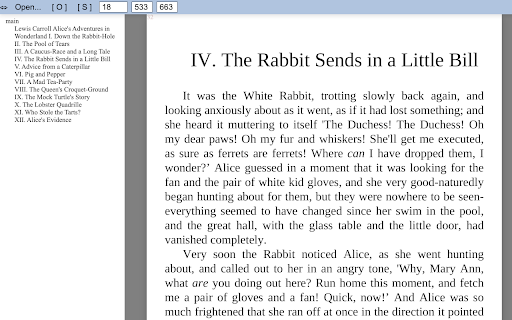
View ePub documents right in your browser in a stand-alone popup window. ePub Reader is a simple and powerful extension that can open any document with a ".epub" file extension. ePub is a new e-book file format for viewing online or offline documents. Please read this (https://en.wikipedia.org/wiki/EPUB) Wikipedia page to get more info about the ePub file format. To work with this add-on, please right-click on any ePub link and then click on the - View ePub - item from the context menu. Alternatively, you can open the popup window and then add the epub link in the UI (top section) to view the document. For offline files, simply drag & drop the file to the designated area in the popup in order to load the ePub document. There are several views to render the document, please select them from the top toolbar within the UI. Moreover, you can resize the window to your desired size and the document will adapt itself to the new size. Note: this add-on uses an open-source JavaScript library called "epub.js" in order to render the ".epub" file format. Please visit this (https://github.com/futurepress/epub.js/) GitHub page to get more info about this library. If you have a feature request or found a bug to report, please fill the bug report form on the addon's homepage (https://mybrowseraddon.com/epub-reader.html).

Reading App
This reading app not only works as an EPUB reader but also opens MOBI and fiction books for smooth online reading. A lightweight browser reader for popular ebook and comic formats. Open books directly in Chrome and read without extra apps or accounts. Reading App supports the formats most commonly used for fiction, study materials, and digital libraries. You can open standard ebook files such as EPUB and FB2, older Kindle books in MOBI format, and even newer Amazon Kindle files with experimental AZW3 support. For manga and comic readers, the extension also works with CBZ and CBR archives, making it easy to read comics directly in the browser. Reading App includes two reading modes: • Paged navigation for classic book-style reading • Smooth continuous scrolling with seamless chapter transitions Switch between modes anytime depending on how you prefer to read. Customize text size, margins, and themes for a more comfortable reading experience. Choose between light and dark mode, search inside books, create highlights, and save notes while reading. Instead of constantly switching between tabs and social media, you can open a book in a clean distraction-free space and continue exactly where you stopped. Optional features include: • Reading progress tracking • Browser and social media usage tracking • Insights into your digital habits and screen time ⚡ Fast, private, and lightweight • Works locally in your browser • Your books stay on your device • No accounts or cloud uploads required • Minimal setup, lightweight performance Great for: • Novels and fiction • Study materials and research papers • Manga and comics • Long-form reading and focused study 1. Install the extension 2. Open Reading App 3. Choose a book file 4. Start reading instantly

HuaSheng Epub Reader
The best Epub-Reader extension of Chrome. Introducing Huasheng Epub Reader, your powerful tool for every ePub document. With a simply designed interface, you can dive into the immersive experience of reading ePub books effortlessly.

PageTurn EPUB Reader
Seamless EPUB reader / Book reader, font customization, color themes, and more - PageTurn, Your Personalized Reader Extension Introducing PageTurn Book Reader - Your Personalized Reader Extension 📖✨ Unlock the world of seamless EPUB reading with powerful customization features: 📚 Read EPUB books effortlessly 📂 Open local files, drag & drop, or open internet links with ease 🚀 Automatically open EPUBs while downloading 🌐 Enjoy offline reading anytime, anywhere 🔤 Customize your reading experience: fonts, font size, line spacing, and reading width 🎨 Explore built-in color themes: light, sepia, grey, dark 📑 Navigate with ease using the table of contents, bookmarks, and annotations Transform your reading journey with PageTurn - where every word comes to life. Download now! 🚀📚
