
kfjnffkehdhhmeoedabnmbenfchbhkbh
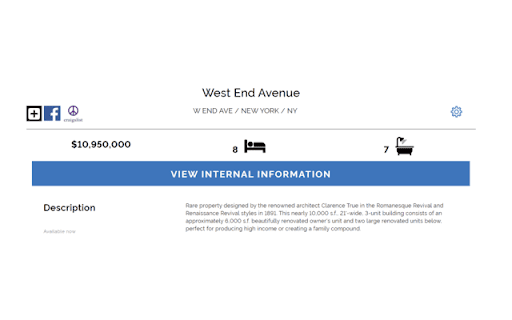
Post your property listings on Craigslist Marketplace to increase exposure. Easily post your Highline Residential property listing to Craigslist. Highline Residential’s Chrome extension enables agents to post their property listings from Highline Residential straight to Craigslist, without re-entering all of the details about the listing. Follow these 4 easy steps to post your Highline Residential property listing on Facebook Marketplace: - Log into your agent account on Highline Residential at hlres.com - Add your property and create a property listing or open your existing property - If you haven't already added the extension, you'll see an option to add the extension to your Chrome browser. - Once the extension is added, click on the button with Craigslist icon.

Soap2morrow
pin your shows to watch them another time Pin shows and watch shows with your friends. The extension can be used to pin shows to watch them later it uses Chromes built in storage to save the time title and link. When wanting to return to a show all the user has to do is click on the show that he/she has pinned in the extension and he/she will automatically be redirected to the link and the video will start playing at the time it was pinned.

GitHub PR images comparer
If you are like me and don't like to play "Find 5 differences" in your GitHub PR images, then this extension is just for you. Because: - It adds additional image comparer to the GitHub PR file preview that shows what pixels changed so you can easily spot the difference. - You can open original, changed and diff images in a preview dialog for better comparison. - There is also settings menu that allows you to make this comparer as a default one and change the threshold. Changelog 0.4.0 - 2022-05-01 - 💄 Private repos support! - 🐛 Fixed images stretching in width. - 🐛 Fixed page changes detection in order to show diffs when page changes. 0.3.0 - 2022-04-27 - 💄 Using `IntersectionObserver` to only load images when they are almost in the viewport - 🐛 Doing nothing in private repos as we don't know how to handle them 0.2.1 - 2022-04-18 - 🐛 Showing diffs in any commit inside PR. - 🐛 Making the extension work with most popular images extensions. 0.2.0 - 2022-04-18 - 💄 Showing diff images for between changes inside the PR. - 💄 Added dialog animation.

Tab Search Pro
Search active tabs, highlight results, save search history, switch between the last two active tabs, navigate tabs chronologically. Introducing Tab Search Pro, the ultimate browser extension designed to revolutionize your web searching experience. Tired of juggling multiple tabs just to find the information you need? Tab Search Pro is here to make your browsing efficient, organized, and productive. *Now, with the new feature to duplicate the current tab, you can effortlessly create a copy of any tab you're working on, enhancing your browsing efficiency even further.* Now you can easily switch between the last two active tabs, and navigate tabs chronologically for efficient browsing. At its core, Tab Search Pro is all about simplifying the way you search for content within your open tabs. Say goodbye to the hassle of switching between tabs, wasting precious time in endless clicks. With Tab Search Pro, you can effortlessly search for text across all your active tabs without losing focus on your current page. Using Tab Search Pro is a breeze. Just highlight any text that you want to look up, and a world of possibilities opens up. Activate the search through convenient context menu options or by utilizing customizable keyboard shortcuts. Tab Search Pro will quickly scan your open tabs, seeking out the first tab where your desired content is found. Not only that, it will highlight all occurrences of the text throughout your open tabs, making it easy to locate the information you need at a glance. Available Shortcuts: Duplicate Current Tab and Activate It Alt+Shift+D (Mac) Alt+Shift+D (Windows/Linux) Switch between the last two active tabs Command+Q (Mac) Ctrl+Q (Windows/Linux) Switch to the previous tab in the order they were activated, maintaining the chronological sequence of tab activations Ctrl+Shift+Space (Mac) Command+Space (Windows/Linux) But what sets Tab Search Pro apart is its versatility. If Tab Search Pro doesn't find a match within your tabs, it has your back. Instead of leaving you empty-handed, the extension prompts you to conduct a Google search directly, ensuring that you never miss out on any relevant information. With this dynamic feature, you're never left without answers. We value your privacy and security, which is why Tab Search Pro is designed with minimal permissions, including activeTab, contextMenus, scripting, and tabs. Rest assured, your data stays within your browser, and you remain in complete control. Tab Search Pro is not just a simple search tool; it's a productivity powerhouse. Imagine the time and effort you'll save as you seamlessly navigate through your tabs, instantly finding the information you need. No more distractions, no more wasted clicks – just pure efficiency. Whether you're a researcher, student, or a professional seeking the latest news, Tab Search Pro empowers you to be in charge of your browsing. No more losing focus, no more disruptions – only smooth and targeted searches. With Tab Search Pro as your trusted companion, you can create an organized browsing environment, keeping track of your searches and creating a history for later usage. No more digging through browser history or bookmarks; your sought-after content is always just a click away. Don't settle for inefficient browsing. Upgrade to Tab Search Pro and unlock the full potential of your web searching capabilities. Embrace a new level of productivity, save time, and access information faster than ever before. Tab Search Pro is your ticket to a more streamlined, effortless, and enjoyable browsing experience. Install Tab Search Pro today and take the first step towards a smarter, more efficient web journey.

Let's Pointie
Compare cashback & points across Rakuten, Aeroplan, Airmiles, GCR and more — never miss the best deal while you shop. 🎁 Never miss the best cashback or points deal again! Let's Pointie is a free Chrome extension that automatically compares cashback rates and loyalty points from Rakuten, Aeroplan, Airmiles, and GCR (Great Canadian Rebates) whenever you shop online at 1,200+ Canadian stores. ✅ Key Features: • Auto-detect offers when you visit supported stores • Compare rates from 4 providers side-by-side • Activate the best cashback or points with one click • View 60-day offer history to shop at the right time • "Best" badge highlights the highest earn rate • 🥇🥈🥉 Historical Best badges — see when current offers match all-time top 3 • Offer History chart with all-time high reference lines per provider • Works on 1,200+ Canadian online stores across 17 categories 🏆 Historical Best Offers (NEW!): • See the all-time top 3 offers for each provider at every store • Gold medal 🥇 badge appears when today's offer matches the historical best • Know instantly if now is the best time to shop • Data powered by 2+ years of daily offer tracking 💰 NEW — On-Page Value Estimates for Aeroplan, Air Canada & Air Miles: • Aeroplan eStore: every gift card now shows the cents-per-point value (≈ ¢/pt) right under each redemption option — instantly compare value across Costco, Apple, Simons, Disney and other brands • Air Canada flight redemption: every Aeroplan award flight shows the cents-per-point value (≈ ¢/pt) and estimated cash price (≈ $X,XXX CAD) so you know exactly what your points are worth before you book • Air Miles Rewards: every reward shows the estimated CAD value (≈ $XXX CAD) so you know exactly what your Miles are worth before you redeem • Works for points-only AND points + cash split options • Updates in real-time as you browse — no clicks, no extra tabs, no math 📊 Store Detail Pages: • Visit www.pointie.ca/offers/on-the-fly to browse all stores and access detailed store pages • Historical best offers with medal rankings (🥇🥈🥉) • Offer history charts and related stores by category • 17 store categories: Shopping, Fashion, Travel, Electronics & more 🔒 Privacy First: • No signup, no login, no account required • No personally identifying information (PII) collected — no name, email, phone, or payment data • No full URLs, no browsing history, no page content captured • Anonymous usage analytics only: a random per-install ID plus the store domain (e.g., "amazon.ca") when the popup activates, used to measure feature engagement • 100% free, no hidden fees ⚠️ Independent Tool: Let's Pointie is NOT affiliated with Rakuten, Aeroplan, Airmiles, or GCR. We simply compare publicly available offers to help you find the best deal. Visit www.pointie.ca for more information.
