
kfdibhbheajeacnkkakomaliggbgndcf
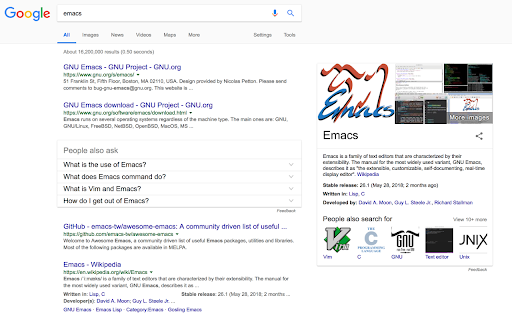
The Hacker's Browser. Chromemacs provides keyboard shortcuts for navigation and control in the spirit of Emacs. Chromemacs is the chrome extension provides keyboard shortcuts for navigation and control in the spirit of Emacs. The source code is originally forked from Vimium. Pull-Requests are welcome and appreciated. *NOTE* Google does not allow Chromemacs to run on this Chrome Web Store page and the Chrome New Tab page, by design. Sorry about that! *NOTE* Chrome has some alarmist messaging around the permissions that Chromemacs needs to run. Really all it's asking for is that Chromemacs's javascript be loaded into every page. Don't be alarmed. Chromemacs never talks to any servers and does absolutely nothing with your data. Read the open source code if you're curious. For more information about rebinding your keys and how to use many of Chromemacs's features, see here: https://github.com/maeda-kazuya/chromemacs/blob/master/README.md Modifier keys are specified as , , for ctrl+x, meta+x, and alt+x respectively. Navigating the current page: show the help dialog for a list of all available keys scroll left scroll down scroll up scroll right scroll to top of the page scroll to bottom of the page scroll down half a page scroll up half a page open a link in the current tab open a link in a new tab reload view source copy the current url to the clipboard copy a link url to the clipboard o cycle forward to the next frame enter find mode -- type your search query and hit enter to search, or Esc to cancel n cycle forward to the next find match N cycle backward to the previous find match For advanced usage, see [regular expressions](https://github.com/philc/vimium/wiki/Find-Mode) on the wiki. Navigating your history: go one tab left go one tab right go to the first tab go to the last tab create tab 4 duplicate current tab 0 close current tab restore closed tab (i.e. unwind the 'x' command) b search through your open tabs 5 move current tab to new window pin/unpin current tab ma, mA set local mark "a" (global mark "A") `a, `A jump to local mark "a" (global mark "A") `` jump back to the position before the previous jump -- that is, before the previous gg, G, n, N, / or `a , Follow the link labeled 'next' or '>' ('previous' or ' open multiple links in a new tab focus the first (or n-th) text input box on the page / go up to root of the URL hierarchy > scroll all the way right Chromemacs supports command repetition so, for example, hitting '5t' will open 5 tabs in rapid succession. ESC (or ) will clear any partial commands in the queue and will also exit insert and find modes.

Vimium
The Hacker's Browser. Vimium provides keyboard shortcuts for navigation and control in the spirit of Vim. *NOTE* Google does not allow Vimium to run on this Chrome Web Store page and the Chrome New Tab page, by design. Sorry about that! *NOTE* Chrome has some alarmist messaging around the permissions that Vimium needs to run. Really all it's asking for is that Vimium's javascript be loaded into every page. Don't be alarmed. Vimium never talks to any servers and does absolutely nothing with your data. Read the open source code if you're curious. For more information about rebinding your keys and how to use many of Vimium's features, see here: https://github.com/philc/vimium/blob/master/README.md Modifier keys are specified as , , for ctrl+x, meta+x, and alt+x respectively. Navigating the current page: ? show the help dialog for a list of all available keys h scroll left j scroll down k scroll up l scroll right gg scroll to top of the page G scroll to bottom of the page d scroll down half a page u scroll up half a page f open a link in the current tab F open a link in a new tab r reload gs view source i enter insert mode -- all commands will be ignored until you hit esc to exit yy copy the current url to the clipboard yf copy a link url to the clipboard gf cycle forward to the next frame / enter find mode -- type your search query and hit enter to search or esc to cancel n cycle forward to the next find match N cycle backward to the previous find match Navigating your history: J, gT go one tab left K, gt go one tab right g0 go to the first tab g$ go to the last tab t create tab x close current tab X restore closed tab (i.e. unwind the 'x' command) T search through your open tabs ]] Follow the link labeled 'next' or '>'. Helpful for browsing paginated sites. [[ Follow the link labeled 'previous' or ' open multiple links in a new tab gi focus the first (or n-th) text input box on the page gu go up one level in the URL hierarchy Vimium supports command repetition so, for example, hitting '5t' will open 5 tabs in rapid succession. ESC (or ) will clear any partial commands in the queue and will also exit insert and find modes.

Shortcut Organizer
Chrome extension offering a sleek and customizable dashboard to organize your web shortcuts. Shortcut Organizer is a Chrome extension designed to enhance your browsing experience. It replaces the default start page with a sleek and customizable dashboard, allowing you to manage your shortcuts in an organized and efficient way. With Shortcut Organizer, you can create, rename, and reorganize your folders using an intuitive drag-and-drop feature. You can also add or edit shortcuts with custom labels and URLs, move shortcuts between folders, or even add a shortcut directly by clicking on an icon in the navigation bar. Additionally, you can customize your start page with a background image of your choice. The extension automatically fetches website icons, providing a clean and visually appealing display. Available in both English and French, Shortcut Organizer adapts to your needs with a seamless multilingual experience. Key Features: - Create, rename, and reorganize your folders easily with drag and drop. - Add or edit shortcuts with custom labels and URLs. - Move shortcuts between folders with an intuitive drag-and-drop feature. - Add a shortcut directly by clicking on an icon in the navigation bar. - Customize your start page with a background image. - Shortcuts automatically fetch website icons for a clean and aesthetic look. - Available in English and French to suit your preferred language. Why Choose Shortcut Organizer? - Ease of use: An intuitive interface, perfect for all users. - Efficient and organized: Save time and quickly access your favorite links. - Advanced customization: Personalize your start page to match your style and needs. - Open source: Contribute to the project's evolution and share your ideas on GitHub.

On-Screen Keyboard by LKWFahrer_300KMH
On-Screen Keyboard / Virtual Keyboard for chromium based browsers. On-Screen Keyboard / Virtual Keyboard » Langauges: German / English / Arabic / French / Russia » Works in --kiosk mode » variable position » zIndex: 2147483647 1. Add the extension 2. Restart the browser (safest way, reloading tab might also do it) 3. Manage the settings of the keyboard by clicking on the extension in your extension toolbar (top right of the browser window, next to the searchbar).

Lumno - The Ultimate Browser Command Bar
A lightweight browser command bar and new-tab search for Chromium browsers. Note: Lumno is fully open source and built with privacy in mind. It does not collect or upload any user data. To enable search across your browsing history, bookmarks, tabs, and current page information, it requests the necessary permissions. All related processing stays local by default. Lumno is a lightweight browser search and new tab extension. You can open a search overlay from any page with a keyboard shortcut to quickly find tabs, bookmarks, browsing history, and frequently visited sites. The same search experience is also available on the new tab page, so you can get where you want with less switching. 🦋 Best for: Frequently switching between many tabs Often searching bookmarks, browsing history, or frequently visited sites Wanting a faster way to open pages and run searches Preferring a cleaner and more efficient new tab page 🦋 Key features: 1. Open the search overlay from any page with a single shortcut 2. Quickly search and switch between open tabs 3. Search bookmarks, browsing history, frequently visited sites, and search suggestions 4. Support site search and custom search rules 5. Replace the new tab page with quick access to frequently used sites and bookmarks 6. Support light and dark themes, multiple languages, and settings sync 7. Support automatic Picture-in-Picture for videos and floating web content view 🦋 How to use: 1. Open a new tab to view frequently used content 2. Use the keyboard shortcut to open the search overlay 3. Type a keyword and press Enter, or choose a suggestion 4. Adjust language, theme, shortcuts, and site search in Settings
