
kejcoekeanjhgjhojleipfaehpophpgi
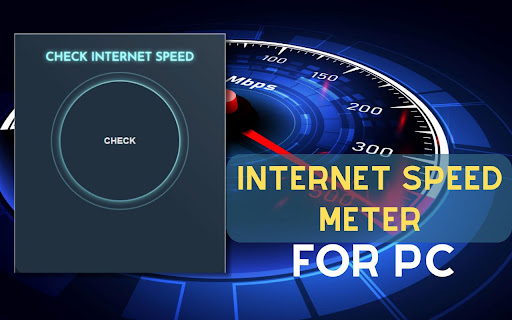
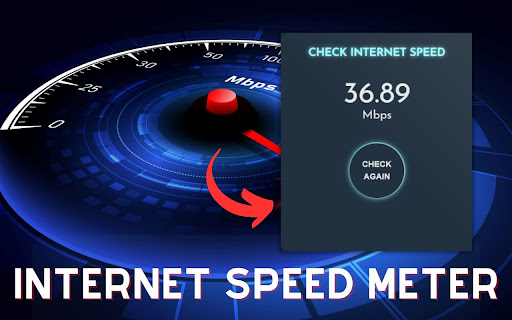
Test your bandwidth speed with this Chrome extension. Easily monitor your internet speed across PC, Windows, and Mac platforms with our convenient internet speed meter extension. Simply click to check your speed with user-friendly simplicity and instant, precise readings. This is my extension features: 1) Internet Speed: Through this, you can easily know about your internet speed. 2) Check Button: By clicking this button, you can determine the extent to which your internet speed has improved. 4) Simple Extension ✅ How To Use Internet Speed Meter for Pc? Step 1: Start by adding this extension to your Chrome browser by clicking "Add to Chrome." Step 2: Next, click on the Extension icon. Step 3: You will see Check Button,Then Get accurate internet speed meter for PC, Windows, and Mac. Easy-to-use, simple extension. Check your speed instantly with a click. Monitor your internet speed effortlessly Please note that "Internet Speed Meter for PC, Windows, and Mac" Chrome Extension is an independent product and is not associated, affiliated, or endorsed by the internet speed meter Android app or its developers. We respect intellectual property rights and make no claim to any copyrights associated with the Internet speed meter Android app.

SpeedMeter
Analyzes your website performances by measuring the time it takes to load the page If you're reading these lines, your website is probably slow and suffers from bad performances. But don't worry, it can be fixed! This is why SpeedMeter exists. SpeedMeter is a free powerful Chrome extension designed specifically for developers who want to optimize their website’s performance through code. With SpeedMeter, you can easily analyze API calls and JavaScript performance, identify bottlenecks, and get actionable insights to boost your site's speed and improve your SEO rankings. Key Features: • API Performance Analysis: Monitor and evaluate the performance of your website’s API calls. Get detailed reports on response times and optimize accordingly. • Real-Time Data: Get real-time feedback on your website’s performance directly within your browser. No need to switch between tools – SpeedMeter provides all the insights you need in one place. • User-Friendly Interface: Enjoy a clean, intuitive interface that makes performance optimization straightforward, even for complex websites. In today’s fast-paced digital world, website performance is crucial. Slow load times can lead to lost visitors, lower SEO rankings, and decreased conversions. SpeedMeter empowers you to take control of your website’s performance, ensuring a faster, more efficient user experience.

Internet Speed Tester
Test your download and upload internet speed with a simple click Quickly test your REAL (Standard) and MAX (Commercial) Internet Speed without ever leaving your tab! --- **Standard Method is Better For:** - **Real-world usage estimates**: It better represents speeds you'll experience during everyday browsing, downloading, and streaming. - **Stability**: It provides more consistent results across tests. - **Resource efficiency**: It consumes less data and system resources. - **Worst-case planning**: It gives you a more conservative baseline to plan around. **Commercial Method is Better For:** - **Maximum capability testing**: It measures what your connection is theoretically capable of. - **ISP comparisons**: It's more comparable to results from popular speed test websites. - **Marketing claims verification**: It uses the same methodology as many ISPs when advertising speeds. - **Network optimization**: It can better identify if your network is properly optimized. --- More details on the extension Settings Page!

Internet Speed Test Badge (Real Time)
Live Internet Speed badge + popup speed test that measures your current download throughput. Monitor your internet speed in real time — directly from your Chrome toolbar. This extension continuously measures your download performance and displays the current rate as a clean badge on top of the extension icon using compact stacked symbols like ᵐ̬, ᵏ̬, or ᴳ̬. You get instant visibility of your connection quality without opening any tab, popup, or external page. Whether you're gaming, streaming, coding, or working remotely, knowing your speed at a glance helps you understand when your connection is strong, when it’s slowing down, and when it’s time to troubleshoot. This extension makes that effortless. ✔ Live Speed Display on Toolbar Your download speed is calculated and shown directly on the extension icon. The badge uses a minimal stacked format (such as ᵐ̬, ᵏ̬, ᴳ̬) to represent Mbps in a compact and readable way. ✔ Automatic Background Testing The extension runs lightweight download tests at regular intervals (every minute by default). It uses minimal bandwidth and has almost no impact on performance. ✔ Clean, Modern Badge Design The badge updates in real time and adapts to different speeds, giving you a quick visual cue about your network quality without the need to manually check anything. ✔ Privacy-First Architecture No data ever leaves your browser. Your speed is tested locally, your results stay local, and nothing is uploaded or tracked. This extension does not collect any personal information, browsing data, or network logs. ✔ Lightweight & Efficient The entire extension is designed to be extremely fast and resource-friendly. No unnecessary processes, no analytics, and no external dependencies — just accurate speed monitoring. 🎯 Who is this extension for? Gamers who need stable ping and consistent Mbps Streamers who want to monitor quality drops Developers who rely on stable connections while working Remote workers who need reliable video calls Anyone who simply wants a quick way to see their connection quality at any moment 🔒 Your Data Stays With You The extension performs all tests inside your browser using standard fetch requests. No servers. No accounts. No tracking. No selling or sharing of information — ever. 🚀 Stay in Control of Your Internet Speed This extension gives you the power to instantly understand how your network is performing. With its clean badge design, efficient testing engine, and privacy-respecting architecture, it becomes a reliable tool you can depend on every day.

Internet Speed Test
Test your internet connection speed directly from your browser Thought for 2 secondsHere's a comprehensive description for your Internet Speed Test Chrome extension that you can use when publishing to the Chrome Web Store: # Internet Speed Test - Chrome Extension Description **Short Description (for manifest.json):** ```plaintext Test your internet connection speed directly from your browser with a single click. Measure download, upload, and ping times instantly. ``` **Detailed Description (for Chrome Web Store):** Instantly check your internet connection speed without leaving your browser. This lightweight extension provides quick and easy access to essential internet performance metrics with just one click. - **Instant Speed Testing**: Measure your download speed, upload speed, and ping with a single click - **Clean, User-Friendly Interface**: Easy-to-read results with a modern design - **Test History**: Keep track of your previous speed tests to monitor your connection over time - **No External Websites**: Test your speed directly from your browser without visiting any external websites - **Privacy-Focused**: No personal data collection or tracking - **Lightweight**: Minimal impact on browser performance Simply click on the extension icon in your toolbar and press "Start Test" to begin measuring your internet connection. Within seconds, you'll see your: - **Download Speed**: How quickly you can retrieve data from the internet (measured in Mbps) - **Upload Speed**: How fast you can send data to the internet (measured in Mbps) - **Ping**: The response time of your connection (measured in milliseconds - lower is better)
