
kdpcekneldcnkajbmabmfgdpcdjdmcfd
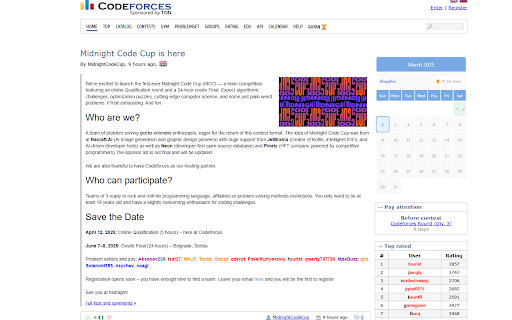
This Extension Gives you a New CF problem to solve each day according to your rating and challenges you. Got what it takes? Elevate your coding journey with Codeforces POTD, a powerful Chrome extension designed to transform your competitive programming practice through consistent, personalized challenges. - 🔥 Streak System: Build and maintain your solving momentum with our new streak tracking feature. - ☁️ Cloud Synchronization: Your progress now syncs seamlessly across all your devices. - 🔄 Reliable Backend: Enhanced database integration ensures problem delivery is consistent and dependable. - ✅ Automatic Verification: The extension now automatically detects when you've solved the daily problem. Why Codeforces POTD? Are you struggling to find the right problems on Codeforces? Feel like you've hit a plateau in your programming skills? Preparing for technical interviews or placement exams? Codeforces POTD solves these challenges by delivering a perfectly calibrated daily problem that matches your current skill level, helping you grow consistently without the overwhelm of choosing from thousands of problems. Key Features Personalized Daily Problems: Get problems matched precisely to your Codeforces rating, ensuring the perfect balance of challenge and achievability Interactive Calendar: Track your progress with our sleek calendar that integrates directly into the Codeforces website Motivation Through Streaks: Stay motivated by building and maintaining your daily solving streak Effortless Setup: Simply enter your Codeforces handle, and the extension takes care of the rest Progress Synchronization: Your solving history and streaks are securely stored and synchronized across devices Perfect For: - Competitive programmers looking for structured practice - Students preparing for technical interviews - Coders wanting to improve their problem-solving skills consistently - Anyone who wants to make daily coding practice a habit Codeforces POTD is your companion in overcoming coding roadblocks and advancing your programming skills. Whether you're just starting out or preparing for your next career move, this extension will help you develop the consistent practice that leads to mastery. Start your daily problem-solving journey today. Happy coding!

CF-Daily
Codeforces extension to display a daily question for each user in each rating group CF-Daily – Your Daily Dose of Codeforces Solve quality and personalised Codeforces problems every day, stay consistent, and level up. 💥 Version 2.0.0 – A Massive Upgrade! We’ve reimagined CF-Daily from the ground up — more reliable, more beautiful, and more motivating than ever before. 🆕 What’s New in Version 2.0.0? 🌟 New Popup UI A sleek, responsive, and more informative popup experience built with React and TypeScript for smoother interactions. 📆 Interactive Calendar UI Visualize your progress with a beautiful calendar view that marks solved problems and tracks your consistency over time. 🧠 Reliable Daily Problem Engine Improved backend logic to ensure accurate, personalized daily problems based on your Codeforces rating and history. 🔥 Streak System (Global + Personal) Track separate streaks for both official CF-Daily problems and your own chosen problems. Streaks are highlighted in the calendar so you never lose sight of your momentum. 📋 Backlog Feature Busy one day? No problem. Add problems to your backlog and solve them later to maintain your streak. Flexibility meets discipline. 💡 Why Use CF-Daily? - Build a sustainable daily CP habit - Discover handpicked problems that match your level - Keep track of your growth and consistency - Get motivated through visual streaks and dashboards - Save time — no more endless scrolling through the problemset 👨💻 Made by a Competitive Programmer, for Competitive Programmers. ⚡ More powerful features are on the way — stay tuned! 👉 If you find CF-Daily helpful, please consider leaving a review — it really helps! ❤️

Codeforces Customizer
customize and extend codeforces This is a chrome extension to customise codeforces and enhance user experience. Here are the current features: * Enhanced Blog View: - No need to scroll through all blogs! - All blogs in favourites, appear hidden, reducing scrolling. - Custom search bar to search blog titles you are looking for. - Expand/Hide individual blogs to see content. - Works on favourite blogs and particular user blogs tab. * All submissions tab: - Directly go to all submissions (status tab) from the problem page for the current problem. * Show results with user lists by default: - No need to select the user list in problemset/contest page everytime. - Go to https://codeforces.com/lists and enter the list key in the input box of the extension popup and press Enter. - Now the problemset/contest page will show the results using the list by default.

Carrot
Rating predictor for Codeforces For an active contest: Carrot calculates rating changes according the current standings when you open the ranklist, and displays them in a new column. Carrot also adds a column showing the delta required to rank up. The delta calculation is done in real time a̶n̶d̶ ̶i̶s̶ ̶1̶0̶0̶%̶ ̶a̶c̶c̶u̶r̶a̶t̶e̶ (see note below). For a finished contest: Carrot displays the final deltas of each contestant in a new column and shows their rank change, if any, in an adjacent column. For both active and finished contests, Carrot displays a column for performance, the rating at which the delta would be zero. Each of Carrot's columns can be toggled according to your preference, so as to not clutter the ranklist more than you would like. Carrot communicates only with the Codeforces API and runs entirely in the browser. Note: Since all required data is fetched and processed in the browser, Carrot is not ideal if you have a low data cap on your network. If so I recommend using CF-Predictor instead: https://codeforces.com/blog/entry/50411 Note: The rating calculation is no longer 100% accurate since the new rating system was introduced. See https://github.com/meooow25/carrot/pull/18 for details.

Codeforces Helper
Enhance Codeforces with an easy contest participant checker and user submission rating viewer. Note: If any particular feature doesn't work, try toggling the feature by clicking on the extension icon This extension enhances your experience on Codeforces by providing the following features: 1. View Participated Contests: Easily identify the contests you've participated in directly from the /contests page. Additionally, compare your participation with other users by entering their usernames. 2. Question Ratings in Submissions: View the ratings of problems directly in the /submissions/ page, making it easier to evaluate the difficulty of problems you've solved or attempted. 3. Tag Hider: Hide all the tags, while just showing the question rating. 4. Save Questions: You can now save your favourite questions in various lists, import/export them, and see them all on your profile page. These features aim to streamline your Codeforces browsing experience by providing useful insights and comparisons at a glance.
