
kcpgoifdkafoccebpbfemmfpfieaooeo
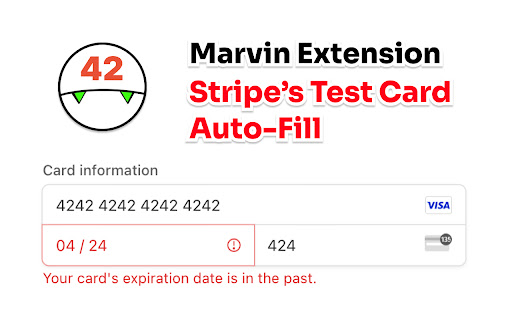
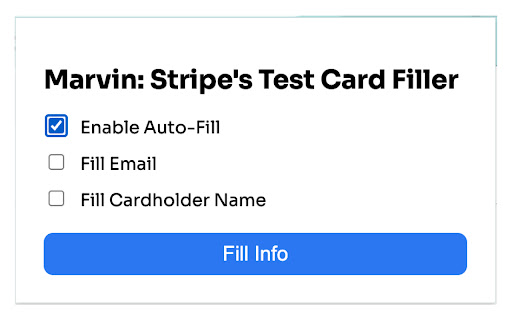
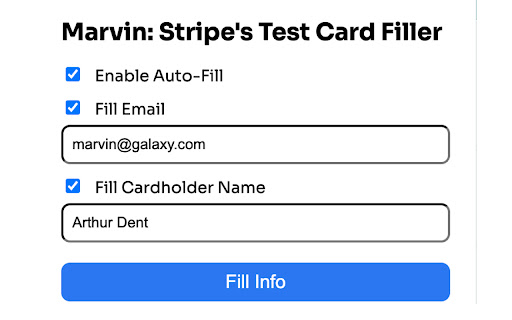
Fill automatically the Stripe's Test Card and payment info for checkout sessions in Test Mode. Marvin Stripe's Test Card Filler is the ultimate browser extension for developers and testers working with Stripe payment forms. With a single click, this handy tool autofills test credit card details and payment information directly into Stripe's checkout fields in test mode. It's designed to save you time and effort during testing phases, ensuring a smooth and efficient workflow. Whether you're debugging or demonstrating, Marvin Stripe's Test Card Filler makes it a breeze to handle payment simulations. So, leave the manual data entry behind, and let this extension streamline your testing process.

Stripe Test Cards Helper
Floating button for selecting and copying Stripe test card numbers. Stripe Test Cards Helper is a powerful and efficient Chrome extension designed to simplify testing payment forms. It provides a floating, draggable button on any webpage, allowing developers, QA teams, and testers to quickly access and insert pre-configured Stripe test card details. This extension automates the paste sequence for test card inputs, reducing manual entry and speeding up your testing workflow. - **Floating Draggable Button:** A non-intrusive button that remains on the page and can be repositioned near Stripe input fields for quick access. - **Test Card Overlay:** Clicking the floating button opens a modal overlay displaying a searchable list of test cards, complete with names, descriptions, and card numbers. Users can also mark frequently used cards as favorites. - **Automated Paste Sequence:** When a test card is selected, the extension automatically pastes the details in sequence: 1. **First CTRL+V:** Pastes the card number. 2. **Second CTRL+V:** After a short 100ms delay, pastes the expiration date (MM/YY, e.g., **12/34**). 3. **Third CTRL+V:** After another 100ms delay, pastes the CVV code (e.g., **567**). - **User Guidance:** The overlay includes a brief guide explaining the paste sequence, ensuring users understand how the automation works. - **Web Development & Testing:** Quickly populate payment fields with test data, streamlining checkout flow and payment integration testing. - **Quality Assurance:** Automate repetitive input tasks and accelerate regression testing for various test scenarios. 1. **Activation:** The extension activates per domain. Once enabled, a floating button appears on the page. 2. **Floating Button:** The draggable button can be moved anywhere on the screen. A click opens the test card overlay. 3. **Selecting a Test Card:** Users can search for and select a test card from the overlay. Upon selection, the card number is immediately copied, and the automated paste sequence begins. 4. **Automated Paste Sequence:** - **First CTRL+V:** Pastes the card number. - **Second CTRL+V:** After a 100ms delay, pastes the expiration date (MM/YY, e.g., 12/34). - **Third CTRL+V:** After another 100ms delay, pastes the CVV code (e.g., 567). ## Privacy and Security - **Local Data Storage:** All settings (including favorite cards and button positions) are stored locally using Chrome's extension storage API. No sensitive data is transmitted externally. - **Test Environment Only:** This extension is strictly for development and testing purposes. It is not intended for use in production environments or with real payment data. ## Installation and Compatibility - **Easy Installation:** Install Stripe Test Cards Helper directly from the Chrome Web Store. - **Browser Compatibility:** Built using WebExtensions standards, this extension is fully compatible with Chrome. *Stripe Test Cards Helper is intended solely for testing and development environments. The automated paste sequence is designed to simulate test payment inputs. Do not use this extension in production or with real financial data.*

Adyen Test Cards
Copy and prefill Adyen test card numbers and other payment methods with a single click. Adyen offers a convenient way to test your Checkout integration by providing test card numbers, Gift cards and IBANs. With the help of this Chrome extension, you can effortlessly access these test card numbers directly within your browser. Here's what you can do with this extension: 1. Copy the payment method details (card number, expiry date, CVC, IBAN, etc..) to your clipboard with a single click. 2. Pre-fill the Adyen Web Drop-in with the selected credit/debit card, Gift card or IBAN. 3. Perform test payments very quickly choosing between different payment methods. 4. Pin your preferred cards to show them always first. Visit our 'adyen-testcards-extension' GitHub repository to report an issue, provide feedback or contribute.

SuperX (Twitter Analytics)
Super insights for your X (Twitter) activities and engagements SuperX is the most complete Chrome extension for Twitter / X power-users who want to grow faster, tweet smarter and analyse deeper – without leaving the timeline. • Twitter analytics extension • X analytics dashboard • tweet scheduler • AI tweet writer • follower tracker • social media analytics • Twitter growth tool • tweet inspiration • custom timelines • Twitter productivity ━━━━━━━━ ❶ WHY SUPERX If you ever searched for "Twitter analytics", "Tweet scheduler", "how to grow on X" or "AI tweet writer", SuperX covers them all in one lightweight sidebar. Install, pin it once and you unlock real-time insights every time you open twitter.com. ━━━━━━━━ ❷ CORE ANALYTICS Overview graphs – activity frequency, impressions, engagement rates. Best tweets & worst tweets – identify what really works. Media vs text performance – compare video, photo, link, emoji & hashtag reach. Follower growth tracker – daily, weekly, monthly change. Interaction matrix – see every like, reply & retweet between you and any profile. ━━━━━━━━ ❸ AI-POWERED TOOLKIT Fact-Check – one-click credibility scan for any tweet. Chat with any profile – get instant summaries or ask for insight. Rephrase & improve – rewrite drafts in your tone of voice. 10M+ viral posts library – discover proven hooks, CTAs & ideas. ━━━━━━━━ ❹ PRODUCTIVITY & GROWTH • Tweet Scheduler – plan threads or single tweets across time zones. • Cross-post to Bluesky – reach both audiences with one click. • Social Hub – discover and network with creators at your current follower tier. • SuperX Inbox – track new replies & quote-tweets you might miss. • Custom timelines – build feeds from lists, keywords or favourite accounts. • Quick-action shortcuts – reply / like / retweet without opening a new tab. • Dark, dim or light themes – match the native X appearance. ━━━━━━━━ ❺ SHAREABLE VISUALS Turn any graph into a beautiful, brand-ready poster (16 styles). Perfect for case studies, newsletters or clients. ━━━━━━━━ ❻ WHAT'S NEW (v0.7.45) ✓ Cross-post to Bluesky ✓ SuperX Engage - reply with intention and grow your audience ✓ AI Post Writer & Thread Writer ✓ AI Content Strategist ✓ Auto Retweet & Plug ✓ Auto Delete posts ✓ 10M+ viral posts library ✓ Advanced AI models ━━━━━━━━ ❼ PRIVACY & SECURITY SuperX only reads data you already see on twitter.com. We never post without permission or sell your information. OAuth login uses official Twitter / X flow. SuperX is an independent project and is not affiliated with Twitter, X Corp. or any of their subsidiaries.

Test credit cards
Simplifies checkout form testing by auto-filling or copying test credit card numbers for Stripe/Braintree with a click The Test credit card extension makes it easy to test checkout forms that use either Stripe or Braintree as their payment processor. No more manually entering test credit card numbers or struggling to find the right test card to use. With a single click, the Test Credit Card Generator will provide you with a valid test credit card number that you can use in your checkout form. That extension will try to autofill your checkout form or copy the number in your clipboard if we are not able to do the auto-fill.
