
kcopjlobikiakoacoadbnghpdcmngali
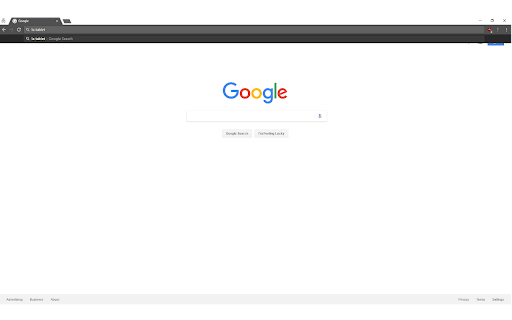
This extension adds DuckDuckGo !bang search to chrome. You can use it from the URL bar as long as your default search engine is either google or bing (for now). You can also use it directly on google's and bing's websites. UPDATED FOR V3 - although the extension has been crippled due V3 changes, it still redirects, just not as seamless. Note: This extension is basically in beta. I would very much appreciate any feedback in regards to any issues, compliments, new features, or suggestions. I am maintaining this on my own and will get any features or fixes as soon as possible. Thank you for trying out this extension! 1) Your default chrome search engine must be set to Google or Bing (for now) - The reason being is because chrome only allows me to redirect from certain websites, so I would have to add every site to the permissions in order for it to work. I will gladly add any requests sent in. 2) Enter your !bang followed by your search term (or search term followed by the bang), hit enter and you'll be automatically redirected to that site with your search term! Ex: !a tablet or tablet !a will automatically bring you to amazon with tablet as your search! 3) You can even just enter the !bang and it'll bring you to the website's homepage! UPDATE: This extension now supports ANY and ALL !bang searches that are supported by DuckDuckGo!! Updates: v1.1 - Fix Amazon multiple word search v1.2 - Add Google Scholar and JS optimization v1.3 - Add search request through DuckDuckGo to support all !bang searches v1.4 - Will no longer do a bang search when there is not a letter following ! (Any search with a ! would cause a bang search) v1.5 - Fix an issue where any prediction/ autofilled text was not being caught for a !bang search v1.6 - Remove unneeded chrome extension permission v2.0 - Added V3 support

MyCache
MyCache automatically stores saved copies of the pages you visit. MyCache is a Chrome extension for saving copies of the pages you visit automatically or on request for offline viewing. It also provides a user interface for viewing all pages stored in the filesystem. By using MyCache you agree to the terms of use and privacy policy (https://github.com/msindwan/msindwan.github.io/wiki/MyCache-Terms-of-Use-and-Privacy-Policy) MyCache does not send your data to the vendor or any third-party vendors. All files are saved on your desktop. If saving all files by default, please make sure to keep sensitive files saved by MyCache safe and secure.

Wayback Machine Playback Machine
Navigate from a given page to the Internet Archive's Wayback Machine calendar for that page. Have you ever been on a webpage and realized it has changed from what it used to be? Ever wondered to yourself, "How could I go back in time and see how this page used to be?" The Internet Archive's Wayback Machine (https://archive.org/web/) is a massive repository of snapshots of web pages over time. It provides a way to do just the kind of time-travel you have always longed for. But it is annoying to have to navigate to https://archive.org/web/ and then paste in the URL of the website you're interested in searching for. This extension enables you to do just that in one click!

Wayback Images
With one click, restores broken images by using the most recent version archived on the Wayback Machine if there is any. With one click, restores broken images by using the most recent version archived on the Wayback Machine if there is any.

Omni - Meta Search Engine
Omni allows you to search anything in one click Delivered with actual useful search engines :D - Google - Wikipedia - Collins dictionary - Youtube - The Conjugator - Le Conjugueur - El Conjugador - WordReference - Forvo
