
kckmfllnpncljamnlfnaoplpmlbgjeal
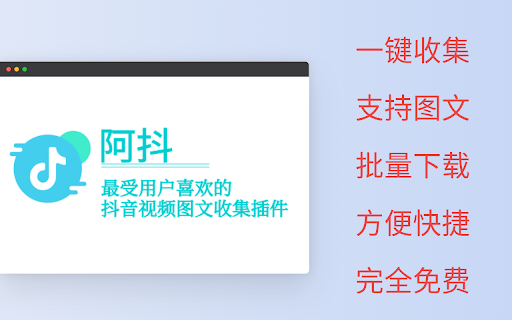
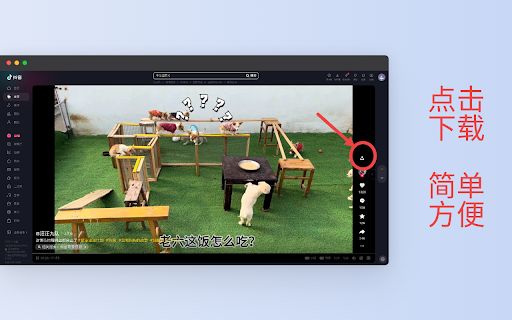
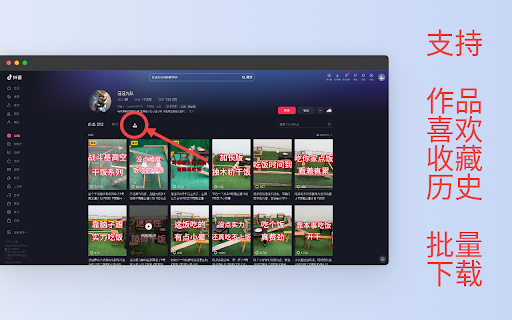
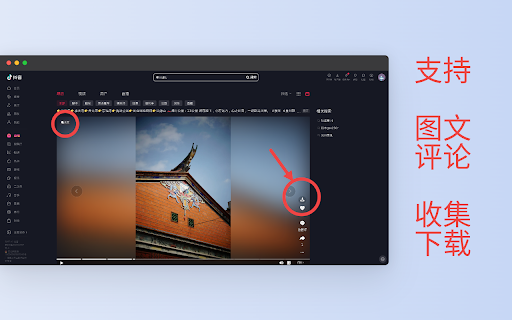
抖音网页版视频下载。页面视频下载,播放记录批量下载,我喜欢的视频一键下载,博主所有视频一键下载 一键收集 支持图文,视频和评论 批量下载用户作品,收藏,喜欢,历史记录 方便快捷,完全免费 Telegram 交流群: https://t.me/+BbO_r6dVLR5hMjE1

Video DownloadHelper
Download Videos from the Web. Download videos from the web. Easy, smart, no tracking. Best video downloader for 10+ years! Video DownloadHelper supports 1000+ websites (Dash, HLS, MPD, …), live streaming, high-definition and conversion to your preferred formats (MP4, MKV, WebM, …). Video DownloadHelper also support audio download (extract audio from videos into MP3s). Please note that this extension doesn't support YouTube.

Pinterest Video Bulk Downloader - HD Video and Images
Bulk download Pinterest HD videos and HD images. Browse and collect, one-click download Pinterest Video Bulk Downloader designed to help users efficiently download videos and images from Pinterest in bulk. Here’s an overview of its key features: 🔧 Key Features 🖱️ One-Click Bulk Download: Quickly download HD videos and images in their original resolution with a single click. 📜 Auto Scrolling: Load more content effortlessly with the "Swipe down" button. 📊 Real-Time Sidebar: Keep track of captured media with a sidebar showing the current number of HD videos and HD images detected. 🔓 Subscription Mode: Free users can perform up to three bulk downloads or "swipe 10" or "swipe 30". Upgrade to a subscription for unlimited access. 📂 Direct Download: Save content straight from the list without opening each item individually. 🛠️ How to Use ▪️Install the extension from the Chrome Web Store. ▪️Open Pinterest and browse a board or search results. ▪️Click the 'Swipe Down' button to automatically load more content. ▪️Monitor captured items in the sidebar and click Download to save them in bulk. ▪️You can click the 'Clean & Refresh' button anytime to clear the captured content and start fresh. ✅ Benefits ⚡ Efficient: Auto-scrolling and batch downloading save valuable time. 🧩 Simple: User-friendly interface suitable for everyone. 🎨 Versatile: Supports both videos and images to meet various needs. ⚠️ Limitations Free version is limited to three bulk downloads. Download speed may vary depending on your network conditions. Install now and enjoy a seamless Pinterest downloading experience! 📥✨

Amazon Product Video Downloader - Images bulk download
Batch download Amazon product videos and images. bulk downloader Download all product videos and images from Amazon with just one click! 🚀 Tailored specifically for sellers, marketers, and researchers who require fast, private, and reliable media download services. This specialized tool enables the bulk download of e-commerce images and videos—including product variations and review videos. 📦 Download All Media Download all product videos and images from an Amazon product page Choose to download individually or one-click batch download 📊 Download Progress Tracking Real-time progress display during downloads Files are neatly organized in a clear folder structure: ASIN / Variant / for easy management 🗂️ 🌍 Global Amazon Support Works with Amazon marketplaces worldwide No matter which country’s Amazon site you use, we’ve got you covered 💬 Support & Help Need help or have questions? Open the Side Panel → click “Contact Us” → join our Telegram support group for direct assistance 🤝 💰 Pricing 🆓 Free Plan Enjoy 20+ batch downloads for free trial ⭐ Subscription Plan Unlimited downloads 🚀 Download speed depends only on your connection to Amazon ❌ No server-side queues ❌ No throttling 🔒 Privacy First Your privacy matters. ✅ All downloads happen locally in your browser ❌ No servers involved ❌ No data collection 🔐 100% private & secure ⚠️ Disclaimer 亚马逊商品视频、商品图片批量下载 This extension does not grant or manage usage rights for downloaded content Users are responsible for complying with Amazon’s terms and applicable laws

Wistia Video Downloader
Easily download Wistia videos from any webpage! Supports captions, multiple resolutions and bulk downloads. This extension helps you detect and download embedded Wistia videos from any webpage with minimal effort and high reliability. Features: - Detect Wistia videos on any webpage - Allow you to download any available resolution (224p, 540p, 720p, 1080p, 4k, Original) - Download captions for any language provided - Download password-protected Wistia videos (as long as you know the password) - Download all videos from the page at once. You can do it from the context menu or from the popup. - Set default caption language and resolution for download - You can open the extension either in the popup or in the side panel, depending on your convenience. How to download a Wistia video? 1. Go to a webpage that contains the Wistia video you want to download. 2. Click the extension icon in your browser toolbar. 3. Wait a short time while the video(s) are detected and listed in the popup. 4. Choose your preferred resolution from the dropdown menu. (optional) 5. Click the Download button for the video or caption you want to save. If the video is protected by a password, enter the password in the input field which appears in the popup. We are not affiliated with Wistia the company.
