
kbiepllbcbandmpckhoejbgcaddcpbno
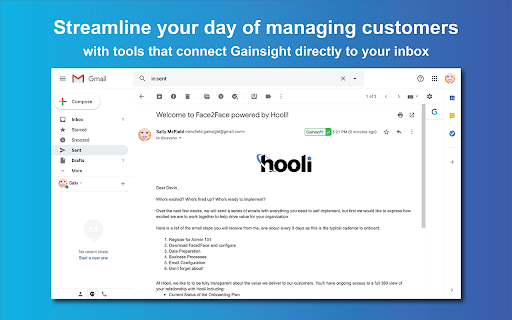


Access Gainsight email templates and easily sync emails to Timeline directly from Gmail to save time & effort in your day. Make managing your day-to-day customer communications easier than ever before with the Gainsight Assist plugin. Gainsight users can access your Gainsight email templates directly within Gmail, saving you time when composing customer emails and helping to drive consistency in your communications. And, the ability to log emails to Timeline from within your inbox saves time and ensures that every important conversation is captured. By installing this extension, you agree to the Gainsight Privacy Policy at https://www.gainsight.com/policy/privacy/ For more information, please visit https://www.gainsight.com.

GMass: Powerful mail merge for Gmail
A powerful mass email and mail merge system for Gmail. The easiest way to transform Gmail into a cold outreach, email marketing, and mail merge platform. ** Join the 400,000+ others who’ve given us an average of 4.8 out of 5 stars ** No credit card required + try all features during your free trial! ----------------------------------------- Key features ----------------------------------------- * Send cold email, email marketing messages, and mail merges to thousands of addresses without ever leaving Gmail * Unlimited contacts, campaigns, AND emails * Also: Unlimited email verification and unlimited spam solving (find out and fix issues before you send) * Mail merge personalization with data from Google Sheets * Personalize each mass email (even send personalized images and attachments) * Break Gmail's limits (and we'll help you do it with our in-house sending servers for both opt-in and cold outreach campaigns) * With GMass MultiSend's inbox rotation feature, you can distribute your campaign across multiple accounts * Hit the inbox, not the spam folder. 99% of GMass users report the best deliverability they’ve ever had * Spam Solver - test messages before you send to find spam rates, then use suggested tweaks to improve * Send auto follow-ups based on opens, clicks, and replies. * ChatGPT campaign creation generates an entire email campaign, creates a follow-up sequence, and handles your GMass settings * Automatically skip sending emails and automations on holidays, and choose custom days of the week to send/not send a campaign * Send triggered emails that go out automatically when a recipient opens or clicks — reach your prospects when you know they're in their inbox * Automate your outreach by automatically sending to new contacts in your Sheet * Connect your CRM or other apps using the GMass API or Zapier * Track opens, clicks, and replies. With instant reply and bounce detection and some of the most accurate open rates you'll find anywhere * Free email verification verify email addresses before you send your campaigns * Help with the Google/Yahoo bulk sender requirements is here. We've also created a one-of-a-kind system to help users with free Gmail addresses sending campaigns via a SMTP server pass DMARC - https://www.gmass.co/blog/gmail-smtp-dmarc/ * Emails can be sent as replies to the last conversation you had with each recipient * Unsubscribe and bounce management to automatically process unsubs/bounces, suppress future messages to those addresses, and more. * Hundreds of other features: Schedule emails, throttle sending speed, custom tracking links with SSL, A/B testing, spintax for varying up your copy (and AI's SpinMax to vary up every message), quick email polls with custom landing pages, add a countdown timer to emails, drip campaigns, HTML editing, 1-click replies, reusable templates, template sharing for teams, and so much more * And yet, even with all these features... sending an email campaign with GMass is just like using regular Gmail ----------------------------------------- Keep up with GMass ----------------------------------------- Website: https://www.gmass.co ----------------------------------------- How does GMass compare to other Gmail extensions? ----------------------------------------- Mixmax: cool extension, but you have to use its external web portal to send campaigns. (Also, Mixmax is much more of a sales team management platform than an email sending platform.) With GMass, the magic happens inside Gmail, using just the red GMass button. Yesware: similar to Mixmax, you can't send campaigns inside Gmail. You have to use their web interface. Plus, both Mixmax and Yesware are more expensive than GMass. Mailtrack and Snov.io: Lets you track individual emails, but with GMass, you can eliminate Mailtrack and Snov.io because GMass can track both individual emails and campaign emails. (Use the GMass button on both one-on-one emails and campaigns.) Copper: Good CRM system, but not meant for sending email campaigns. Same for Gmelius and Streak CRM. Lastly, GMass works seamlessly with Grammarly to ensure your campaigns contain perfect prose and are error-free.

Gmail Templates
Use Gmail Templates for creating messages in one second and boost your productivity with auto text expander and browser template ✨ Remembering all the gmail keyboard shortcuts or which tab shortcut to use can be challenging. It solves this with an intuitive interface that puts Keyboard shortcuts at your fingertips.Enhance your productivity with seamless email solutions. Get the benefits of text expander, browser, and email templates features all in one place. 🚀 The Chrome extension gives you powerful tools to save, organize, and insert email template for quickly—no more digging through old threads or drafts. Experience improved communication and greater consistency in your daily emails with intuitive, easy-to-use tools. ✨ This tool for anyone who values speed, clarity, and professionalism in their daily email communication. This tool empowers you to create, organize, and use it directly within Gmail, right in your Chrome browser. ▸ Instantly save email template for any situation ▸ Keep a uniform style and tone ▸ Reduce mistakes and improve productivity with each mail template ▸ Quickly insert templates gmail into your messages ▸ Organize templates for gmail with tags or folders for fast access ▸ Compose your mails as usual ▸ Click the extension icon ▸ Choose from your saved it ▸ Personalize details and send in seconds Who benefits most? ⭐️ Customer service agents using business email template standards ⭐️ Sales professionals with multiple email marketing templates ⭐️ Team managers coordinating templates for Gmail by topic ⭐️ Entrepreneurs managing mail templates for different clients ⭐️ Anyone who writes similar messages on a regular basis Using scattered tools instead of one integrated solution 🚀 Say goodbye to repetitive writing and hello to effortless, consistent messaging with email templates. Writing similar messages again and again wastes valuable time. Searching for previous mail templates or rewriting answers introduces mistakes and drains energy. ✨ Gmail Templates let you instantly access and manage templates for mails, keeping your workflow smooth and error-free. If your work depends on sending many similar mails, having the right gmail email template at your fingertips is crucial. - Common problems solved by this extension: - Rewriting the same mail template over and over - Losing track of which templates gmail to use - Forgetting shortcuts gmail and keyboard shortcuts chrome - Wasting time searching 1️⃣ Easily organize templates gmail with labels and search 2️⃣ Assign Keyboard shortcuts gmail for instant insertion 3️⃣ Use auto text expander to speed up responses 4️⃣ Build business email template libraries for every scenario 5️⃣ Share mail templates across your team 6️⃣ Store unlimite Key benefits users love: 🟢 Save email template in one click 🟢 Browser for instant recall of common messages 🟢 Tab shortcut to switch between templates gmail categories 🟢 Use text expander chrome for frequent replies 🟢 Access web text expander chrome tools for all your canned responses Your security and privacy are a top priority. All autotext, and personal data are stored locally in your browser. Your email templates for and business email template content never leave your device, giving you peace of mind. With built-in features like text snippet storage, auto text, and easy mail template organization, App ensures you always have the right words ready to go. Boost productivity by combining, keyboard shortcuts chrome, and text expander chrome functionality. ❓ FAQ Q: Can I use my with multiple accounts? A: Yes, easily sync and organize for every inbox. Q: Does it support Keyboard shortcuts gmail and tab shortcut options? A: Assign unique keyboard shortcuts chrome or tab shortcut for rapid use. Q: Will my business email template data remain secure? A: Yes, everything is saved on your device—never shared externally. 🚀 Ready to transform your chat experience? Download tool now and unlock all the power email templates for gmail, and advanced text expander chrome tools—right inside your browser. Simplify your day, send better emails, and save more time with every message you write. Create and categorize for every need Use text expander to save time and reduce manual typing ➡️ Find every template gmail with an intuitive dashboard ➡️ Rely on auto text expander and autotext for fast messaging ➡️ Harness the power of keyboard shortcuts chrome for seamless workflows Stay organized, save time, and enjoy a smarter, more efficient workflow every time. Unlock new levels of efficiency and enjoy a more organized inbox with every email you send and receive.

Nutshell CRM for Gmail
Save time and stay organized with Nutshell for Gmail. Nutshell is the best Next Action Sales B2B CRM on the market that helps sales teams, marketing teams, support teams, success teams and entire organizations work together to close more deals, retain more customers and increase revenue in order to grow their businesses. Nutshell is simple enough that you can set it up for your team in just a few weeks and sophisticated enough for your business to use as you continue to scale and grow. Nutshell helps you grow and grows with you. Nutshell seamlessly integrates with Google. With this Chrome extension you can bring Nutshell to your Google Workspace email inbox and calendar. This integration allows you to: - Create contacts and tasks - View scheduled activities - Track communication timelines - Write notes - See which emails have been shared with your teammates in Nutshell - Share email threads and messages directly from Gmail, without having to forward or bcc them to Nutshell - Bring the power of Nutshell's email templates and Personalized email sequences into your Gmail inbox In addition to our seamless integration with Google, Nutshell can integrate with many of the apps your business likely already uses or will use in the future. Other reasons why many business professionals choose to use Nutshell are: - Unlimited data and contact storage - Free, world-class live chat support - Flexible monthly plans that allow you to get your team the features they need without breaking the bank - Flexible sales automation, pipeline automation and email automation - Ability to view your pipeline in Board, List, Chart and Map view - AI to make using a CRM more efficient - Reporting & Analytics - Lead attribution to help you inform your marketing campaigns - Custom Webform builder - So much more! And CRM isn't all we do! Nutshell also has add-on features that help you fill your pipeline, maximize your efforts and grow your business. - Nutshell Campaigns - email marketing software built right into Nutshell that allows you to turn your contacts into Audiences and send them beautifully designed, no-code emails. - Landing Pages - landing page software that allows you to build beautifully designed, no-code landing pages for your marketing campaigns. - Revenue Booster - includes Nutshell Scheduler, our online meeting scheduler tool, and Email Power up to make this extension even more powerful - PeopleIQ - people identification software to help you find the right contacts at the businesses currently in your pipeline CRM, and website visitor identification software to help turn cold website visits into hot leads. - CompetitorIQ - online competitor tracking software to help you establish a baseline compared to your competitors online marketing presence - AppConnect - let our software engineers build and monitor your integrations with Nutshell Nutshell for Gmail requires a Nutshell account. Not a customer? Start a free 14-day trial at nutshell.com/signup. WE’RE HERE FOR YOU If you need a hand, please contact us at support@nutshell.com, or visit our help center at https://support.nutshell.com.

Gmelius: Shared Inboxes & AI Email Assistants for Gmail
Save 1 hour daily: AI Assistants sort your emails, draft replies & shared inboxes let your team take over conversations for you. Gmelius is the AI-powered email management platform built natively for Gmail. It lets generative-AI assistants sort, draft replies and dispatch messages, offers shared inboxes and shared labels inside Gmail, and keeps everything in perfect sync across your team and tools. ✨ AI Assistants for Gmail – Reply, Sorting and Dispatch agents cut routine email work by an hour a day. 📨 Shared Inbox inside Gmail – manage support@, sales@ or any group address with clear open → pending → closed statuses, assignees, tags, @mentions and notes. 🏷 Shared Gmail Labels – turn any Gmail label into a live thread your whole team can follow. 🎛 Custom views – flip an inbox or label into specific views depending on your operational needs. 🤖 Automation rules and SLA timers – create “If-This-Then-That” flows, auto-assign owners and stay inside promised response times. 📊 Analytics dashboards – track volumes, resolution time and teammate workload at a glance. All features live where you already work, so your team keeps its Gmail muscle memory and gains new productivity super-powers. ✨ Highest Star Rating in our Class. 🏆 Leader of the shared inbox space. 🚀 Y Combinator S19 This is our browser extension that completes our solution for Gmail and Google Workspace customers. Key features: ✨ AI Assistants for Gmail: Meet AI assistants whose job it is to manage your Gmail inbox. ✓ AI Reply Assistants - They draft replies to your emails. ✓ AI Sorting Assistants - They sort and classify your incoming emails. ✓ AI Dispatching Assistants - They route emails to the right teammates. 📨 Shared Inbox: Transform Gmail into a collaboration platform. Make great teamwork possible in Gmail by reinventing how your team manages inboxes like support@ or invoices@. Replace cluttered Google Groups and help desks with a shared inbox built for Gmail. Discover the smartest alternative to Google Groups, Help Desks, Hiver, Front, etc. 🏷️ Gmail Shared Labels ✓ Share existing or new Gmail labels with members of your team ✓ Synchronize conversations in real-time across all devices (e.g., mobile, desktop) 👥 Team Collaboration ✓ Real-time syncing across all devices ✓ No more bcc nor fwd! ✓ Email Notes and @mentions to add context to any conversation ✓ Assign or delegate emails to members of your team 🤓 Workflow Intelligence ✓ Automate repetitive tasks with rules for internal and external workflows ✓ SLA rules, auto responder, auto assignment and more ✓ Ex: “when this email gets answered add automatically reply and assign it to that team member” 📧 Shareable Email Templates for Gmail ✓ Make email writing easy and fast ✓ Improve your team's consistency and performance ✓ Proposal, Sales, Marketing, Custom Templates - easily created and shared Swiss-grade privacy and security Headquartered in Switzerland, Gmelius follows a strict Privacy-by-Design framework. Your data stays confidential, is securely processed, and is never used to train AI models. Explore our Trust Center any time. For more details, please see https://gmelius.com/legal/security Install the extension, start your 7-day free trial, and see how AI + Gmail can unlock real email productivity for your team. Need a guided tour? Book a demo at gmelius.com/request-demo =============================== © Gmelius. Less Email. More Life. Gmail is a registered trademark of Google Inc.; Gmelius is not affiliated with Google.
