
kaoholkoedbpjiangnchpfchhmageifp
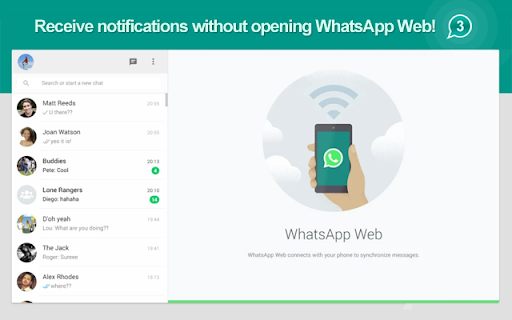
Unofficial enhacement for WhatsApp™ Web notifications. Get WhatsApp™ notifications directly on Google Chrome without opening WhatsApp™ Web! Then, just open a New Tab and start chatting! WhatsApp™ is a smartphone messenger, now also available from the WEB! Download the latest version of WhatApp to your phone to use WhatsApp™ Web. WhatsApp™ for Android: http://bit.ly/whatsapp_googleplay WhatsApp™ for iOS: http://bit.ly/WhatsApp_iOS WHAT DEVICES SUPPORT WHATSAPP™ WEB? WhatsApp Web is currently supported by Android and iOS. WHAT'S THE ORANGE ICON WITH AN EXCLAMATION MARK (!) IN IT? This icon appears when WhatsApp™ web loses connection to phone. WHAT'S THE RED ICON WITH AN (X) IN IT? This icon appears when a session of WhatsApp™ Web has been opened in other broswer or PC. WHAT'S THE GRAY ICON WITH (...) IN IT? This icon appears when WhatsApp™ Web is loading. WhatsApp is a trademark of WhatsApp LLC. This extension is an unofficial enhacement for WhatsApp™ Web and is not related in any way to WhatsApp LLC.

Translator for WhatsApp™ Web
Support multiple translation engines, intelligent recognition of scene languages, and translation using the enter key (unofficial) Usage scenario: We often encounter language barriers when communicating with foreign friends using WhatsApp. By using our plugin, we only need to set my language and the language of the contact person, and the chat content can be automatically translated. The content entered in the input box can also be translated into the target language using shortcut keys. Disclaimer: WhatsApp is a trademark registered by WhatsApp Inc. in the United States and other countries. WhatsApp ™ Real time translation is an independent project and has no relationship with WhatsApp official or WhatsApp Inc. The translation engine used in the plugin also has no association, authorization, recognition or official contact with Google.

WhatsApp Translator
Features 1. Beautiful Interface – Enjoy a sleek and user-friendly design 2. Auto Translation - Translate received messages in real time 3. Button Translation- Tap the "Translate" button to translate any message instantly 4. Quick Input Translation - Instantly translate messages before sending them How To Use 1. Install the Extension 2. Pin the Install the Extension 3. Click the extension icon and set your native language 4. Open WhatsApp Web 5. Click the "Translate" icon FAQs Is it free to use? - Yes, we offer limited use for free. For unlimited access, you can choose the Premium Plan. Need help? - Contact us via email for support. Data Privacy - Your privacy is our priority. All data remains on your local device and never passes through our servers.

Privacy Extension for WhatsApp Web
Blur WhatsApp messages, media, names and previews. Protect your chats: auto-blur when idle, reveal on hover. Boss walking by? Coworker eyeing your screen? Someone behind you at the café? Blur your WhatsApp Web chats and keep messages, photos, names and previews safe from prying eyes nearby. 🧠 AUTO-BLURS WHEN YOU STEP AWAY Stopped scrolling? Everything blurs on its own. You pick the timer: 15s, 30s, 45s, 1 min or 5 min. Move your mouse to reveal. 🎛️ YOU CHOOSE WHAT TO HIDE ✅ Messages and previews ✅ Photos, videos and stickers ✅ Profile pictures and contact names ✅ The typing field 💼 BUILT FOR SHARED SPACES • Home office and remote work • Open offices and coworking • Cafés and public places • Shared or family computers ⌨️ FAST AND IN YOUR CONTROL • Hover to reveal instantly • Shortcut: Alt+X (Windows) / Ctrl+X (Mac) • Lightweight — won't slow WhatsApp Web down ☁️ YOUR SETTINGS FOLLOW YOU Signed into Chrome, your preferences sync across devices. 🔐 REAL PRIVACY Zero data collected. Everything runs in your browser — nothing leaves your computer. WhatsApp is a trademark of Meta Platforms, Inc. This extension is not affiliated with, endorsed by, or sponsored by Meta.

WhatsApp Editor
An extension to edit WhatsApp messages WhatsApp Editor: Take Full Control Over Your WhatsApp Conversations What is WhatsApp Editor? WhatsApp Editor is a revolutionary Chrome extension designed to empower your experience on WhatsApp Web. Have you ever wished you could edit a sent WhatsApp message? Or customize the way your chats look? Now you can! Key Features Edit Sent Messages: Ever made a typo in a message that you wish you could fix? Now you can. Message Customization: Change fonts, add emoticons, and insert images like never before. Quick Access Popup: Easily access all features through a popup window that sits conveniently on your browser toolbar.
