
kaknlbipgndgehkpbmneogjaiandmpao
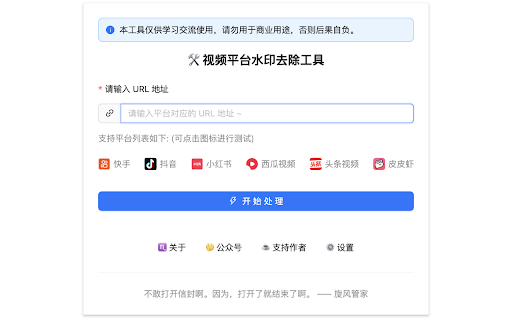


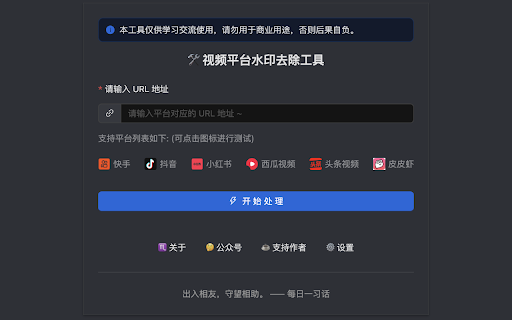
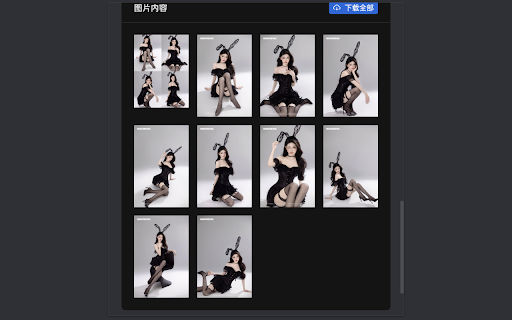
免费去水印神器,去水印工具,视频去水印,短视频去水印 鲸鱼去水印,无水印保存,永久免费使用,提供全网主流短视频去水印。 输入有水印视频链接,便可以通过插件来去除视频中的水印

救救图片:AI去水印,画质变清晰和图片下载
网页图片先编辑,再保存,即刻实现全网用图自由。支持去水印,画质变清晰,涂抹擦除,AI画相似图等功能。 🧩救救图片插件版:AI智能救图工具 网上任意图片【一键下载】+【一键AI编辑】 找图用图太费劲?有水印?太模糊?低分辨率?救救图片随手一键拯救不能用的图! ⬇️【一键下载】:快捷保存任意图片到本地,让那些无法右键保存、无法直接下载的图片也能一键下载。 🖊【一键编辑】:不用离开网页,就能当场一键AI编辑任何图片,也支持本地上传图片。 支持3种快速编辑方法:①鼠标右键②快捷操作栏③鼠标指向任意图片双击⌘(win系统为ctrl)。 (备注:当三种方法失效的时候请刷新网页,浏览器右侧有显示救救图片的快捷悬浮球的时候说明AI已在此网页生效) 🔯超强去水印: 全自动去水印+效果更好!最新AI大模型,再也不用买图库会员了!让你实现图片自由!去全屏水印、去logo水印、一键去除不留痕迹,自然且清晰。 🔯变清晰: 模糊图片、低分辨率图片、雾化图片。一键画质修复,瞬间变清晰。 🔯无损放大: 图片分辨率太小,放大后就变得模糊?别担心,救救图片一键将图片放大并保持清晰,支持1K、2K、4K、8K等多个分辨率。从此网上遇到小图再也不用愁。 🔯AI 画相似图: 原图有版权不能直接用?细节不满意?AI参考原图画同款图,可以调节相似程度。让你满意,还能无版权直接用! 🔯一键抠图: AI自动移除图片的背景,自动识别图片中的主体并将其与背景快速、精准分离,去背景同时还提供背景换颜色等丰富编辑功能。 🔯去马赛克: 运用AI算法,一键还原图片高清细节,让画面瞬间清晰,精彩不再 “打码”。 🔯涂抹擦除: 想去除照片中的人物或物体?鼠标涂一涂,它就可以轻松从照片中移除任何不需要的物体,就像它从没存在过。 🔯局部重绘: 对图片中部分细节不满意?鼠标简单涂一涂,就能把涂抹区域重画一遍,AI会保留图片构图和风格,细节重新画,直到为你画出满意的图片。 ✅支持下载为任意格式: 支持以 JPG、PNG、WebP、TIF、GIF、BMP、PDF 等多种格式下载。 再也不会遇到下载图的片格式不支持的情况了! 💡还有更多功能,即将推出 📪如果你有任何建议或反馈,欢迎在评论区给我们留言或通过电子邮件联系我们:picfree.teams@outlook.com

cat-catch
Open Source: https://github.com/xifangczy/cat-catch For bug submissions, please visit GitHub or find other submission methods in the documentation. Documentation: https://o2bmm.gitbook.io/cat-catch/ The extension is not responsible for the content downloaded by users, so please check the copyright and permissions before downloading.

TikTok Downloader, Sort & Analytics | KOLSprite
Analyze TikTok as you browse: download no-watermark videos, sort/filter content, view insights, discover creators & export data. 📣 Overview KOLSprite is an in-TikTok analytics workspace built for brands, dropshippers, creators, agencies, and marketers. Instead of switching between multiple tools, KOLSprite embeds a smart dashboard directly into TikTok pages, helping you analyze content, discover creators, sort videos, download assets, and export data while browsing TikTok. With KOLSprite, you can stop scrolling blindly and turn your daily TikTok research into a faster, more data-driven workflow. Browse TikTok as usual. Analyze as you go. --- 🚀 Key Features [ 1 ] In-TikTok Analytics Workspace KOLSprite is deeply embedded into the TikTok browsing experience, allowing you to research and analyze content without leaving TikTok. - Embedded Dashboard: View the KOLSprite panel directly on supported TikTok pages. - Analyze While Browsing: Check video, creator, hashtag, script, and performance data as you scroll. - Faster Content Research: Identify viral videos, trending content, and high-performing creators without manually opening multiple tools. - Workflow-Friendly Design: Built for daily TikTok research, competitor analysis, creator discovery, and content inspiration. [ 2 ] Advanced TikTok Sort & Filter Find valuable content faster with sorting and filtering tools built into your TikTok workflow. - Sort Videos by Metrics: Instantly reorder a creator’s videos by Most Viewed, Most Liked, Most Commented, or Published Date. - Keyword Filtering: Filter videos by specific keywords to quickly locate relevant content. - Profile & Search Page Support: Use sorting and filtering on creator profiles, search results, and supported TikTok pages. - Save Research Time: Stop endless manual scrolling and surface the best-performing content in seconds. [ 3 ] Powerful Downloader Without Watermark Save TikTok content efficiently for research, inspiration, content management, and creative workflows. - One-Click Download: Download HD TikTok videos without watermark. - Bulk Download: Batch download videos from creator profiles, liked lists, or favorites folders. - Audio Extraction: Extract background music as MP3 for creative reference. - Smart File Management: Use custom folder options and standardized file naming for better organization. [ 4 ] Data Insights & Content Analysis Turn TikTok browsing into actionable insights with real-time data and analysis features. - In-Feed Data Insights: View performance metrics directly through the KOLSprite overlay. - Script Analysis: Analyze video scripts and content structure to understand what drives engagement. - Upgraded Script Analysis Model: Paid members can switch to the upgraded model, with better support for less common languages and improved background audio processing. - Hashtag & Content Insights: Review hashtag trends, content patterns, and performance signals. - Enhanced E-commerce Analysis Table: View more data dimensions to better evaluate product content, selling performance, and market opportunities. - Data Export: Export influencer and video data to Excel/CSV for further analysis. [ 5 ] Creator Discovery & Competitor Research Discover creators, compare performance, and find potential collaboration opportunities directly inside TikTok. - Find Similar Creators: Click the "Similar Creator" button on any profile to discover lookalike accounts with matching niches, follower sizes, and performance metrics. - Competitor Tracking: Compare creators and video performance to identify content opportunities. - Collaboration Suggestions: Get AI-driven recommendations for potential influencer partnerships. - Creator Data Export: Save creator and video data for outreach, reporting, and campaign planning. [ 6 ] Global Support KOLSprite supports a multilingual interface for global TikTok research teams. - English - Chinese 中文 - Japanese 日本語 - Korean 한국어 - Vietnamese Tiếng Việt - Indonesian Bahasa Indonesia - Portuguese Português - Spanish Español --- 💡 How to Use Install KOLSprite and open TikTok.com. The KOLSprite dashboard will appear directly inside the TikTok interface on supported pages. 1. To Analyze While Browsing: Open TikTok as usual and use the KOLSprite embedded panel to view creator, video, hashtag, and script insights. 2. To Sort & Filter Content: Go to a creator profile or supported TikTok page, then use the KOLSprite control panel to sort videos by views, likes, comments, or publish time. 3. To Download Videos: Click the download button on a video card or use the bulk download feature inside the KOLSprite panel. 4. To Discover Similar Creators: Open a creator profile and click the "Similar Creator" button to find lookalike influencers. 5. To Analyze E-commerce Content: Use the enhanced analysis table to review expanded product and content performance data. 6. To Export Data: Export creator or video data to Excel/CSV for reporting, research, or campaign planning. --- 🔄 Latest Updates V2.0.7 - Script Analysis Model Upgrade: Improved support for less common languages and better background audio processing. Paid members can switch to the upgraded model. - Enhanced E-commerce Analysis Table: Added more data dimensions to help users evaluate product content, selling performance, and market opportunities. V2.0.4 - Brand New Feature: "Find Similar Creators". Instantly discover lookalike influencers with matching categories, follower counts, and performance metrics directly from any creator's profile. - General UI enhancements and performance optimizations. V2.0.2 - Fixed creator IP identification issues. - Improved video data stability and resolved script analysis playback issues. V2.0.0 - Added data support for TikTok Studio & Music pages. - Standardized download file naming conventions. - Enabled script analysis to remember user settings. V1.5.0 - Fixed major issues with previous download modules. - Adjusted offsets for the new TikTok search page layout. - Resolved web translation errors caused by plugin activation. V1.4.9 - Improved bulk download performance and speed. - Fixed video display issues following TikTok layout updates. - General integration and stability enhancements. --- KOLSprite – Browse TikTok, analyze in real time, and turn every scroll into actionable insights.

豆包即梦可灵通义文心海螺图片视频去水印下载
免费用于从豆包、即梦、可灵、通义千问、文心一言、海螺下载无水印图片和视频的浏览器扩展。 ✨ AI 图片视频无水印下载助手 ✨ 告别水印困扰,轻松保存你的AI创作! 本插件专为豆包、即梦、可灵、通义、海螺、文心一言等主流AI绘画/视频生成平台设计,助你一键获取高清无水印素材。 🚀 核心功能亮点 🪄 智能去水印大师: 自动识别并获取平台生成的原始无水印图片与视频!无需手动处理。 ⏬ 一键批量下载: 告别逐个点击!支持在豆包、即梦、可灵、通义、海螺、文心一言等网站一键批量下载 所有选中作品。 👀 清爽预览界面: 集成式右侧边栏,清晰预览图片/视频,方便多选、全选目标文件。 🔍 智能筛选帮手: 可按生成图片的尺寸(大图/中图/小图) 快速筛选所需内容。 🎯 谁最需要它? 🎨 AI绘画爱好者: 轻松下载自己在豆包、即梦、可灵、通义、海螺、文心一言等平台创作的高清无水印作品,方便收藏、分享或二次创作。 ✏️ 设计师: 高效批量下载 AI 生成的灵感素材库,为设计项目注入新鲜血液。 📱 内容创作者: 快速获取、整理和管理来自多个AI平台的图片/视频资源,提升内容制作效率。 📖 使用指南 (超简单!) 安装插件至你的 Chrome 浏览器。 访问 豆包、即梦、可灵、通义、海螺、文心一言等支持的AI网站。 点击 浏览器右上角的插件图标 �。 在展开的右侧边栏中: 预览生成的图片/视频缩略图。 勾选需要下载的文件(支持多选/全选)。 (可选) 使用尺寸筛选器。 点击 “下载” 按钮,即可将选中的 高清无水印文件 批量保存到本地! ✅ 💪 我们的优势 批量高效: 告别重复劳动,节省大量时间⏳。 界面清爽: 操作直观简单,一目了然😌。 质量优先: 智能识别并下载最佳画质的原图/视频。 格式兼容: 支持多种主流图片 (JPG, PNG等) 和视频格式。 轻快流畅: 下载速度快,资源占用低,体验顺畅🚀。 ⚠️ 温馨提醒 尊重规则: 请合理使用插件,遵守各AI生成平台的相关用户协议和使用规则。 网络环境: 建议在网络良好的环境下使用,以获得最佳下载体验。 适度下载: 进行大批量下载时,请注意控制频率和数量,避免对平台服务器造成不必要的压力。 🛠 遇到问题?有好建议? 欢迎随时联系我们! 技术支持微信:ptsm189 (添加时请备注“AI下载助手”)
